3-59
Chapter 3
INSTALLATION AND SETTING PROCEDURES (HARDWARE)
5. VX-3000F CONNECTION
5.1. LAN Link Connector Connections
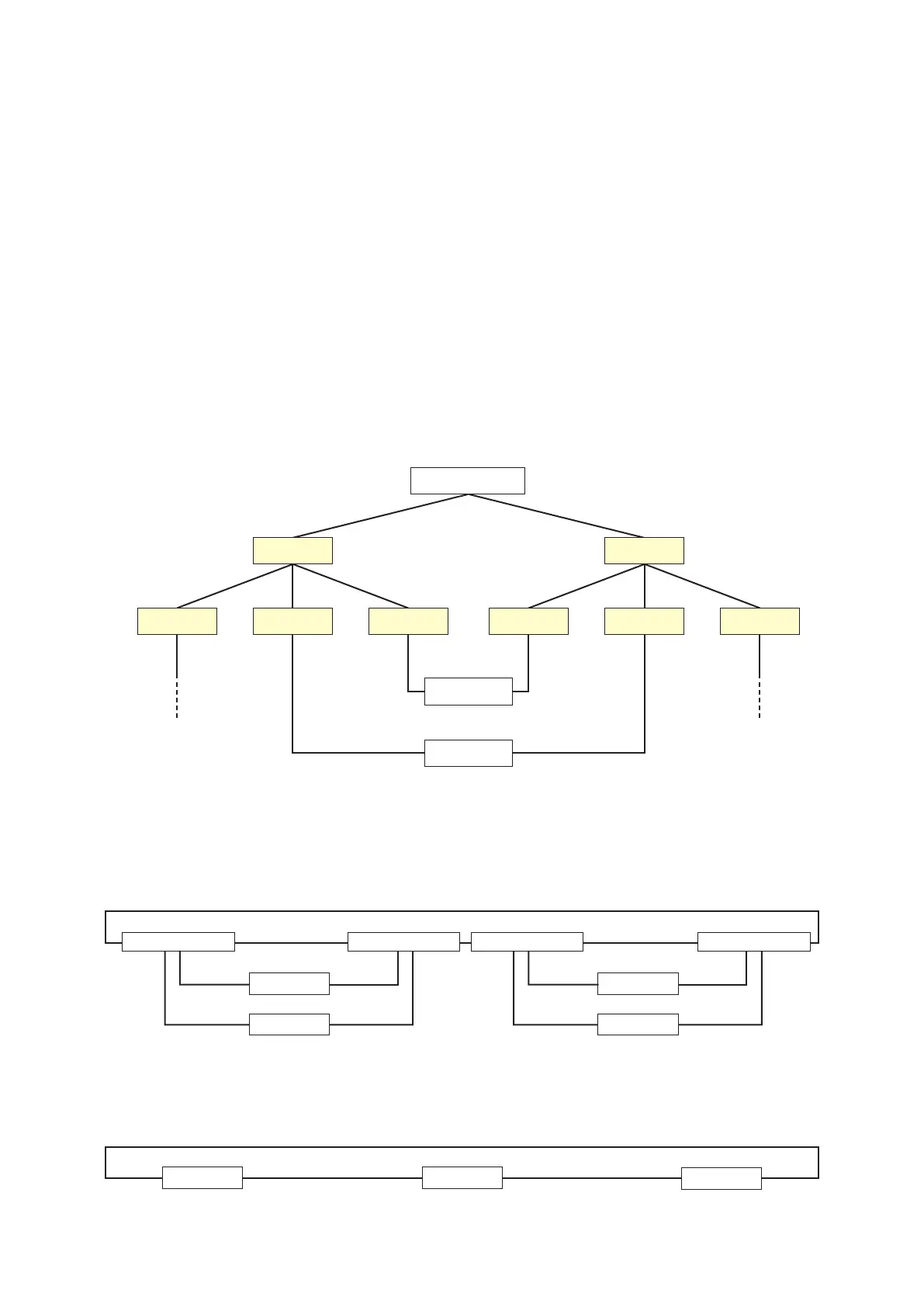
Connect the LAN link connectors of all VX-3000F units within the system to each other via switching hubs.
Connect each of LAN link connectors A and B to the same switching hub or different switching hubs connected
instarconguration.
Also, since the VX-3000F has a HUB function compatible with RSTP (Rapid Spanning Tree Protocol), loop
connection is allowed between the VX-3000F units without the use of switching hubs.
Notes
• MaketheLANlinkconnectorscompletelyindependentfromotherLAN.
• BesuretouseSTPCategory5straightcable(withR45connectors)forconnectingLANlinkconnectors.
•
The distance between each of VX-3000F and a switching hub, and between switching hubs is less than 100 m.
• BesuretomakeconnectionsofbothterminalsAandB.
• Whenusingmultipleswitchinghubs,makeastarconnectionasshownintheexamples4.
[Connectionexample1:Redundantcongurationofnon-RSTP-compliantswitchinghubs]
SW-HUB
SW-HUB
VX-3000F
VX-3000F
SW-HUBSW-HUB
VX-3000F
SW-HUB
SW-HUB SW-HUBSW-HUB
LAN link B
LAN link B
LAN link A
LAN link A
(Operating)
LAN link B
(Operating)
LAN link A
A method of connecting a single unit's LAN Link A and B terminals to each different switching hub to prevent
the system from going down when a cable is broken or power fails.
[Connectionexample2:RedundantcongurationofRSTP-compliantswitchinghubs]
[Connection example 3: Redundant configuration when no switching hubs are used]
LAN link B LAN link A
VX-3000F
LAN link B LAN link A
VX-3000F
LAN link B LAN link A
VX-3000F
LAN link A
LAN link B
SW-HUB (RSTP) SW-HUB (RSTP) SW-HUB (RSTP) SW-HUB (RSTP)
LAN link A
LAN link B
VX-3000F
VX-3000F
LAN link A
LAN link B
LAN link A
LAN link B
VX-3000F
VX-3000F



 To Next Page