3-69
Chapter 3
INSTALLATION AND SETTING PROCEDURES (HARDWARE)
6.3. Setting Procedures
6.3.1. Setting an initial impedance value
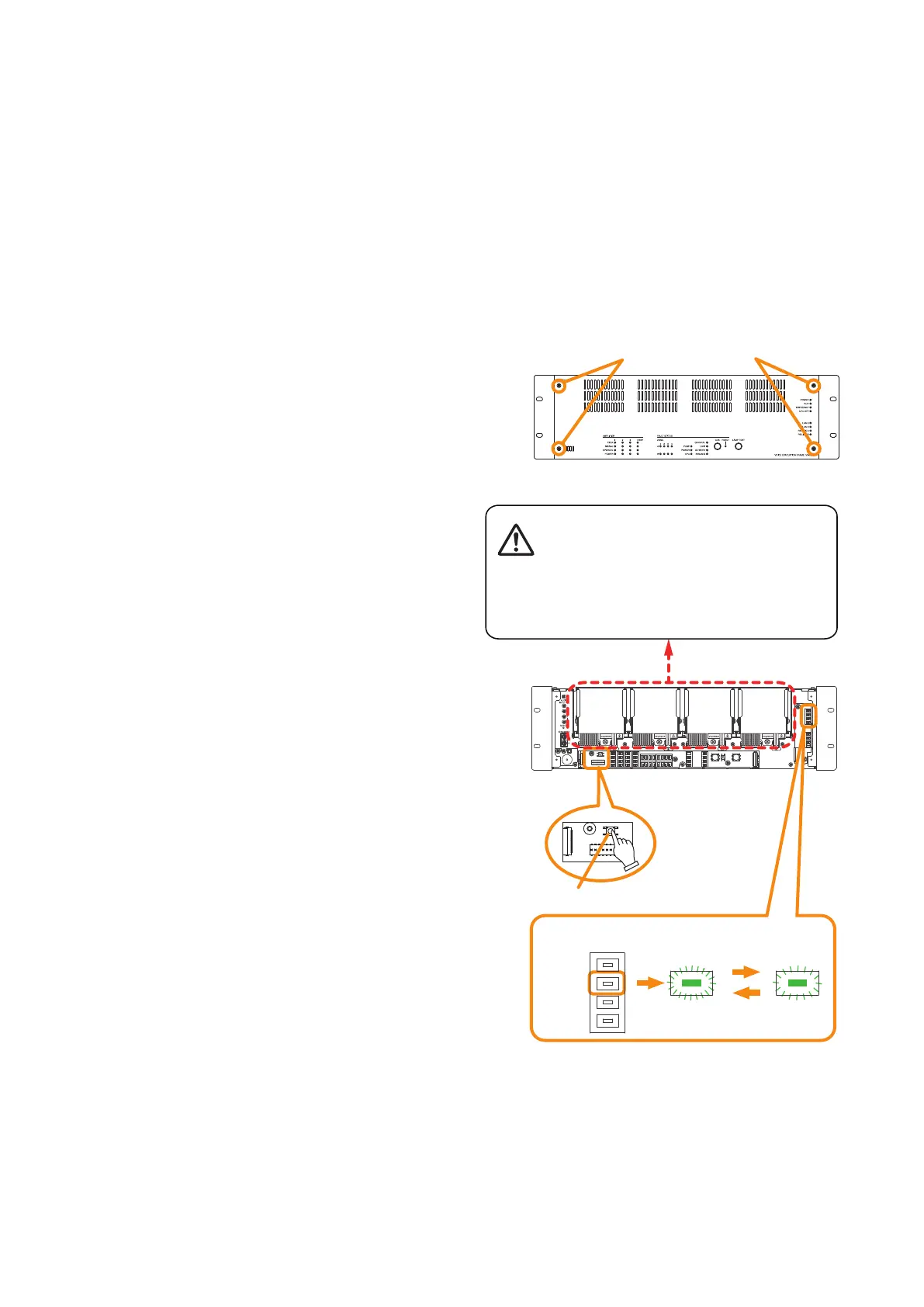
Step 1. Detach the front panel.
Remove4xingscrewsforfrontpanelanddetach
the front panel.
VX-3000F front
Fixing screws for front panel
1
RUN indicator
VX-3000F
(Front panel detached)
Per 1 sec. Per 5 sec.
Impedance initialize key
2
2
3
There is a high voltage section inside the power
amplifier's filter. Never insert your finger or
metallic objects inside the unit.
Notes
• Whenattenuatorsareconnectedtothespeakerline,settheirattenuationleveltotheirmaximumposition.
Otherwise, the initial impedance value cannot be set correctly.
• Besuretoperformthissettingaftercompletionofconnectionwork.
• Besuretoresettheinitialimpedancevalueifanywiringorconnectionhasbeenchangedaftercompletionof
the setting.
Step 2. Press the Impedance initialize key.
Impedance measurement starts. Blinking
cycle of the RUN indicator (the second LED
from the top of the 8 LEDs arranged vertically
on the right side) changes from 1-second
intervals to 5-second intervals.
Step 3. Wait until the RUN indicator returns to normal
state(ashingin1-secondintervals).
Step 4. Replace the front panel.
Secureitusing4xingscrewsforfrontpanel.



 To Next Page