3-37
Chapter 3
INSTALLATION AND SETTING PROCEDURES (HARDWARE)
4.2. Input Equipment Connections
4.2.1. Connecting the Remote microphone
• TheVX-3000Fisequippedwith2channelsofRSLinks.Connecttheremotemicrophonetooneofthese
ports.
The number of connectable units is limited as follows.
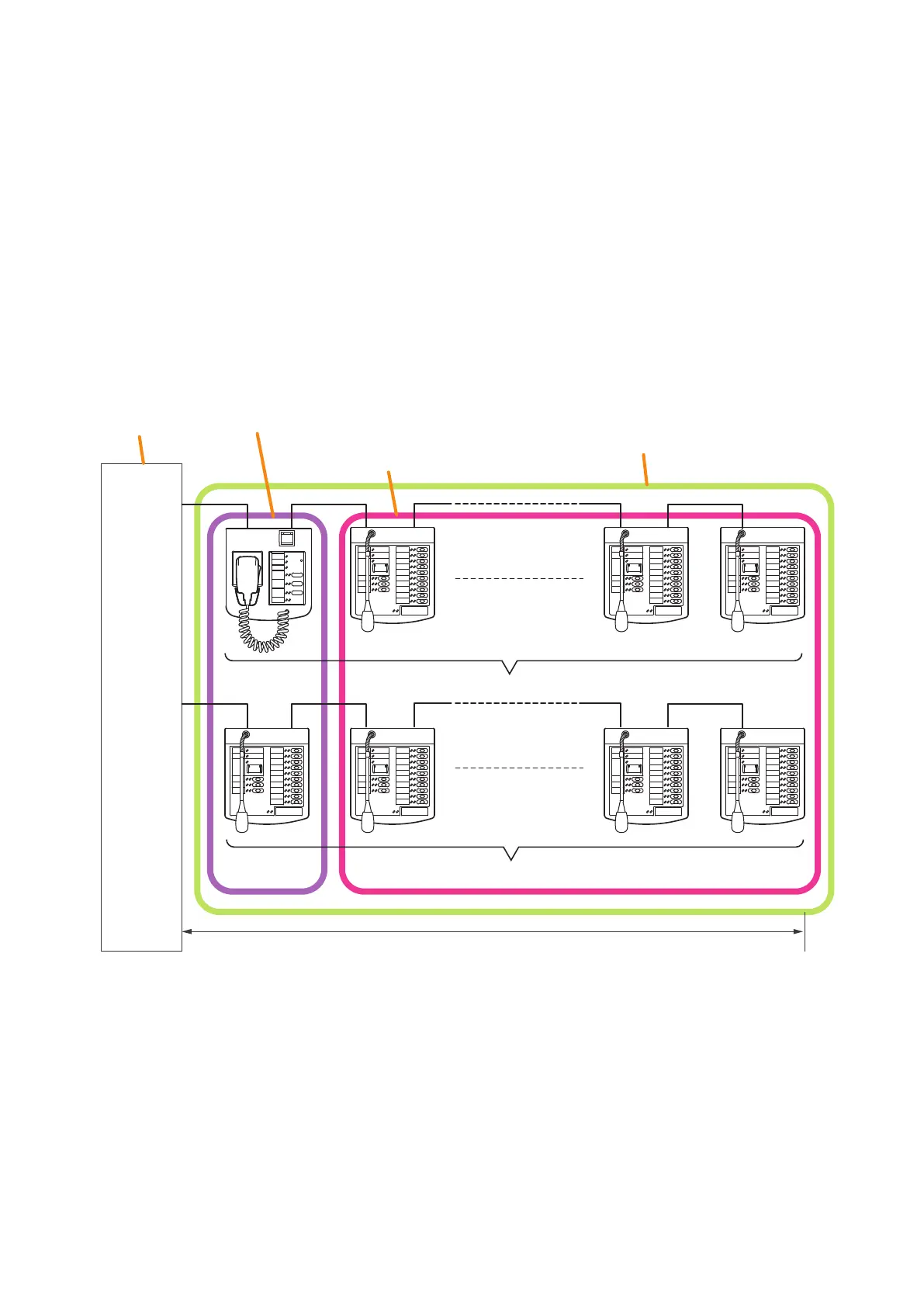
(1) Up to 8 RM-200SF or RM-300X units can be connected to a single VX-3000F.
(2) Up to 8 RM-200SF or RM-300X units can be connected to a RS Link.
(3) Out of 8 connectable remote microphones, the number of the connectable RM-200SF units or RM-300X
units for emergency broadcasts is up to 2 in total, and 1 to a single channel of RS link.
(4) When connecting the RM-200SF or the RM-300X for emergency use directly to each VX-3000F's RS link,
make its distance shortest compared to other remote microphones.
(5) The maximum cable length from each RS link is 1200 m.
(5) Max. 1200 m
RS LINK A
MAX. 1 A
RS LINK B
MAX. 1 A
VX-3000F
RM-200SF,
RM-300X for emergency broadcasts, or
RM-300X for general broadcasts
placeable
RM-300X for general broadcasts
placeable
(1) Up to 8 units connectable to
the VX-3000F (RS LINK A + RS LINK B)
(2) Up to 8 units connectable to the RS LINK A
(2) Up to 8 units connectable to the RS LINK B



 To Next Page