@
ToolkitRC
2019
Charge and discharge
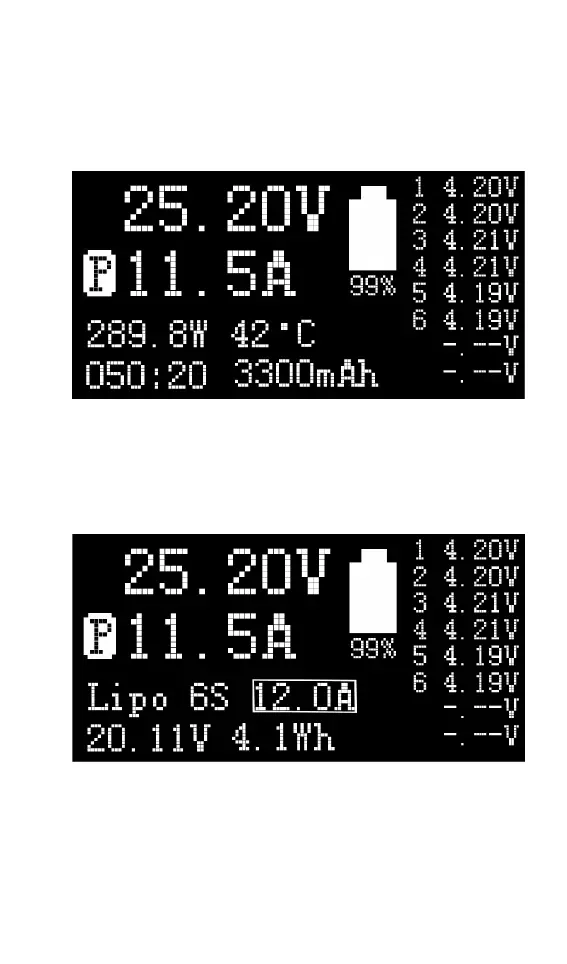
When charging and discharging start, the charger
enters the working interface as shown below.
Rotate [Jog] on this screen to switch the bottom
status display information or press and hold [OK] for
2 seconds to dynamically set the working current. As
shown below
25.20V: The battery voltage of the output port.
11.5A: Charging or discharging current
P : Current limit flag. P: power, C: maximum current
I: input over current or Powe A: activate charging



 To Next Page