17
STARTUP AND SETTING OF Ez Capture for DC-4
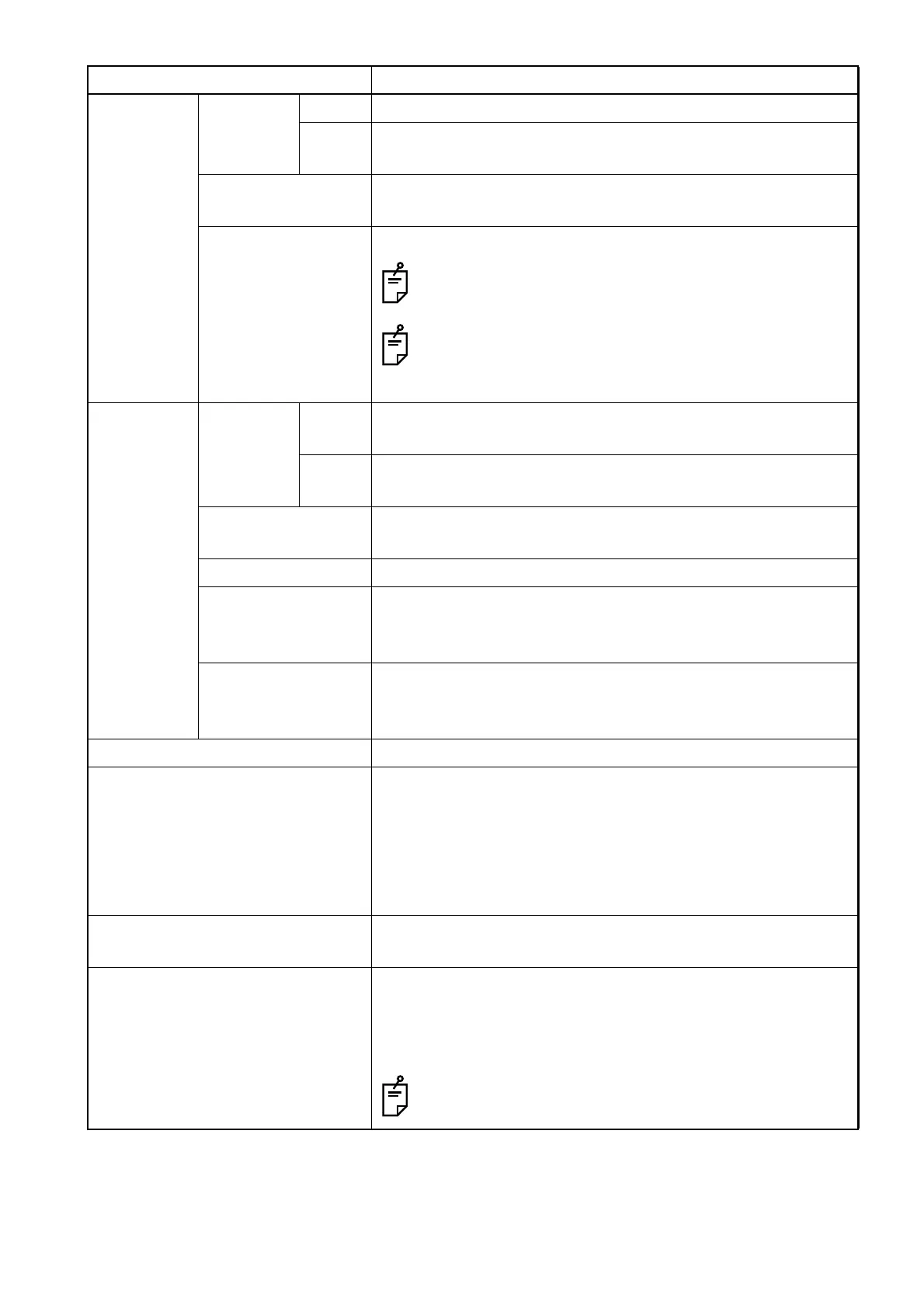
Movie Procedure Color Sets the procedure name for the color movie in "Movie" mode.
B/W Sets the procedure name for the monochrome movie in
"Movie" mode.
Size Sets the resolution for the photographed movie in "Movie"
mode.
Recording time Sets the recording time for the movie in "Movie" mode.
The photographing operation during the recording stops
the recording process before the setting time.
According to the processing speed and loaded status of
CPU, the recording process is sometimes stopped
before the setting time.
Multiple Procedure Color Sets the procedure name for the color photographed image in
"Multiple" mode.
B/W Sets the procedure name for the monochrome photographed
image in "Multiple" mode.
Size Sets the resolution for the photographed image in "Multiple"
mode.
Interval Sets the photographing interval for "Multiple" mode.
Before trigger Sets the picture count before photographing in "Multiple"
mode. You can save the image before photographing as the
photographed image.
After trigger Sets the picture count after photographing in "Multiple" mode.
The total picture count obtained by adding the pictures before
photographing is the picture count in "Multiple" mode.
Slit lamp type Sets a slit lamp to be connected.
Select delete file Place a mark in the checkbox. You can select and delete a
captured image (or movie). The captured image (or movie) is
not automatically reserved to be deleted.
Remove a mark from the checkbox. You can select and save
a captured image (or movie). The captured image (or movie)
is not automatically reserved to be saved.
Show sequence number Place a mark in the checkbox, and the captured image count
is displayed.
Default eye Sets the eye to be photographed when the photography
screen starts.
Set this item when SL-2G is used and the eye to be photo-
graphed at the startup of photography is always decided.
This item is valid only when [SL-2G] is set for [Slit lamp
type].
Setting item Description












 To Next Page