133
21. SURFACE AREA CALCULATION
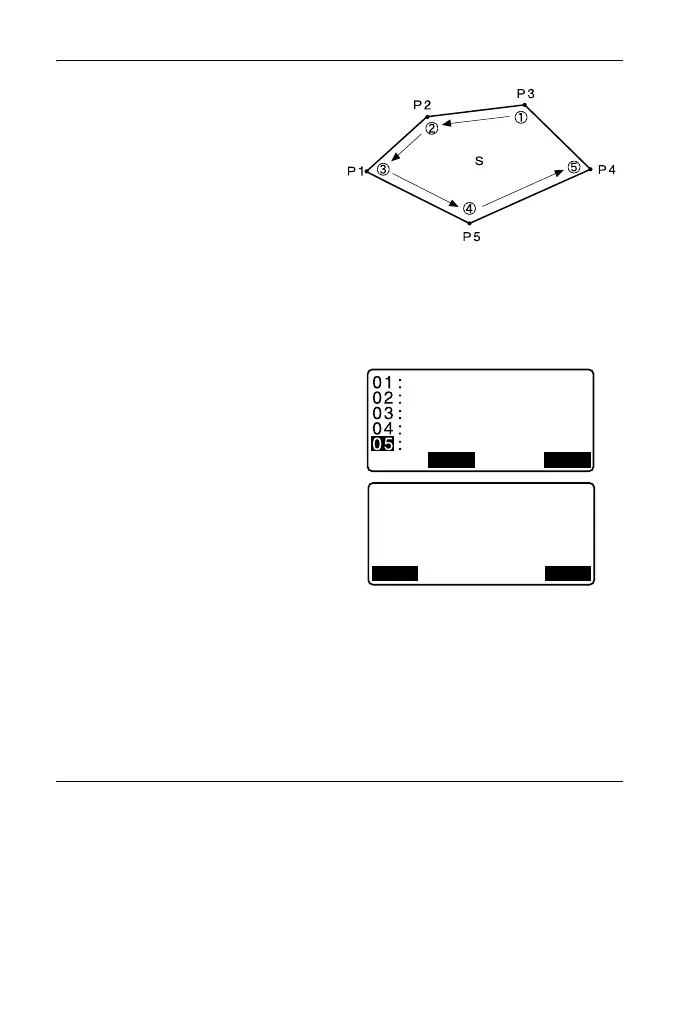
7. Repeat steps 4 to 6 until all points
have been measured. Points on
an enclosed area are observed in
a clockwise or counterclockwise
direction.
For example, the area specified by
entering point names 1, 2, 3, 4, 5
or 5, 4, 3, 2, 1 implies the same
shape.
After all known points necessary to
calculate the surface area have
been observed, [CALC] is
displayed.
8. Press [CALC] to display the
calculated area.
PT: number of set points
SArea: slope area
HArea: horizontal area
9. Press [REC] in the screen of step
8 to record results and return to
<Menu>.
Press [OK] to return to <Menu>
without recording results.
PROCEDURE Surface area calculation by reading in the
points’ coordinates
1. In the second OBS mode screen,
press [MENU], then select "Area
calc.".
2. Enter the instrument station data.
3. Select "Area calculation" in <Area
calculation>.
OBSCALC
Pt
_
01
Pt
_
02
Pt
_
03
Pt
_
04
Pt
_
05
PT 5
SArea 468.064m
2
0.0468ha
431.055m
2
0.0431ha
HArea
REC OK



 To Next Page