D4008 – EN EZ 2810 Operators Manual 11
Section 1 - OPERATION
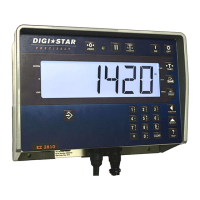
1.1.0 Indicator Overview
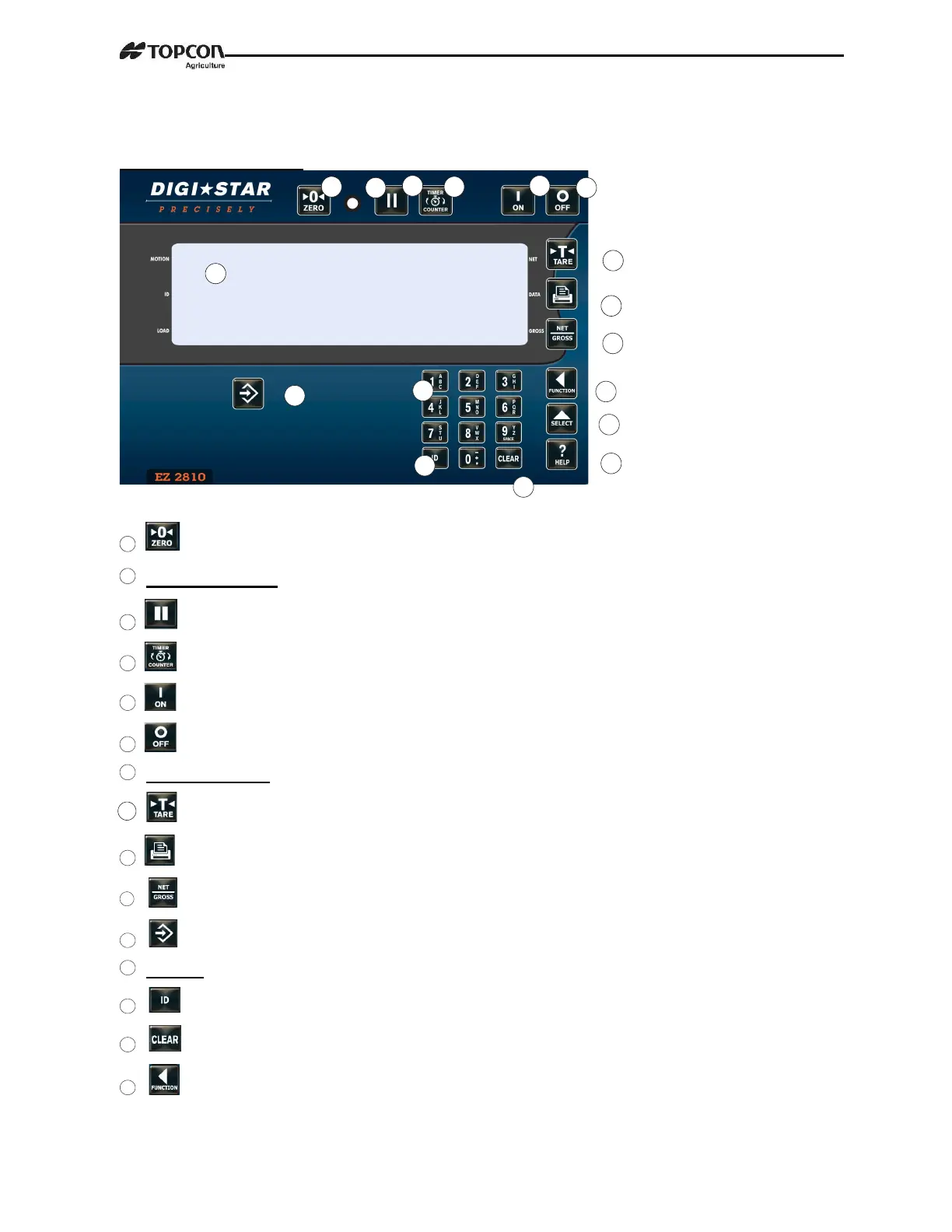
– Press and hold for 3 seconds to zero balance.
Pre-Alarm Light – Flashes and Alarm sounds when weight at preset limit.
– Holds displayed weight when moving machine.
– Mixing time runs down, alarm sounds.
– Turns indicator on. Pressing while on will run self-test.
– Turns indicator off.
Display Window – Displays current actions.
– Temporary zero (Net mode).
– Records to memory or prints displayed weight.
– Toggles between Net and Gross weights.
– Accepts preset entry and menu changes.
Keypad – Input numbers or letters as required.
– To enter label number for weight value to be displayed and printed.
– Clear current command.
– Performs tasks displayed by select.


 To Next Page