D4008 – EN EZ 2810 Operators Manual 27
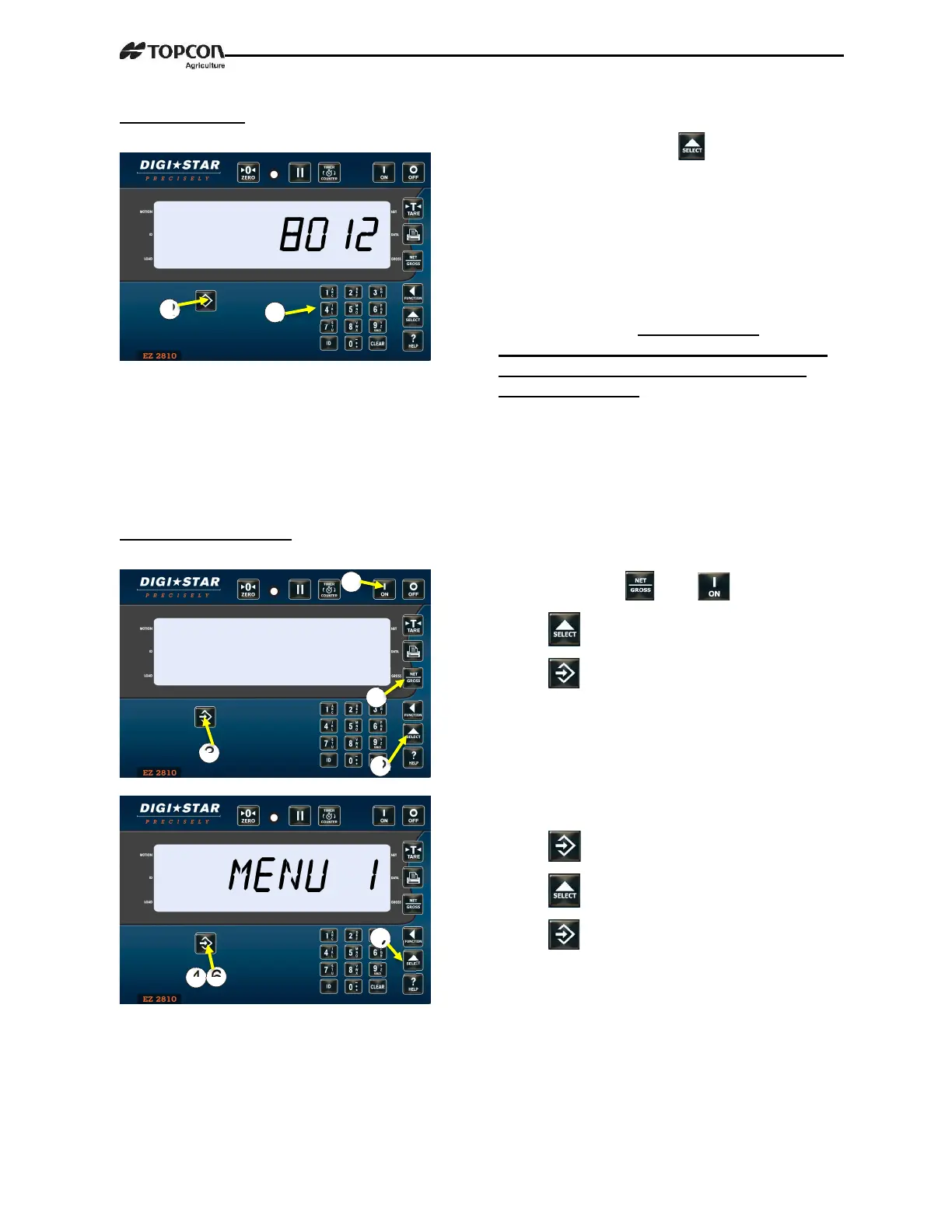
2.9.6 Hour Meter
SECTION 3 – OPTION MENUS
3.1.0 Access to Menus
1. Then enter 8012, press .
2. Enter number of hours for maintenance
message to be triggered using key pad, then
press ENTER. For Example; 50 hours of
equipment operation time, then maintenance
message will be displayed on LCD.
User will need to acknowledge message by
pressing “ON” key. Message will be
displayed on each power cycle and every 4
hours of operation until user enters new
maintenance time. User can enter new time
using D.A.N. 8012.
1. Press and hold and .
2. Press for menus.
3. Press to enter selected menu.
ONCE IN MENU:
4. Press scrolls options.
5. Press changes options.
6. Press saves changes.


 To Next Page