D4008 – EN EZ 2810 Operators Manual 25
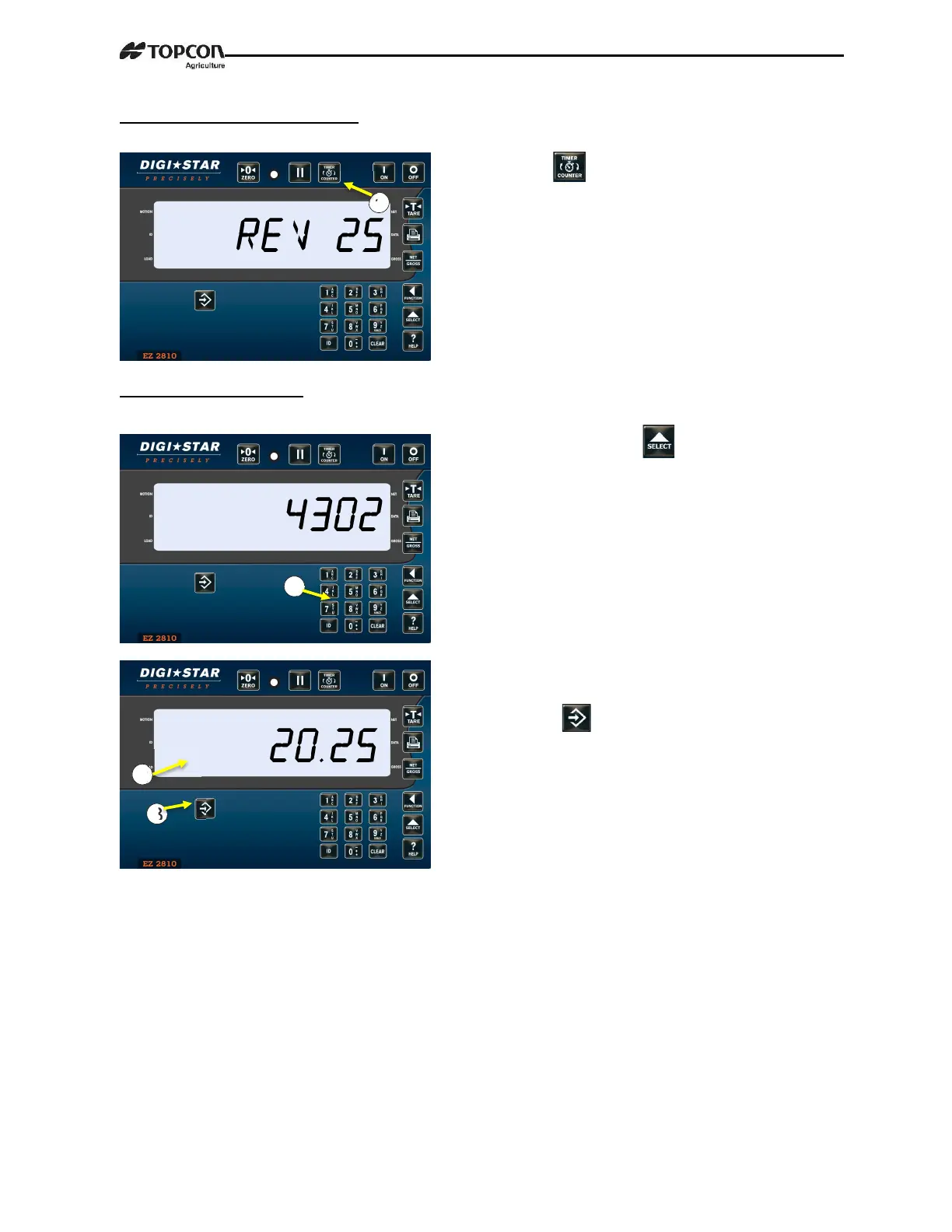
2.9.3 Re-Start Rotation Counter
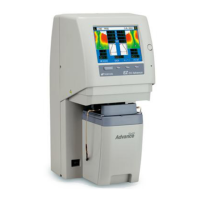
2.9.4 Setting Drive Ratio
Drive ratio is number of turns seen by sensor divided by number of mixing rotations.
1. Press twice (2X) starts rotation
counter using previous count.
1.
Enter 4302 press .
2. Enter drive ratio.
3. Press .


 To Next Page