D4008 – EN EZ 2810 Operators Manual 29
SECTION 5 – DIRECT ACCESS NUMBERS (D.A.N.)
5.1.0 Options Changed By User
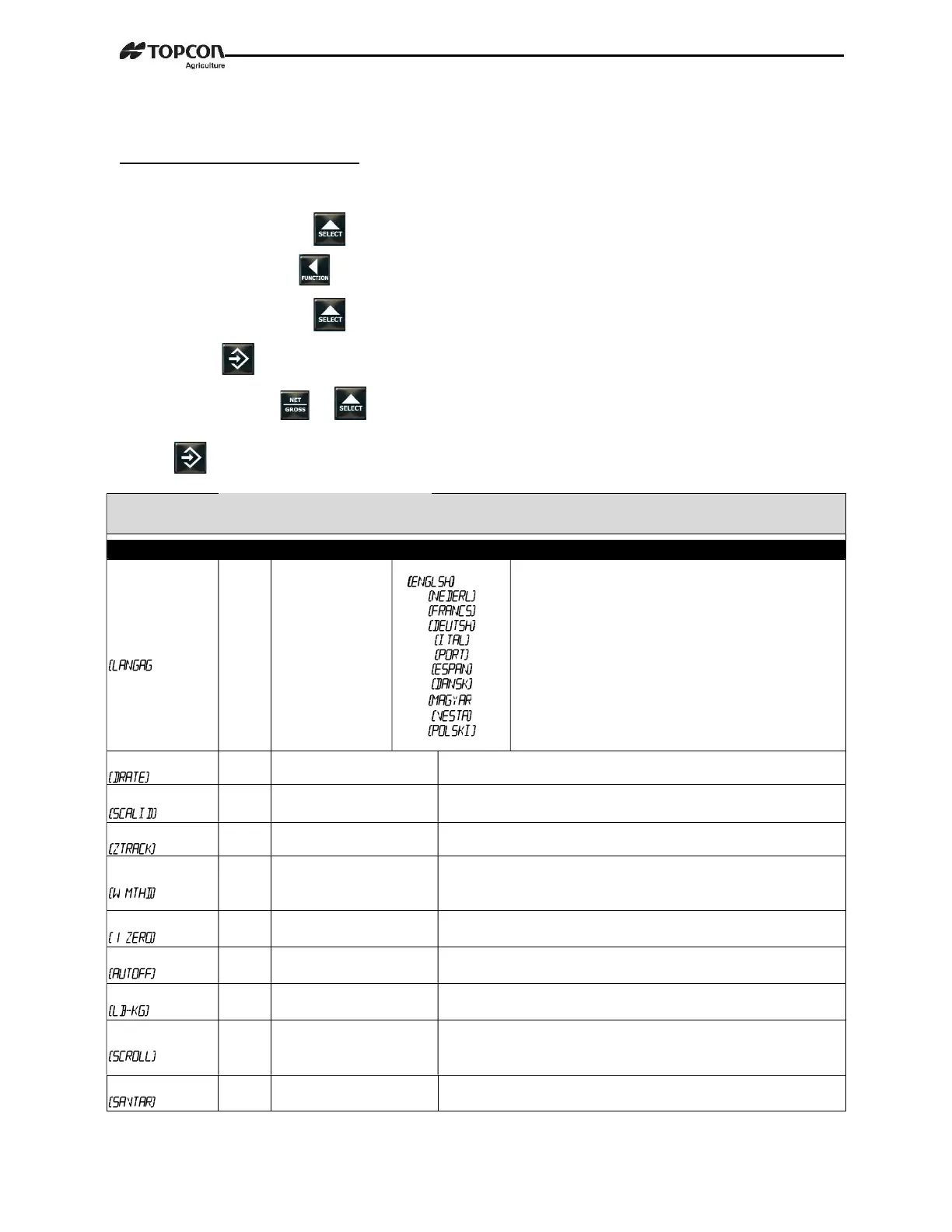
To display menus 1, 2, 3, 4, 5 and Calibrate:
1. Repeatedly press until MENU is displayed.
2. Press and hold .
3. Repeatedly press to select Menus1, 2, 3, 4, 5 or Calibrate.
4. Press displays setting name and allows value changes.
5. Press either or to scroll through options for each setting/display.
6. Press to save setting and next option for menu displays.
SETTING
[display]
D.A.N
NO.
OPTIONS [displayed]
BOLD=DEFAULT
DESCRIPTION
LANGUAGE
)
1001
English
Dutch
French
German
Italian
Portuguese
Spanish
Danish
Hungarian
Spanish
Polish
]
Select language to be displayed.
DISPLAY RATE
1002 1,2,3,4,6,7,8,9,10 Update display times per second.
1003 NEW EZ Identity of scale location (truck id or Mixer number).
ZERO TRACK
1004 ON/OFF If ON -zero track adjust balance for buildup of snow & mud.
WEIGH METHOD
1005
1=General
2=Slow
3=Fast
Select weigh method. The speed the weight changes as shown on
the LCD.
1 PRESS ZERO
1006 ON/OFF If ON -press and hold Zero key to Zero/Balance scale.
AUTO OFF
1007 OFF, 15, 30, 45, 60 Indicator turns off after selected minutes of stable weight.
DISPLAY UNIT
1008 LB/KG
Display pounds – LB or
Kilograms - KG
SCROLL DELAY
1101
0,1,2,3,4, 5, 6, 7, 8, 9
Scroll rate for cold temperatures
0=normal 9=slowest
SAVE TARE
1102 ON/OFF Saves tare weight to non-volatile memory.


 To Next Page