D4008 – EN EZ 2810 Operators Manual 30
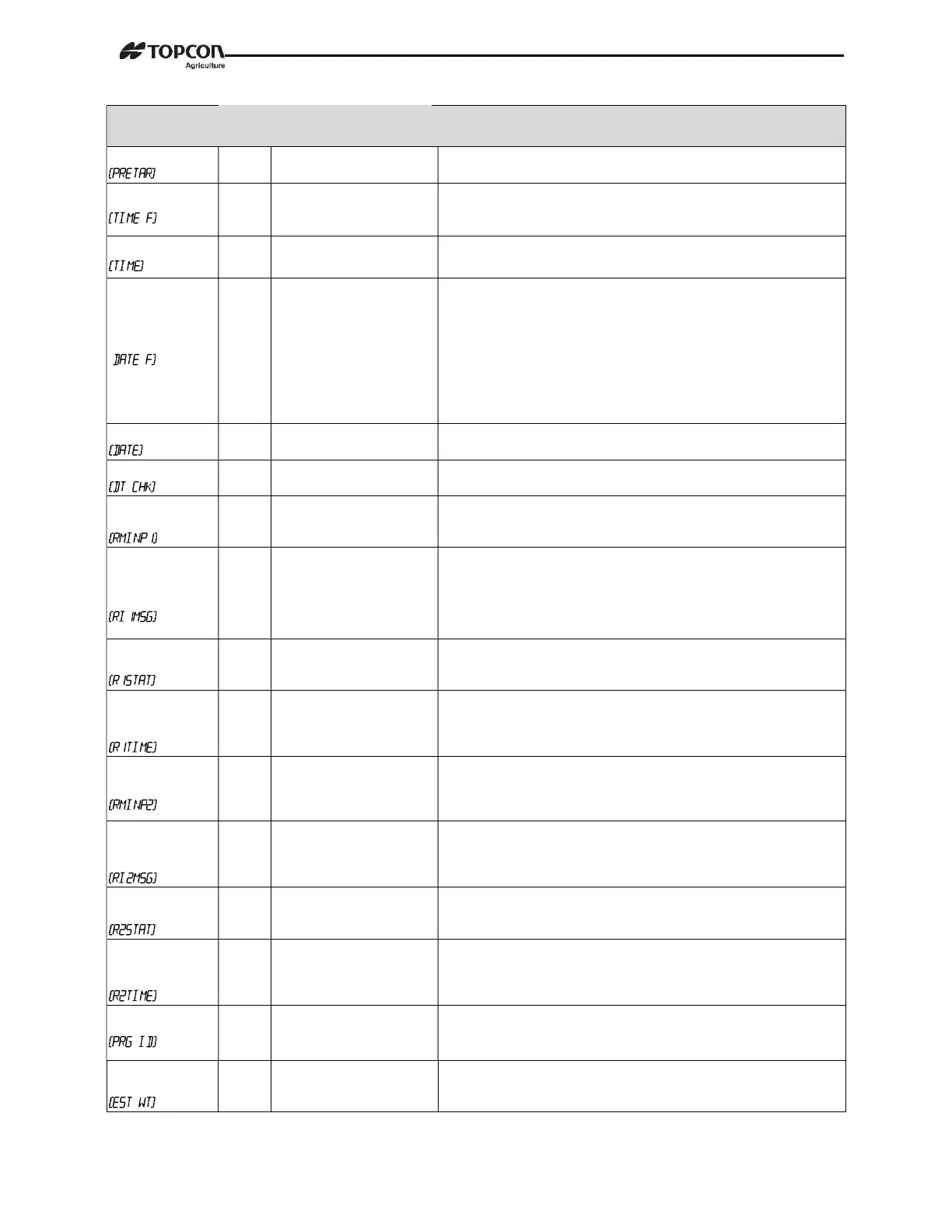
SETTING
[display]
D.A.N
NO.
OPTIONS [displayed]
BOLD=DEFAULT
DESCRIPTION
PRELOAD TARE
1103 ON/OFF Tare weights can be entered using the numeric keypad.
TIME FORMAT
1201
24 HR
AM/PM
Select time format -AM/PM or 24 hours
TIME
1202 XX:XX:XX, AM/PM
Enter changes hh:mm:ss (use numeric keypad) use function key to
change between hh:mm:ss. Then choose AM/PM.
DATE FORMAT
(
1203
1-mm-dd
2-mm/dd/yy
3-mm/dd/yyyy
4-dd-mm
5-dd/mm/yy
6-dd/mm/yyyy
7-ddmmyy
8-ddmmyyyy
Select date format
DATE
1204 Enter ddmmyy
Select key changes date or numerical keys -function key chooses
dd/mm/yy.
DATE CHECK
1205 ON/OFF Verifies the real time clock has a valid date at power up.
REMOTE INPUT
1
1401
TARE, PRINT, HOLD,
NETGRS, M+, ZERO,OFF,
PRESET, SWITCH
Sets function of remote input line on the power cord.
REMOTE 1
SWITCH
MESSAGE
1402
OPEN,--,-+,-*,-0, -1,-2,-3,
-4,-5,-6,-7,-8,-9,-A,-B,-C,
-D,-E,-F,-G,-H,-I,-J,-K,-L,
-M,-N,-O,-P,-Q,-R,-S,-T,-U,
-V,-W,-X,-Y,-Z
Message that is displayed for remote input condition. D.A.N. 1401
set to “switch”.
REMOTE 1
SWITCH STATE
1403 OPEN/CLOSED
Set remote input line state that displays message and/or illuminates
alarm lamp. D.A.N. 1401 set to “switch”.
REMOTE 1
SWITCH
MESSAGE TIME
1404 1...2-9
Set how often the remote switch message is displayed.
Once every 1-9 seconds. D.A.N. 1401 set to “switch”.
REMOTE INPUT
2
1411
TARE, PRINT, HOLD,
NETGRS, M+, ZERO, TR
HLD, OFF, PRESET,
SWITCH
Sets function of remote input line on the remote port.
REMOTE 2
SWITCH
MESSAGE
1412 OPEN
Message that is displayed for remote input condition. D.A.N. 1411
set to “switch”.
REMOTE 2
SWITCH STATE
1413 OPEN/CLOSED
Set remote input line state that displays message and/or illuminates
alarm lamp. D.A.N. 1411 set to “switch”.
REMOTE 2
SWITCH
MESSAGE TIME
1414 0...2-9
Set how often the remote switch message is displayed.
Once every 1-9 seconds. D.A.N. 1411 set to “switch”.
PROGRAM ID
1998
Displays current software version
ESTIMATED
WEIGHT
1999
Enter weight value using
key pad. Then press enter.
Manually adjust Gross weight of scale by changing zero/balance.
Press “on” to continue.


 To Next Page