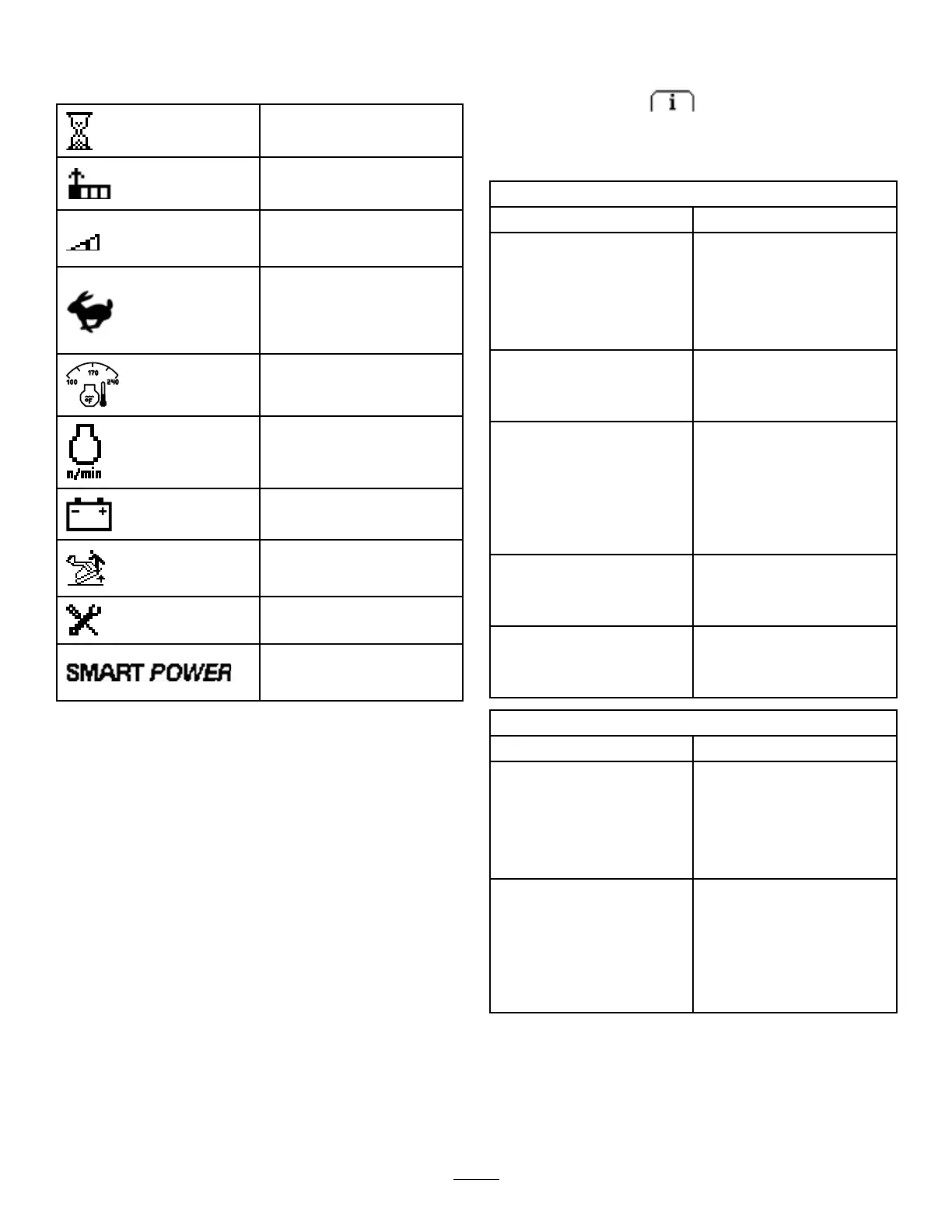
InfoCenterIconDescription(cont'd.)
Hourmeter
Adjustdigit
Transport-speedscreen
access
Transportspeed—adjustthe
tractionspeedbutmaintain
enginespeed;refertoSetting
theMaximumTransport
Speed(page16).
Engine-coolanttemperature
Enginespeed
Batteryvoltage
SmartLoadisactive;refer
toUnderstandingtheSmart
LoadSystem(page25).
Indicateswhenscheduled
serviceshouldbeperformed
SmartPowerisactive;referto
UnderstandingSmartPower®
Traction(page24).
UsingtheMenus
ToaccesstheInfoCentermenusystem,pressthe
menuaccessbuttonwhileatthemainscreen.
Thiswillbringyoutothemainmenu.Refertothe
followingtablesforasynopsisoftheoptionsavailable
fromthemenus:
MainMenu
MenuItemDescription
FaultsTheFaultsmenucontainsalist
oftherecentmachinefaults.
RefertotheServiceManual
oryourAuthorizedService
Dealerformoreinformation
ontheFaultsmenuandthe
informationcontainedthere.
ServiceTheServicemenucontains
informationonthemachine
suchashoursofuseandother
similarnumbers.
DiagnosticsTheDiagnosticsmenu
displaysthestateofeach
machineswitch,sensorand
controloutput.Youcanuse
thistotroubleshootcertain
issuesasitwillquicklytellyou
whichmachinecontrolsareon
andwhichareoff.
SettingsTheSettingsmenuallows
youtocustomizeandmodify
congurationvariablesonthe
InfoCenterdisplay.
AboutTheAboutmenuliststhe
modelnumber,serialnumber,
andsoftwareversionofyour
machine.
Service
MenuItemDescription
Hours
Liststhetotalnumberofhours
thatthemachine,engine,
auxiliaryhydraulics,and
SmartPowerhavebeenon,as
wellasthenumberofhoursfor
engineserviceandhydraulic
service.
CountsListsthenumberofstartsthat
themachinehasexperienced,
thenumberoftimesthe
machinehaswarnedthatthe
enginetemperatureistoo
high,andthenumberoftimes
theenginehasshutoffdueto
hightemperatures.
15



 To Next Page