LoaderArmExtensionLever
Rotatetheextensionleverforwardtoextendthe
loaderarms(Figure20);rotatetheleverrearwardto
retractthem.
WARNING
Movingthemachinewhiletheloaderarms
areextendedmayaffectthestabilityofthe
machine.
Minimizemachinemovementwhiletheloader
armsareextended.
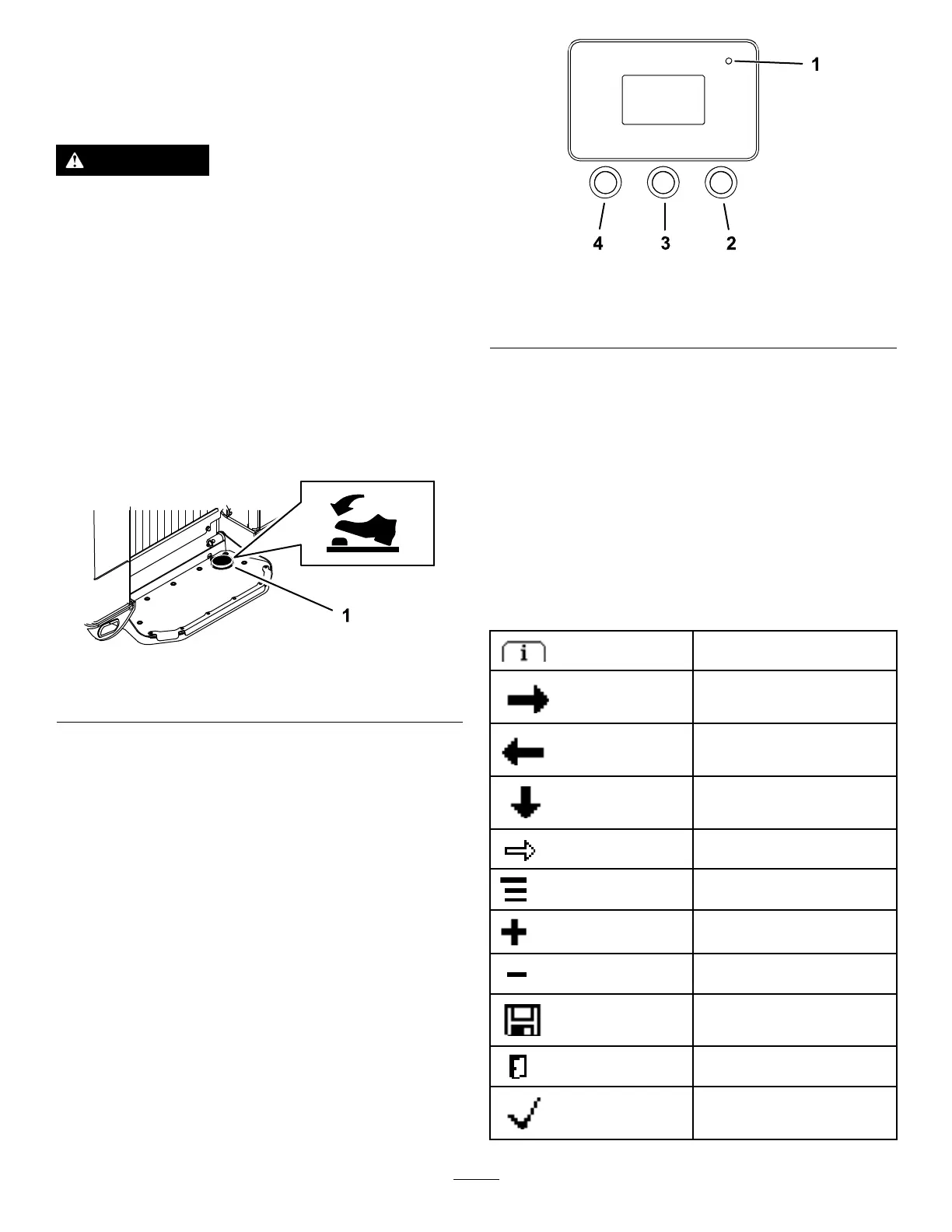
Auxiliary-HydraulicsLockSwitch
Pressandholdthehydraulicsowbuttononthe
joystickformorethan1second,thenuseyourright
foottopresstheauxiliary-hydraulics-lockswitchto
continuethefullforwardorreverseowoftheauxiliary
hydraulicsandfreeyourhandforothercontrols
(Figure21).
g215374
Figure21
1.Auxiliary-hydraulicslockswitch
FuelGauge
Thisgaugemeasurestheamountoffuelinthefuel
tank(s).
InfoCenterDisplay
TheInfoCenterLCDdisplayshowsinformationabout
yourmachine,suchastheoperatingstatus,various
diagnosticsandotherinformationaboutthemachine
(Figure22).Thereisasplashscreenandmain
informationscreenoftheInfoCenter.Youcanswitch
betweenthesplashscreenandmaininformation
screenatanytimebypressinganyoftheInfoCenter
buttonsandthenselectingtheappropriatedirectional
arrow.
g264015
Figure22
1.Indicatorlight3.Middlebutton
2.Rightbutton
4.Leftbutton
•LeftButton,MenuAccess/BackButton—pressthis
buttontoaccesstheInfoCentermenus.Youcan
useittoexitanymenuthatyouarecurrentlyusing.
•MiddleButton—usethisbuttontoscrolldown
menus.
•RightButton—usethisbuttontoopenamenu
wherearightarrowindicatesadditionalcontent.
Note:Thepurposeofeachbuttonmaychange
dependingonwhatisrequiredatthetime.Each
buttonislabeledwithanicondisplayingitscurrent
function.
InfoCenterIconDescription
Menuaccess
Next
Previous
Scrolldown
Enter
Changethenextvalueinthe
list
Increase
Decrease
Savevalue
Exitmenu
CheckPINentry
14



 To Next Page