2. MAJOR UNIT REPLACEMENT
EO18-33032
(Revision Date: Aug., 2017)
2.9 Replacing the Peel-Off PCB
2-26
2.9 Replacing the Peel-off PCB
1) Remove the Peel-Off Unit. (Refer to Section 2.8 Replacing the Peel-Off Unit.)
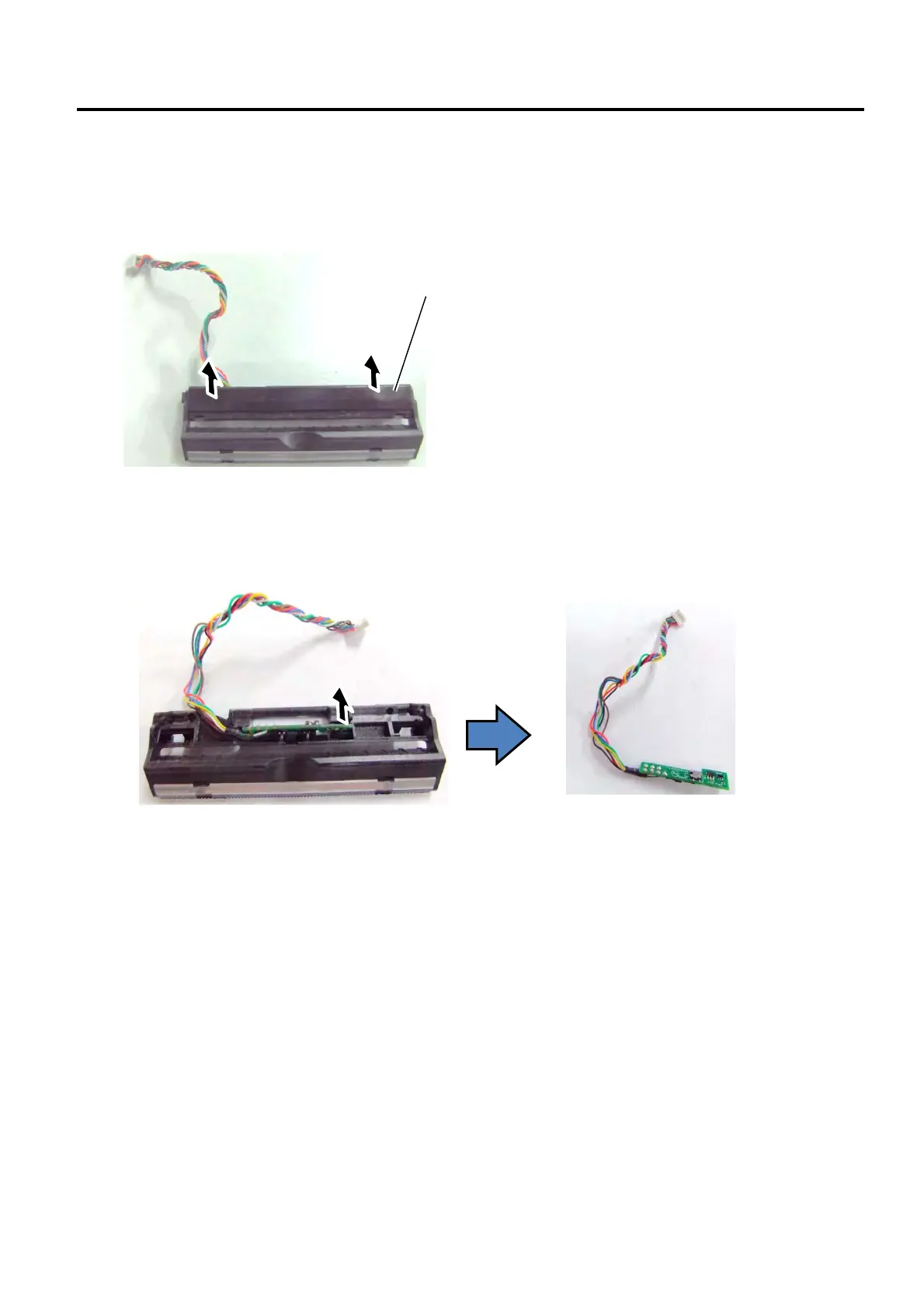
2) Remove the Peel-Off Cover from the Peel-Off Unit.
3) Pull up the Peel-Off PCB to remove it from the Peel-Off Unit.
4) Replace the Peel-Off PCB with a new one, and then reassemble in the reverse order of removal.
For the GH model, attach a new adhesive tape after re-installing the Thermal head assembly. (Refer to
Section 2.1.)
Peel-Off Cover


 To Next Page
 Loading...








