2. MAJOR UNIT REPLACEMENT
EO18-33032
(Revision Date: Aug., 2017)
2.12 Replacing the Wifi Module
2-31
2.12 Replacing the WiFi Module
1) Remove the Function Unit. (Refer to Section 2.1 Replacing the CPU PC Board.)
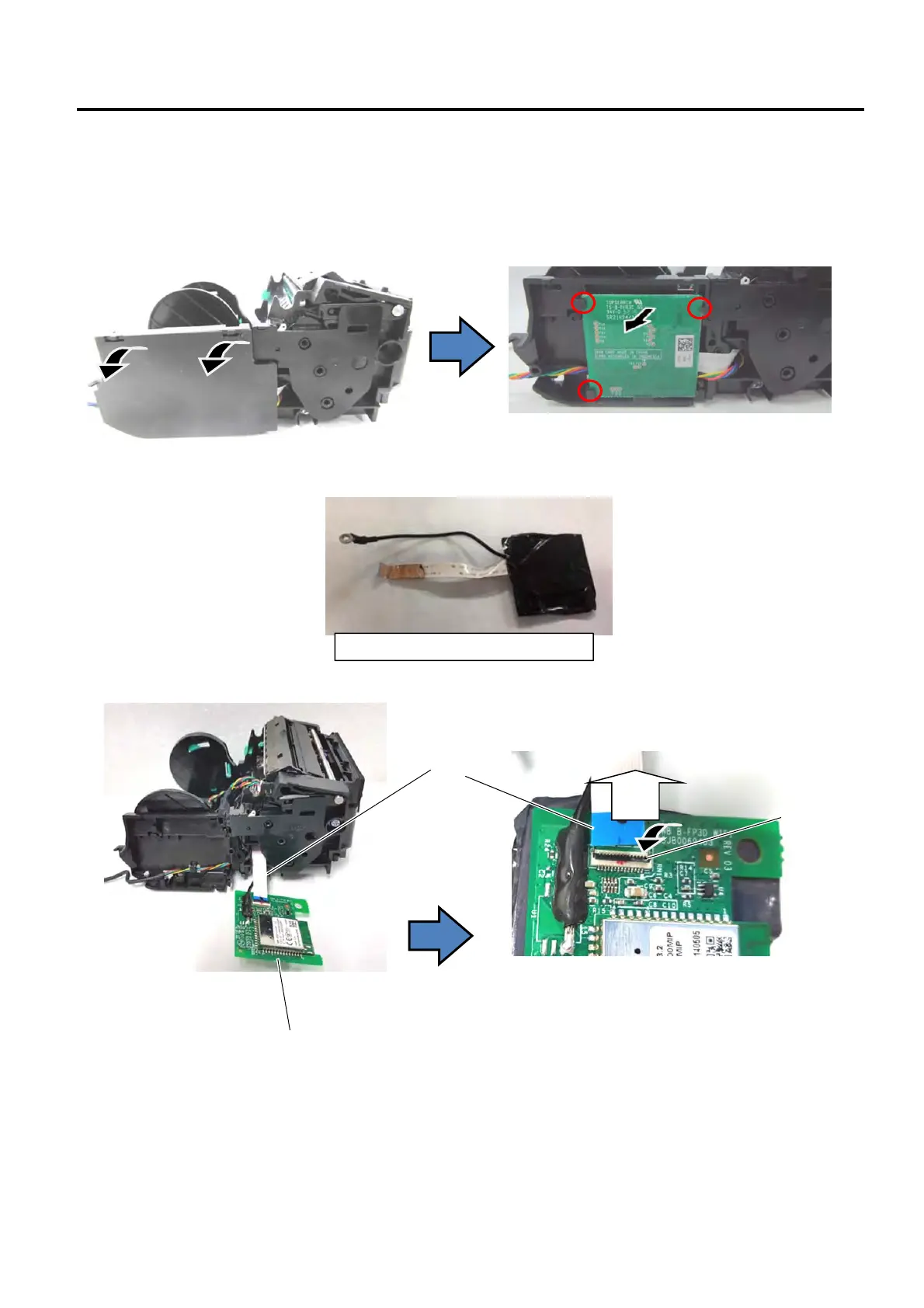
2) Remove the side cover and take out the Wifi module from the case.
For the GH model, replace the WiFi unit exclusively for the GH model.
3) Remove the FPC Cable form the Wifi module.
Pull
Pull the lock to open and remove the FPC cable
Wifi Module
“Lock”
FPC Cable
Take care of the clips.
WiFi unit exclusively for the GH model


 To Next Page
 Loading...








