2. MAJOR UNIT REPLACEMENT
EO18-33032
2.8 Replacing the Peel-Off Unit
2-23
2.8 Replacing the Peel-Off Unit
1) Remove the Function Unit (Refer to Section 2.1 Replacing the CPU PC Board.)
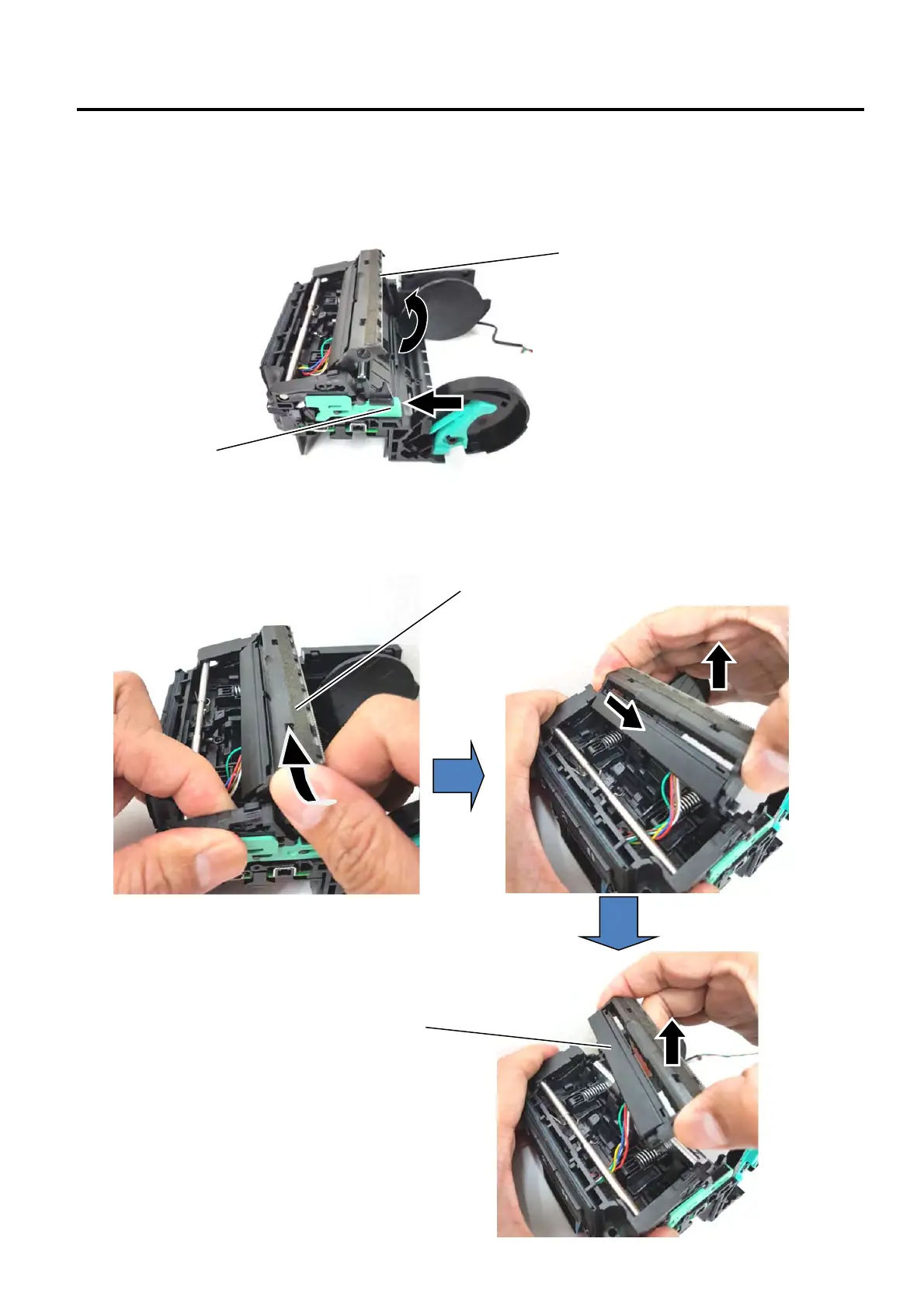
2) Press the green lever to open the Peel Off unit.
3) Push the Peel-off Unit in the arrow-indicating direction to release this side. Then, release the other side and lift
to remove the Peel-off Unit.
Peel-off unit
Peel-off unit
Green lever
Peel-off unit


 To Next Page
 Loading...








