2. MAJOR UNIT REPLACEMENT
EO18-33032
2.6 Replacing the PWB Sensor Assembly
2-18
2.6 Replacing the PWB Sensor Assembly
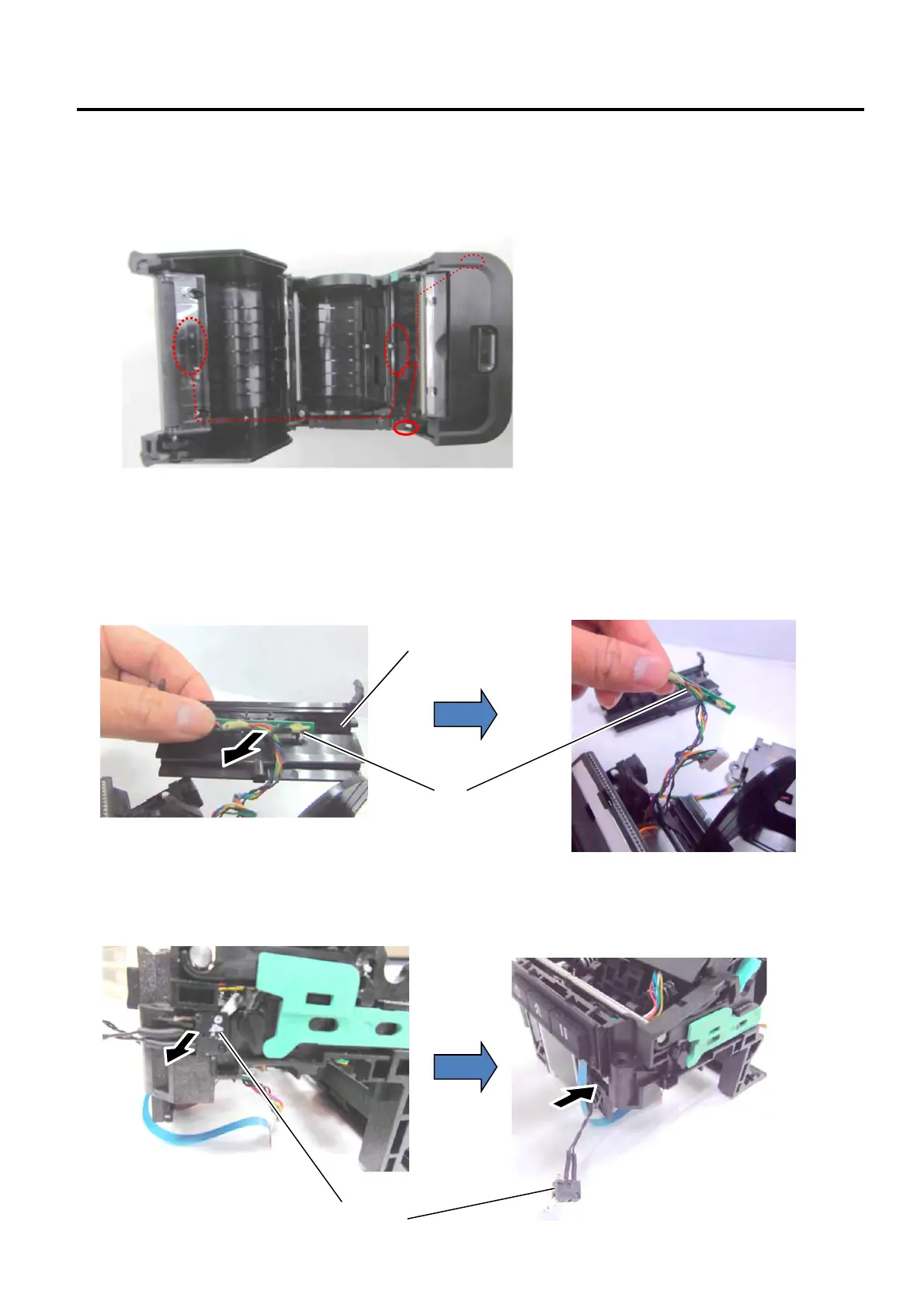
1) The location of the sensors, switches and wire routing for the PWB Sensor Assembly are shown in the photo
below.
2) Remove the CPU PC Board (Refer to Section 2.1 Replacing the CPU PC Board.)
3) Remove the Upper sensor from the Print Head cover.
4) Detach the Cover Open switch on the right side and push it inside the hole as shown in the photo below.
1
2
3
4
Upper Sensor
Switch


 To Next Page
 Loading...








