2. MAJOR UNIT REPLACEMENT
EO18-33032
2.6 Replacing the Platen Assembly
2-21
2.7 Replacing the Platen Assembly
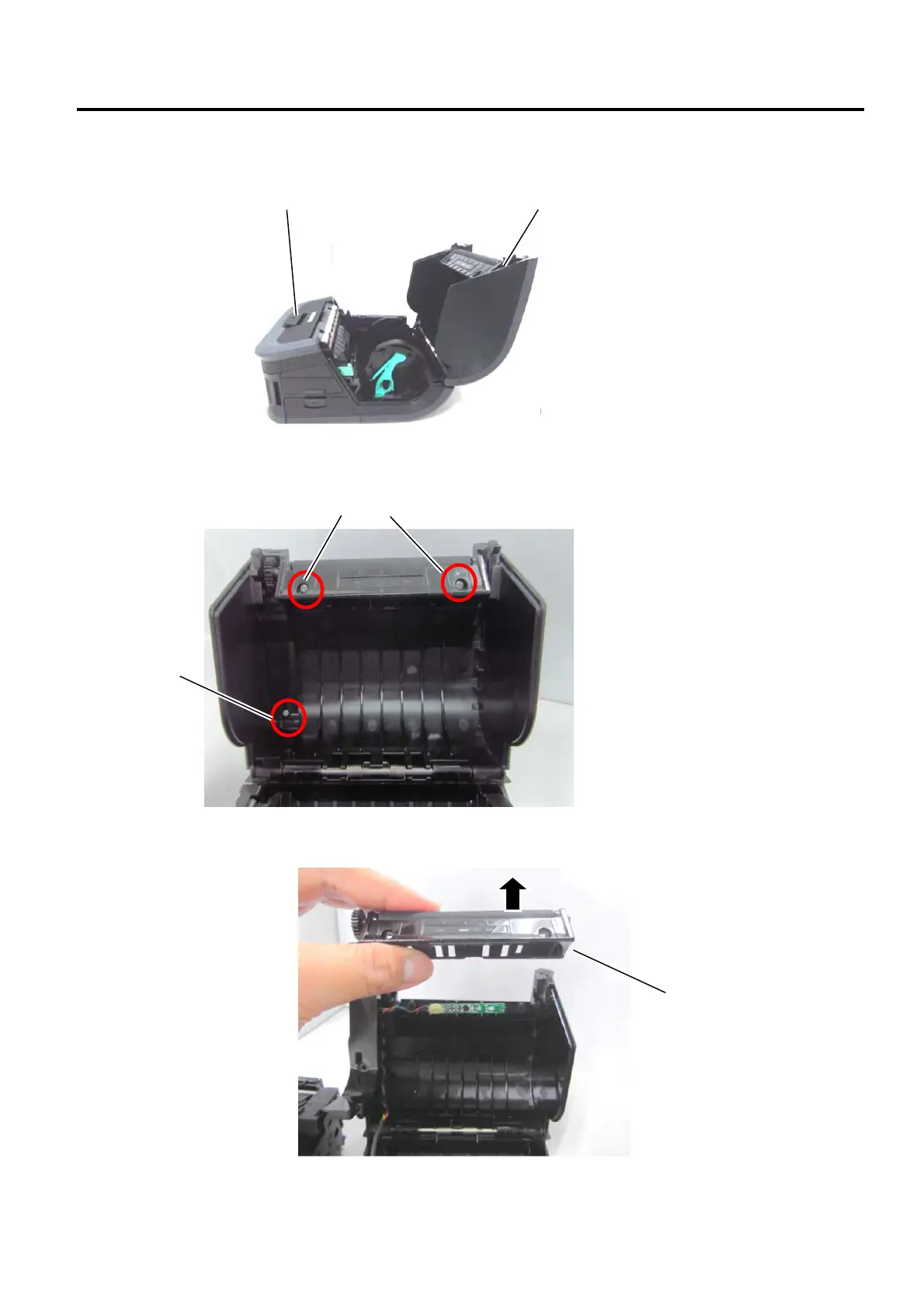
1) Press the Open Button to open the Top Cover.
2) Remove the three screws shown in the photo.
3) Remove the Paper Guide Assembly.
Top Cover
Open Button
Screws
Screw
Paper Guide
Assembly


 To Next Page
 Loading...








