E6581581
- 43 -
■Examples of Instance 101/151
Access the inverter parameter is enabled using byte 4 to 6 of this Instance.
Set the communication number of the parameter to byte 4, 5 (Index), and the value to byte 6, 7 (Data).
In case of the monitor parameter “FE**”, the value becomes "communication number - 0x7000 (same as bit14,
15 set to 0)".
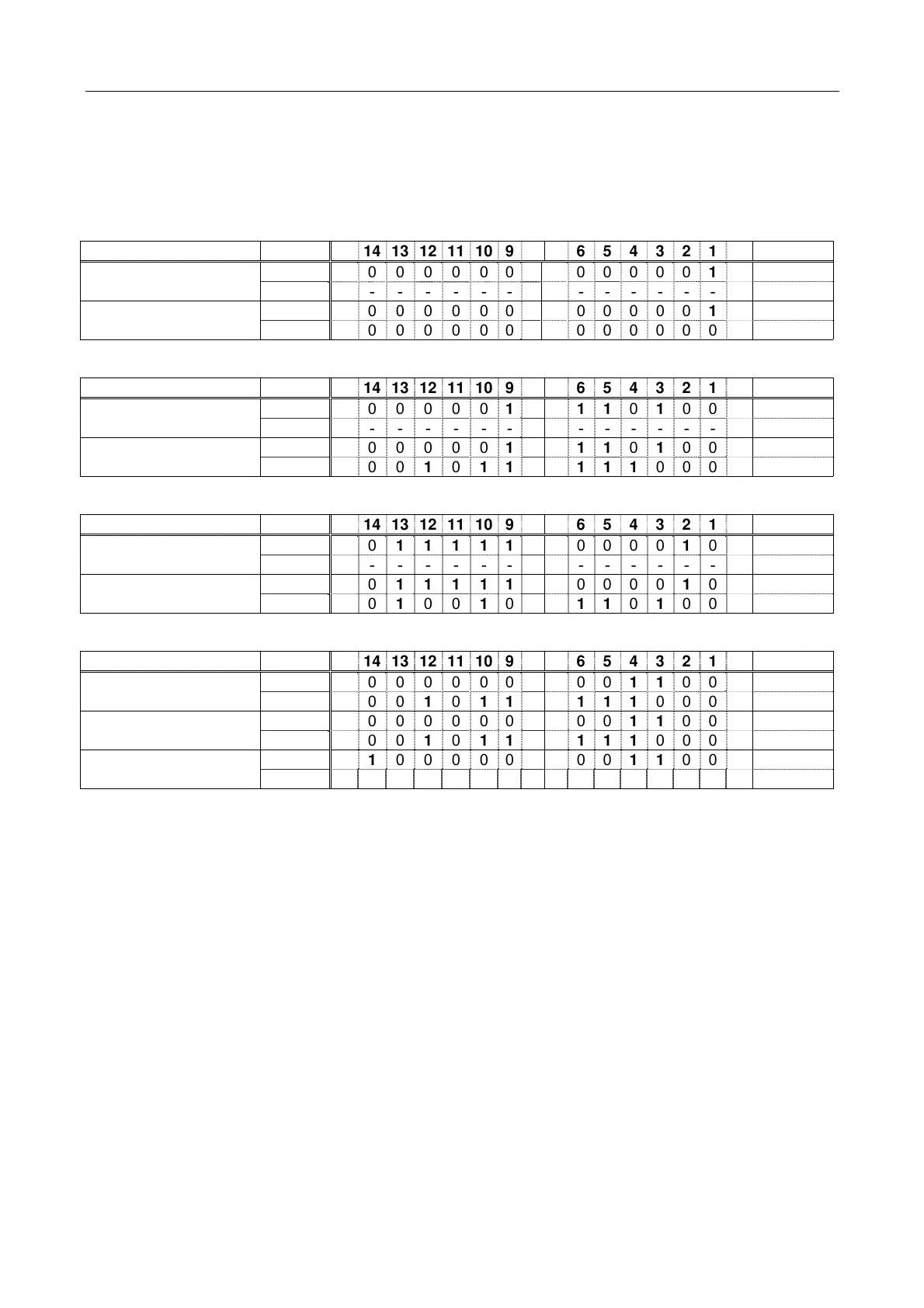
① Read the parameter cmod (Command mode selection, communication number is 0003).
Instance Byte 15 14 13 12 11 10 9 8 7 6 5 4 3 2 1 0 Hex.
5, 4 0 0 00000000000 0 1 1 0x0003
Output Instance 101
7, 6 - - ----------- - - - -
Input Instance 151 5, 4 0 0 00000000000 0 1 1 0x0003
(cmod is set 0.) 7, 6 0 0 00000000000 0 0 0 0x0000
② Read the parameter f268 (Initial value of UP/DOWN frequency).
Instance Byte 15 14 13 12 11 10 9 8 7 6 5 4 3 2 1 0 Hex.
5, 4 0 0 00001 00110 1 0 0 0 0x0268
Output Instance 101
7, 6 - - ----------- - - - -
Input Instance 151 5, 4 0 0 00001 00110 1 0 0 0 0x0268
(f268 is set 60.0Hz.) 7, 6 0 0 0 1 0 1110 1110 0 0 0 0x1770
③ Read the parameter fe04 (Voltage of DC bus).
Instance Byte 15 14 13 12 11 10 9 8 7 6 5 4 3 2 1 0 Hex.
5, 4 0 0 11111000000 1 0 0 0x3E04
Output Instance 101
7, 6 - - ----------- - - - -
Input Instance 151 5, 4 0 0 11111000000 1 0 0 0x3E04
(fe04 is 94.49%.) 7, 6 0 0 1 001 001110 1 0 0 1 0x24E9
④ Write “60 (Hz)” to the parameter sr1 (Preset speed 1, communication number is 0018).
Instance Byte 15 14 13 12 11 10 9 8 7 6 5 4 3 2 1 0 Hex.
5, 4 1 0 00000000011 0 0 0 0x8018
Output Instance 101
7, 6 0 0 0 1 0 1110 1110 0 0 0 0x1770
5, 4 1 0 00000000011 0 0 0 0x8018
Input Instance 151 (OK)
7, 6 0 0 0 1 0 1110 1110 0 0 0 0x1770
Input Instance 151 (NG) 5, 4 1 1 00000000011 0 0 0 0xC018
(Error code *) 7, 6 0 0 00000000000 0 0 1 0x0001
About byte 0 - 3, refer to section 5.1.3.
* Refer to following about the error code.
1
(00000001):: Data out of range
2
(00000010):: Bad address
3
(00000011):: Read only
4
(00000100):: Stop to modify or permission error
5
(00000101):: All other



 To Next Page
 Loading...









