23
Chapter 6
Network Security
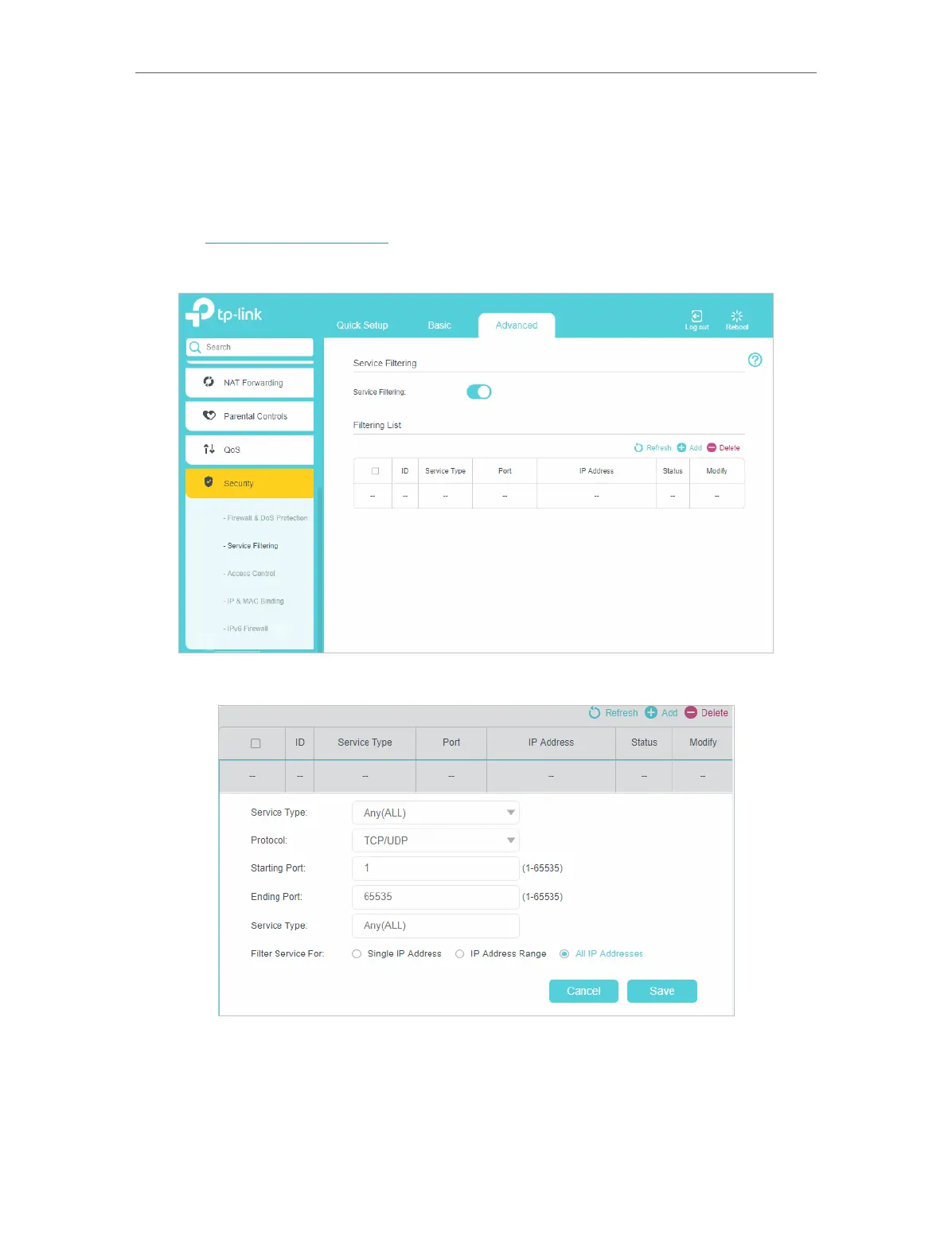
6. 2. Service Filtering
With Service Filtering, you can prevent certain users from accessing the specified
service, even block Internet access completely.
1. Visit http://tplinkmodem.net, and log in with the password or your TP-Link ID.
2. Go to Advanced >Security > Service Filtering and enable Service Filtering.
3. Click Add.
4. Select a service type from the drop-down list and the following four fields will be
auto-populated. Select Custom when your desired service type is not listed, and
enter the information manually.
5. Specify the IP address(es) that this filtering rule will apply to.
6. Click Save.















 To Next Page