26
Chapter 6
Network Security
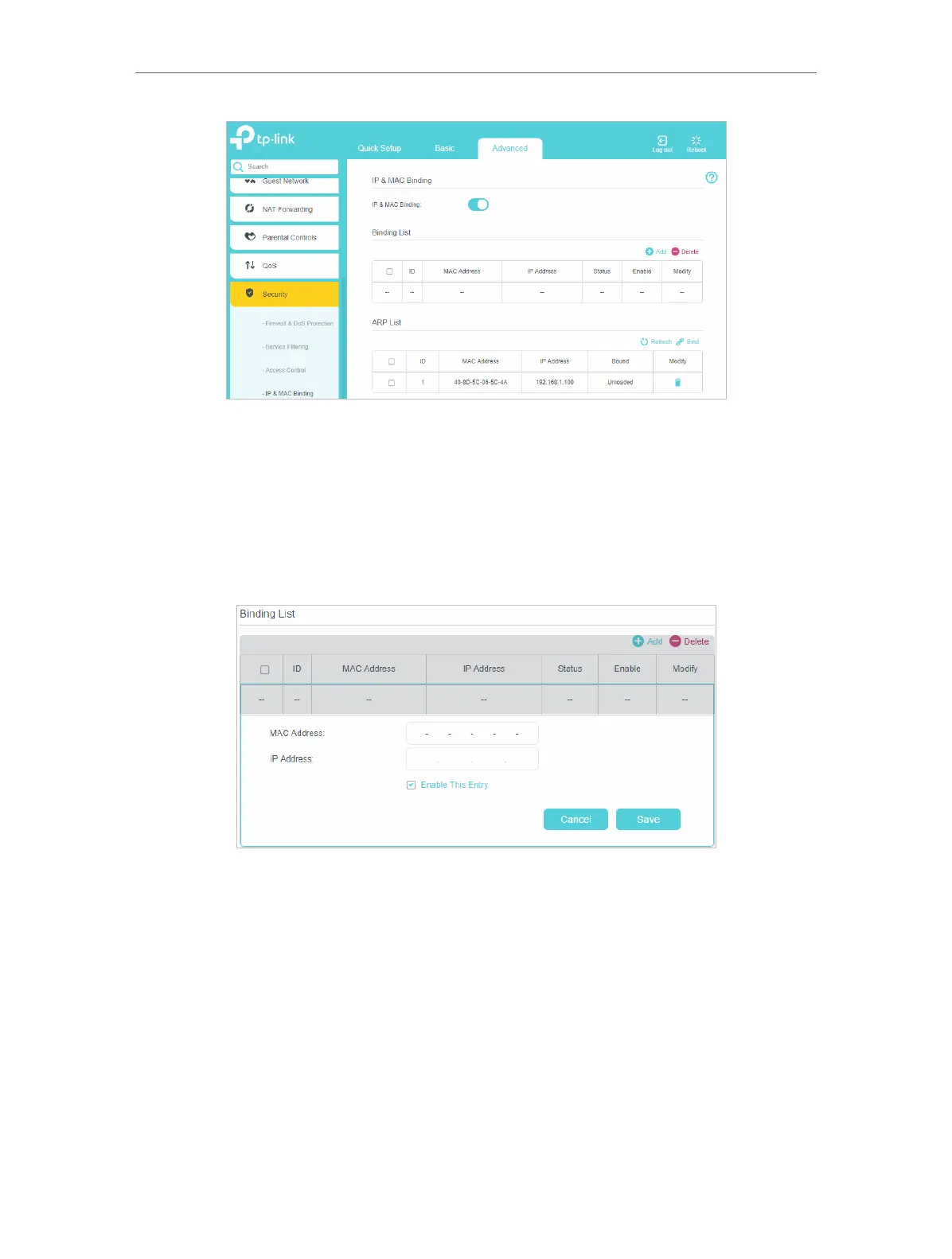
3. Bind your device(s) according to your needs.
To bind the connected device(s)
1 ) Select the device(s) to be bound in the ARP List.
2 ) Click Bind to add to the Binding List.
To bind the unconnected device
1 ) Click Add.
2 ) Enter the MAC address and IP address that you want to bind.
3 ) Select the checkbox to enable the entry and click Save.
Done!
Now you don’t need to worry about ARP spoofing and other ARP attacks.
6. 5. IPv6 Firewall
IPv6 Firewall protects your IPv6 network by preventing access from the internet.
However, when you are hosting a service, such as a file sharing server in your local
network, you can choose to allow access to the server from the internet by adding
entries on this page. This feature is available only when you’ve set up an IPv6 connection.















 To Next Page