82
Chapter 12
Administrate Your Network
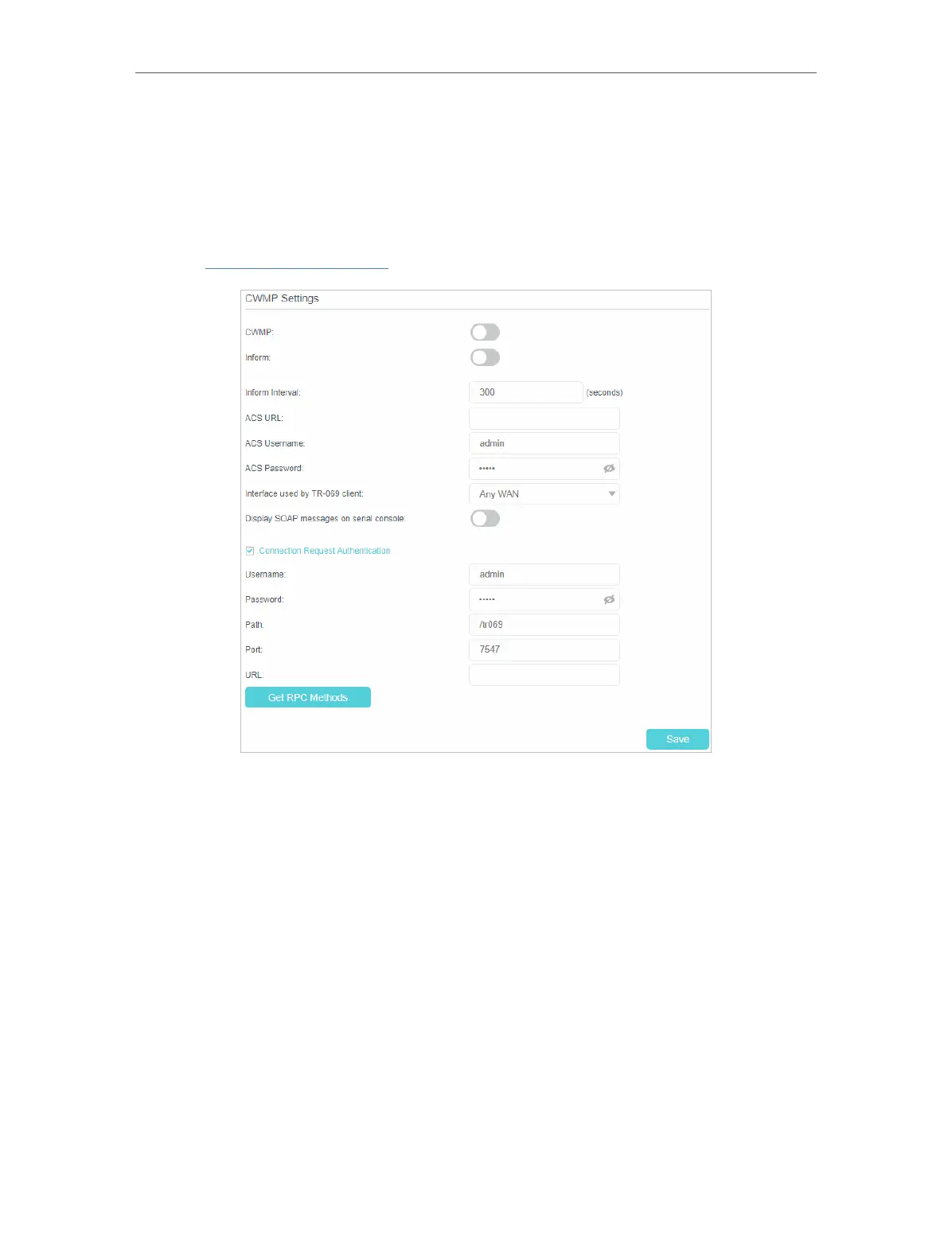
12. 11. CWMP Settings
The router offers CWMP feature. The function supports TR-069 protocol which collects
information, diagnoses the devices and configures the devices automatically via ACS
(Auto-Configuration Server).
1. Visit http://tplinkmodem.net, and log in with the password or your TP-Link ID.
2. Go to Advanced > System Tools > CWMP Settings page.
• Enable CWMP - Toggle On to enable the CWMP (CPE WAN Management Protocol)
feature.
• Inform - Enable this feature to send an Inform message to the ACS (Auto Configuration
Server) periodically.
• Inform Interval - Enter the time in seconds when the Inform message will be sent to
the ACS.
• ACS URL - Enter the web address of the ACS which is provided by your ISP.
• ACS Username/Password - Enter the username/password to log in to the ACS server.
• Interface used by TR-069 client - Select which interface to be used by the TR-069
client.
• Display SOAP messages on serial console - Toggle to enable or disable this feature.















 To Next Page