7
Chapter 2
Connect the Hardware
2. 1. Requirements for Operation
To connect and use the router for internet sharing, you must have the following:
• Micro SIM card with internet access enabled.
• PC with an active Ethernet Adapter and an Ethernet cable with RJ45 connectors.
• Web browser, such as Microsoft Internet Explorer, Mozilla Firefox and Apple Safari.
2. 2. Position Your 4G LTE Router
With the router, you can access your network from anywhere within the wireless network
coverage. However, the wireless signal strength and coverage vary depending on the
actual environment where your router is in. Many obstacles may limit the range of the
wireless signal, for example, concrete structures, thickness and number of walls.
For your security and best Wi-Fi performance, please:
• Do not locate the router in the place where it will be exposed to moisture or excessive
heat.
• Keep away from strong electromagnetic radiation source and electromagnetic-
sensitive devices.
• Place the router in a location where it can be connected to the various devices as well
as to a power source.
• Place the router in a location where it can receive a strong mobile internet signal.
• Make sure the cables and power cord are safely placed out of the way so they do not
create a tripping hazard.
Tips: The router can be placed on a shelf or desktop.
2. 3. Connect Your 4G LTE Router
Follow the steps below to connect your router.
1. Install the antennas and position them upwards.
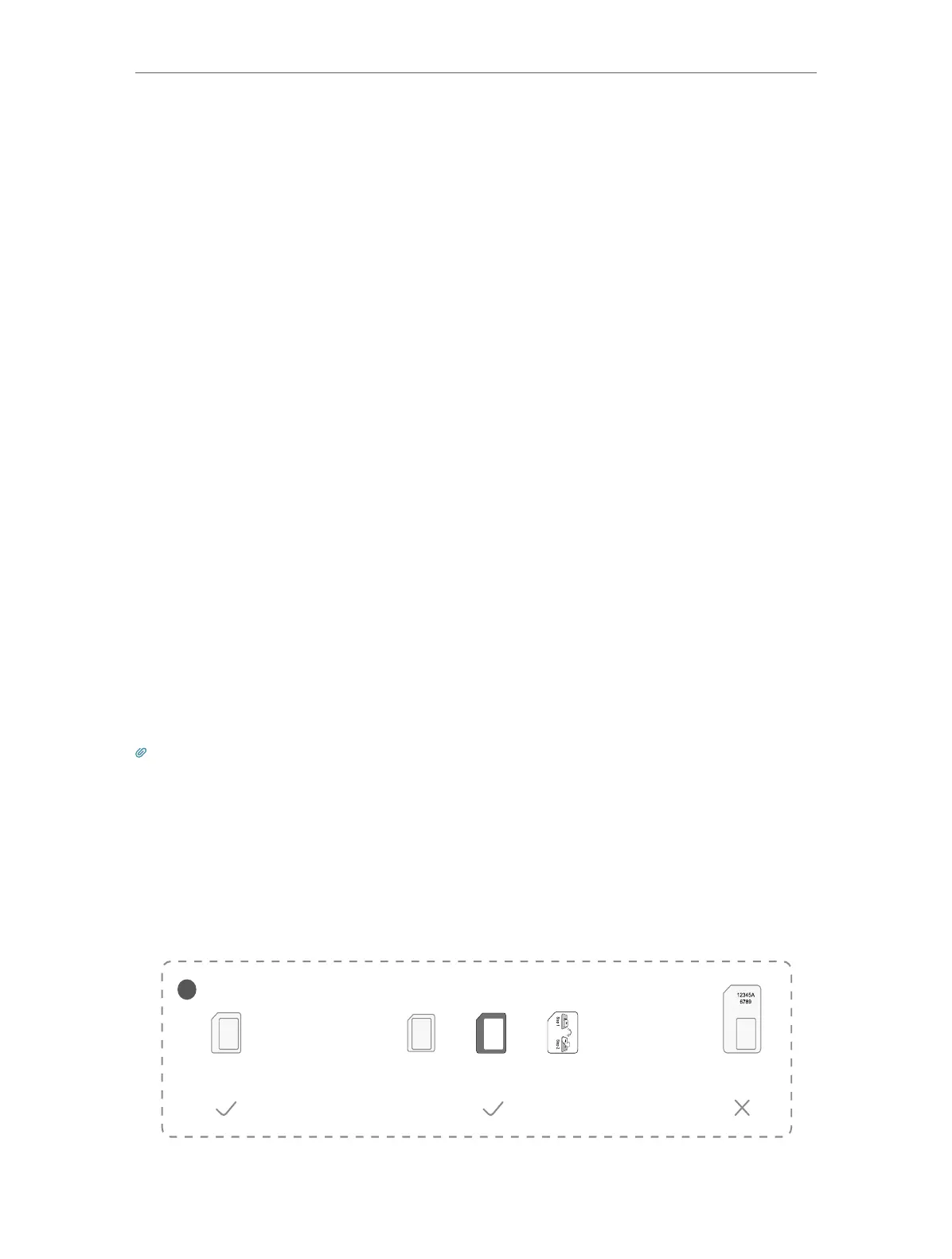
2. Insert the Micro SIM card into the slot until you hear a click.
SIM card requirement
!
Micro SIM card
Nano SIM card + Provided SIM card adapter + Provided sticker
+ +
Standard
SIM card















 To Next Page