8
Chapter 2
Connect the Hardware
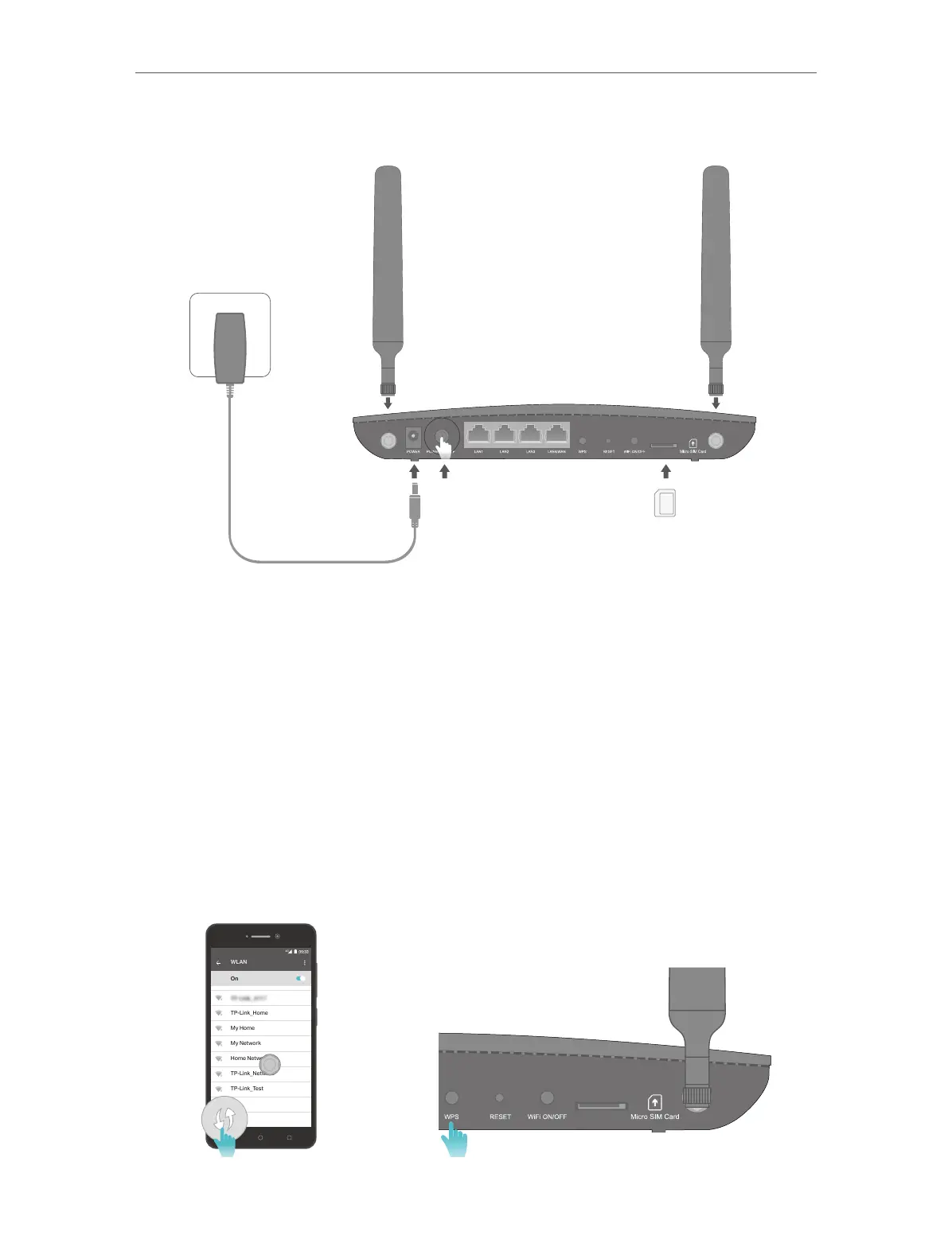
3. Connect the power adapter and push in the POWER ON/OFF button to turn on the
router. The power source shall be near the device and shall be easily accessible.
4. Connect your computer to the router.
Method 1: Wired
Connect your computer’s Ethernet port to one of the LAN ports on the router via an
Ethernet cable.
Method 2: Wirelessly
Use the default SSID (Wireless Network Name) and Wireless Password printed on the
product label of the router to connect wirelessly.
Method 3: Use the WPS button
Wireless devices that support WPS, including Android phones, tablets, most USB
network cards, can be connected to your router through this method. (WPS is not
supported by iOS devices.)
WLAN
On
TP-Link_Home
My Home
My Network
Home Network
TP-Link_Network
TP-Link_Test
4G















 To Next Page