77
Chapter 12
Administrate Your Network
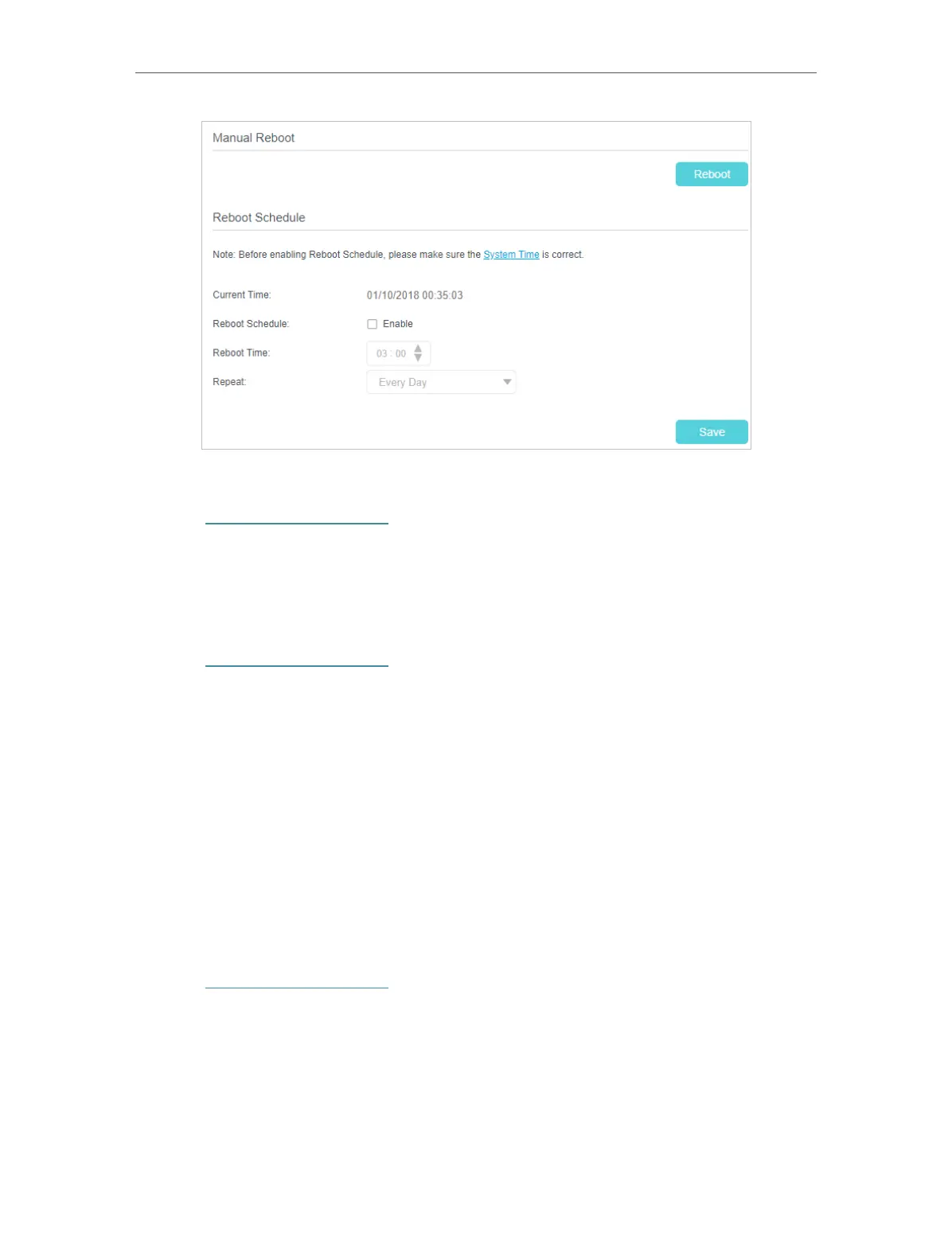
• To reboot manually:
1. Visit http://tplinkmodem.net, and log in with the password or your TP-Link ID.
2. Go to Advanced > System Tools > Reboot page.
3. Click Reboot and wait a few minutes for the router to restart.
• To schedule the reboot time
1. Visit http://tplinkmodem.net, and log in with the password or your TP-Link ID.
2. Go to Advanced > System Tools > Reboot page.
3. Enable Reboot Schedule.
4. Set when and how often the router reboots by specifying the parameters in the
Reboot Time and Repeat fields.
5. Click Save.
12. 7. Change the Administrator Account
Admin account is used to log in to the router’s web-based management page. You are
required to set the admin account at the first login. You can change it on the web page.
1. Visit http://tplinkmodem.net, and log in with the password or your TP-Link ID.
2. Go to Advanced > System Tools > Administration page. Locate the Account
Management section.















 To Next Page