27
Chapter 6
Network Security
1. Visit http://tplinkmodem.net, and log in with your TP-Link ID or the password you
set for the router.
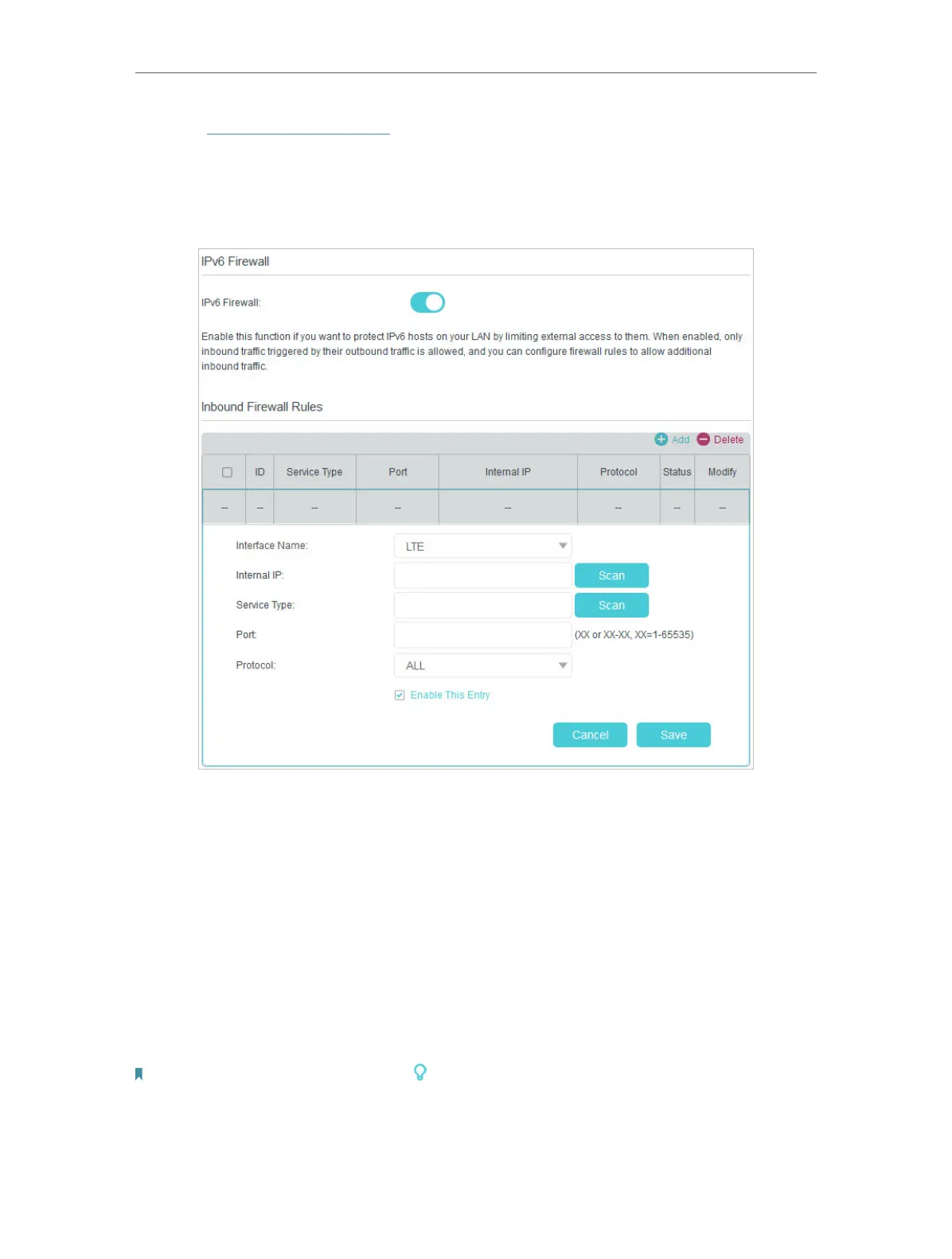
2. Go to Advanced > Security > IPv6 Firewall.
3. Click Add.
4. Select an interface name from the drop-down list. Interface names are names of
the internet connections you have set up.
5. Click Scan to select a service from the list to automatically populate the Port field
with an appropriate port number. It is recommended to keep the default Port if you
are unsure about which one to use. If the service is not listed, manually enter the
Service Type and the Port number (e.g., 21 or 21-25).
6. Click Scan to select the local host device running the service. If the device is not
listed, enter its global IPv6 address in the Global IPv6 Address field
7. Select a protocol for the service from the drop-down list.
8. Select Enable This Entry and click Save.
Note: If you want to disable this entry, click the icon.















 To Next Page