29
Chapter 7
Parental Controls
I want to:
Control the time of day my children or other home network users are allowed to access
the internet and even types of websites they can visit.
For example, I want to allow my children’s devices (e.g. a computer or a tablet) to access
only www.tp-link.com and wikipedia.org, from 18:00 (6PM) to 22:00 (10PM) on weekdays
only.
How can I do that?
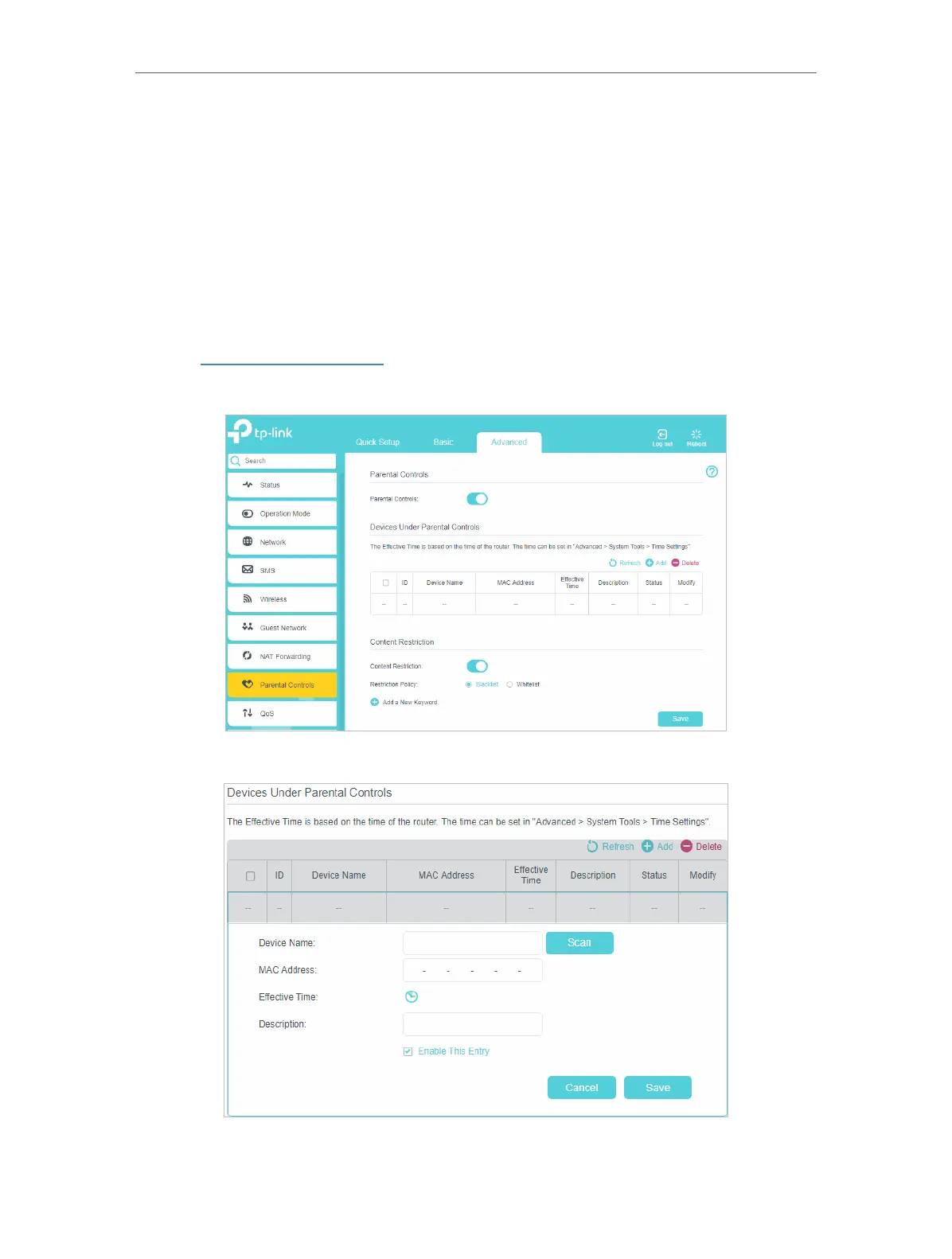
1. Visit http://tplinkmodem.net, and log in with the password or your TP-Link ID.
2. Go to Basic or Advanced > Parental Controls and enable Parental Controls.
3. Click Add.















 To Next Page