69
Chapter 11
Specify Your Network Settings
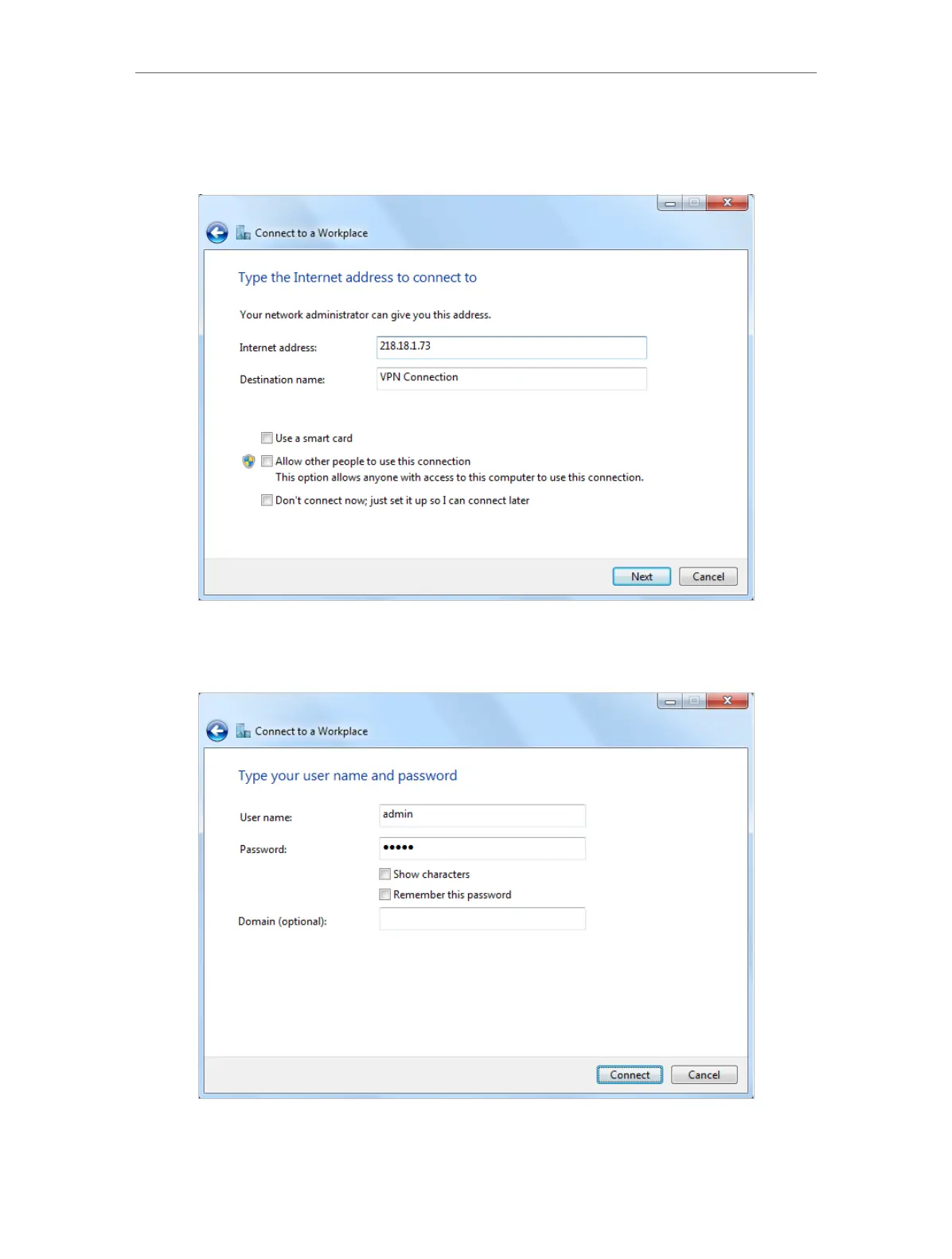
5. Enter the internet IP address of the router (for example: 218.18.1.73) in the Internet
address field. Click Next.
6. Enter the User name and Password you have set for the PPTP VPN server on your
router, and click Connect.
7. The PPTP VPN connection is created and ready to use.















 To Next Page