95
Chapter 14 OneMesh with Seamless Roaming
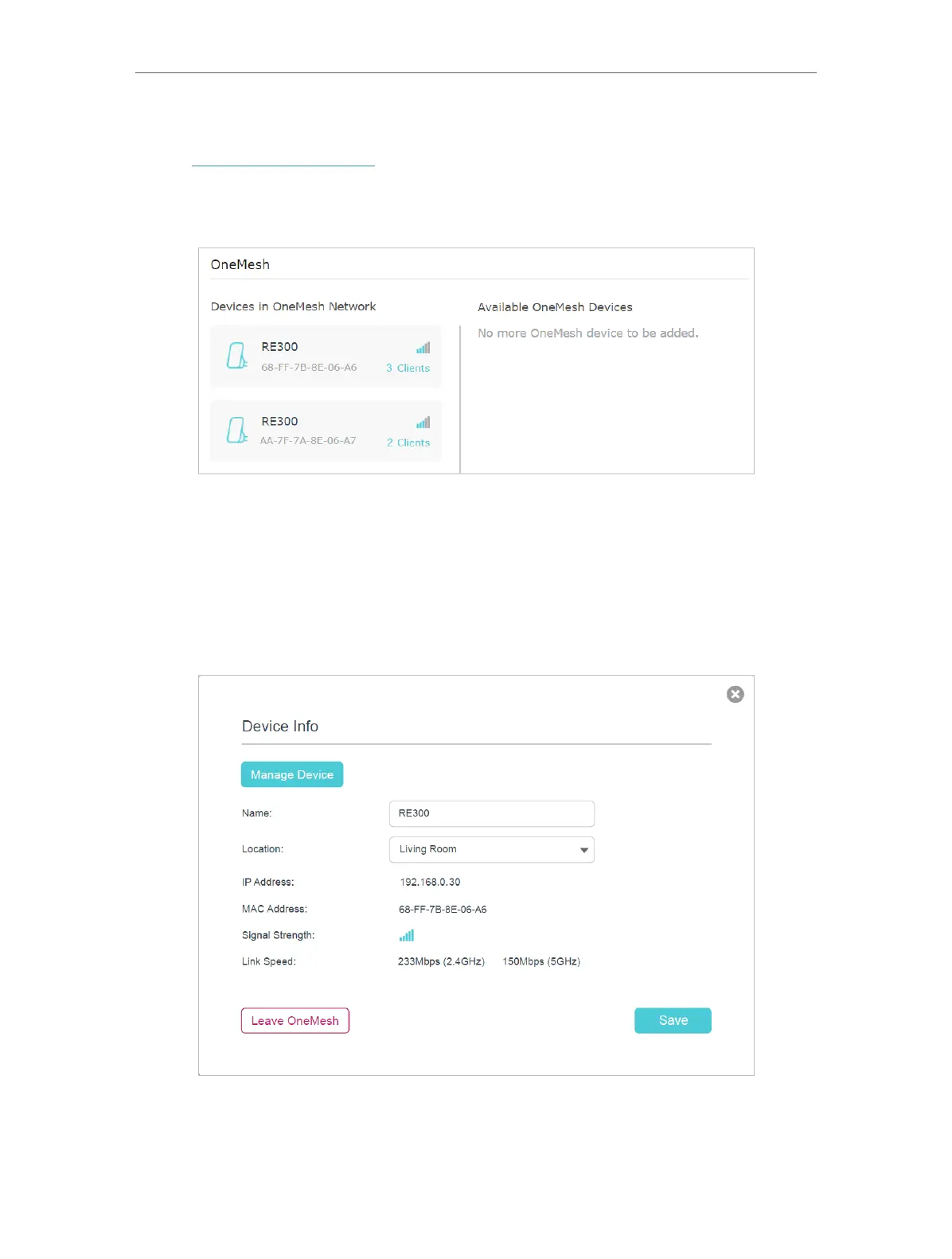
• To manage each OneMesh device in the network:
1. Visit http://tplinkmodem.net, and log in with your TP-Link ID or the password you set
for the router.
2. Go to Basic > OneMesh or Advanced > OneMesh.
3. Click a OneMesh device to view the device information, or click <number> Clients to
view the clients connected to this device.
On the Device Info page, you can:
• Click Manage Device to redirect to the web management page of this OneMesh
device.
• Click Leave OneMesh to delete this device from the OneMesh network.















 To Next Page