Error! AutoText entry not defined.
Error! AutoText entry not defined. User Guide
73
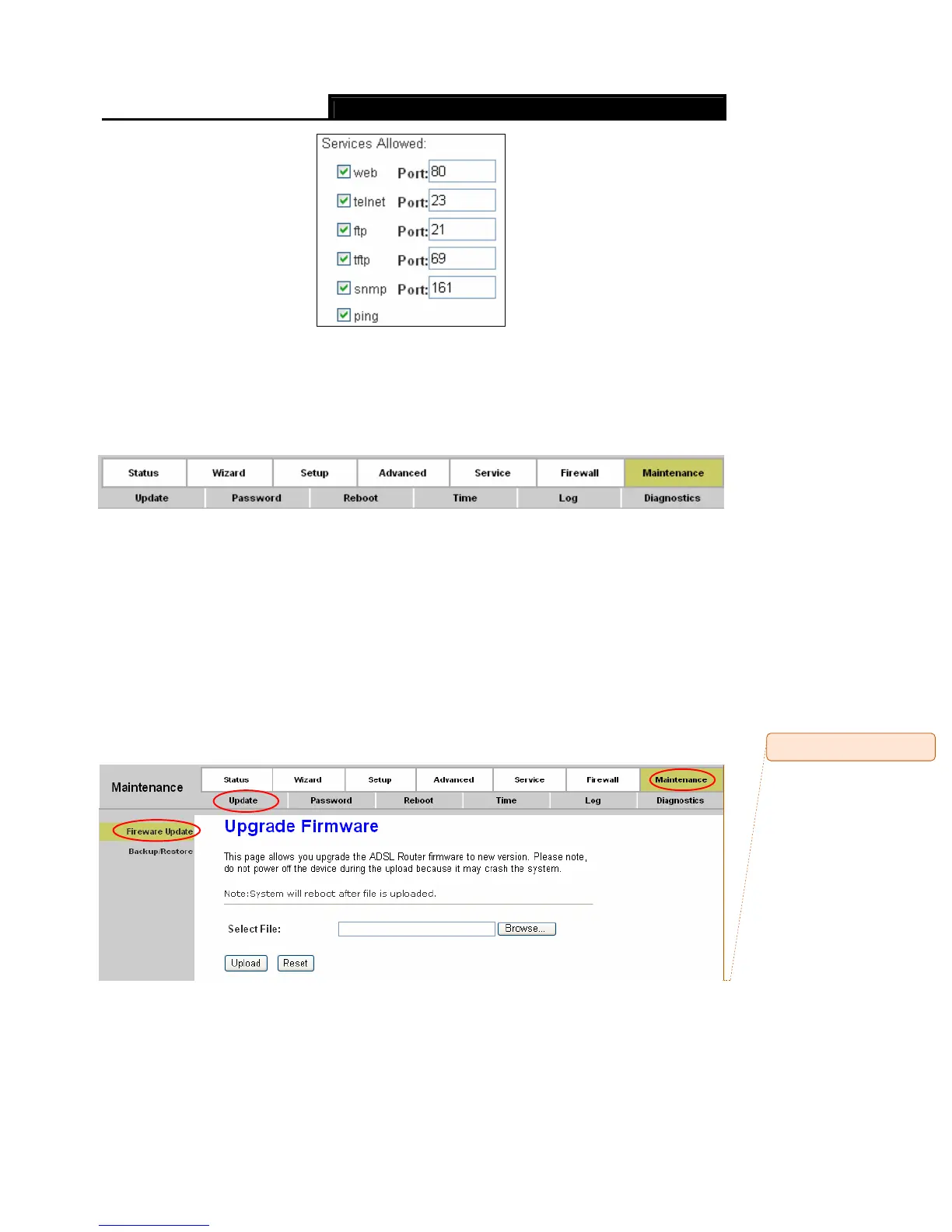
Current ACL Table: It shows the current ACL setting.
4.6 Maintenance
Choose “Maintenance”, you can see the next submenus:
Click any of them, and you will be able to configure the corresponding function.
4.6.1 Update
4.6.1.1 Firmware Update
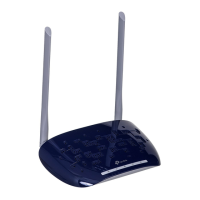
Choose “Maintenance→Update→Firmware Update”, you can upgrade the firmware of the
Router in the screen (shown in Figure 4-50). Make sure the firmware you want to use is on the
local hard drive of the computer. Click Browse to find the local hard drive and locate the firmware
to be used for upgrade.
Figure 4-50
Comment [znh2]: Fireware










 To Next Page