93
Chapter 5
Congure the Router as an Access Point
5. 6. 10. System Log
1. Visit http://tplinkwifi.net, and log in with the username and password you set for the
router.
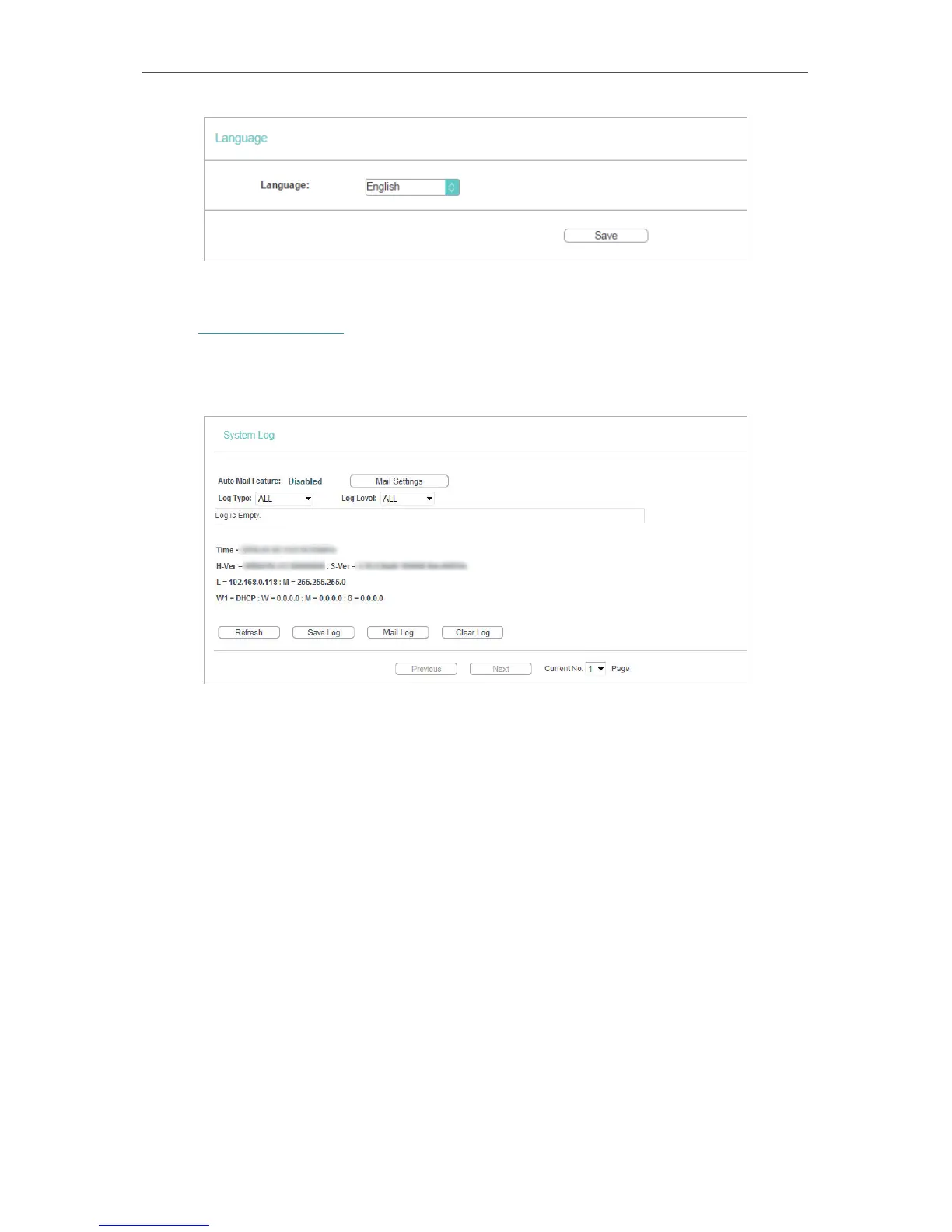
2. Go to System Tools > System Log, and you can view the logs of the router.
• Auto Mail Feature - Indicates whether the auto mail feature is enabled or not.
• Mail Settings - Set the receiving and sending mailbox address, server address,
validation information as well as the timetable for Auto Mail Feature.


 To Next Page
 Loading...