NEVER unplug the MP850 during file transfer. Unplug the MP850 only when Windows informs
it is safe (see Disconnecting from a Computer) and the “READY” screen disappears.
Audio files (MP3/WMA/WMA-DRM10/WAV) must be stored no more than 4 folder levels away
from the root directory. The MP850 is limited to 128 character filename length.
Before disconnecting your MP850, always ensure the “READ” or “WRITE” screen is not
displayed, as damage to your files or the MP850 may occur.
Removing the MP850 in Windows
Me, 2000, XP and Vista
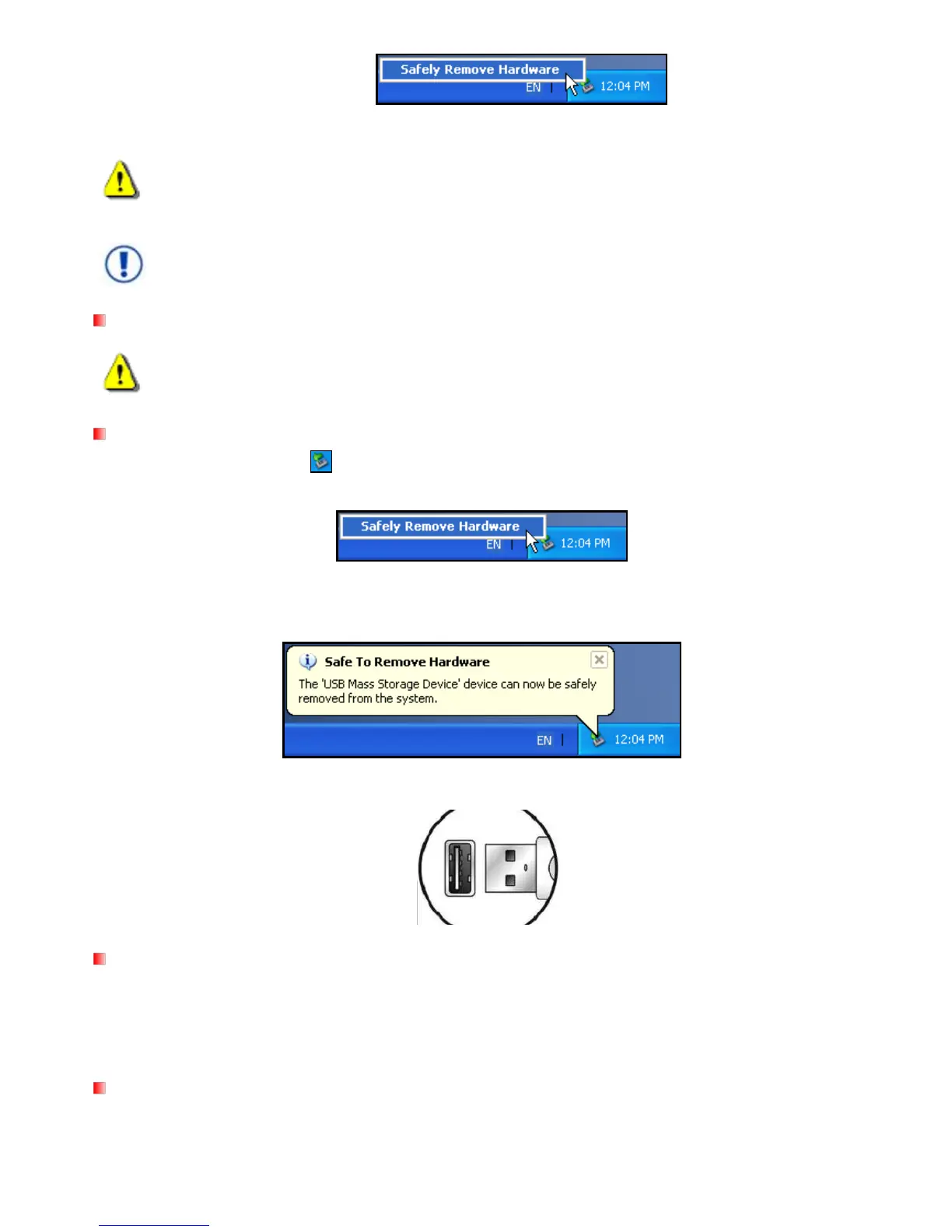
1. Select the Hardware icon on the system tray.
2. The Safely Remove Hardware pop-up window will appear. Select it to continue.
Figure 7: Safely Remove Hardware
3. A window will appear stating “The „USB Mass Storage Device‟ device can now be safely removed from
the system.”
Figure 8: Safe to Remove Hardware
4. Unplug the MP850 from your computer.
3.
Removing the MP850 in Mac
OS 10.0 or Later
1. Drag and drop the Disk icon that corresponds to your MP850 into the trashcan.
2. Unplug your MP850 from the USB port.
Removing the MP850 in Linux
Kernel 2.4 or Later
1. Execute umount /mnt /MP850 to un-mount the device.
2. Unplug your MP850 from the USB port.



 To Next Page