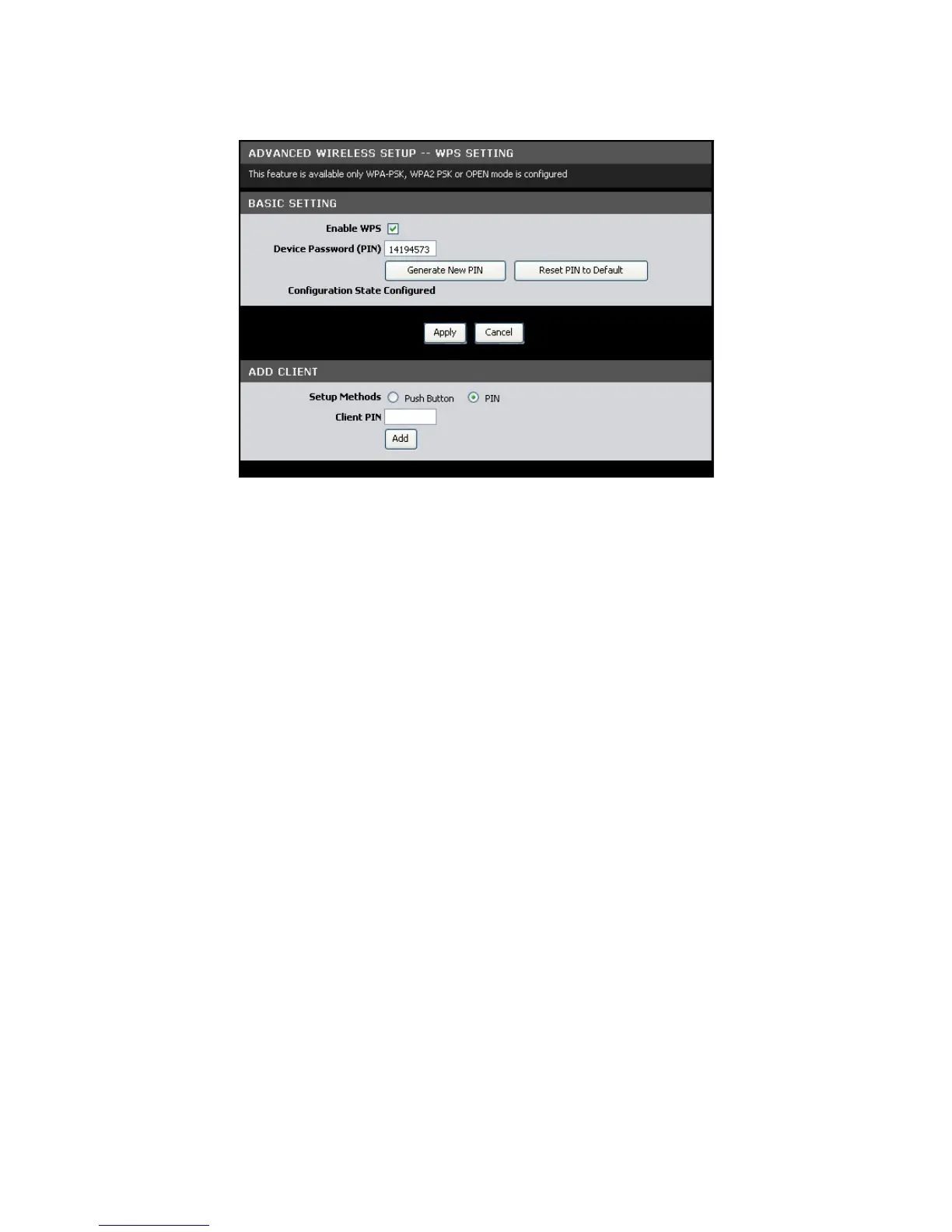
Click Advanced > Advanced Wireless > WPS Setting or click the WPS Setting button.
Basic Setting
Enable WPS — Check this box to enable the WPS function.
Device Password (PIN) — Displays the PIN password. To generate a new PIN, click
the Generate New PIN button. To reset the PIN to default, click the Reset PIN to
Default button.
Click the Apply button to save your changes or click the Cancel button to discard
your changes.
Add Client
Setup Methods — Select one of the following:
• Push Button: Select to connect WPS-supported devices with a push of a
button.
• PIN: Select to prompt WPS-supported devices to enter the PIN before
allowing access to the wireless network.
• Client PIN: Enter the WPS-supported device’s PIN. This PIN is used to
connect to your Modem Router. Click the Add button to apply the
configuration.



 To Next Page