Click the Apply button to save your changes or click the Cancel button to discard
your changes.
FTPD Management
Check the FTPD Enable box to allow network administrators to upgrade the
firmware or restore configurations using the FTP.
Keep old session — Check to retain the old session.
Click the Apply button to save your changes or click the Cancel button to discard
your changes.
Remote Access
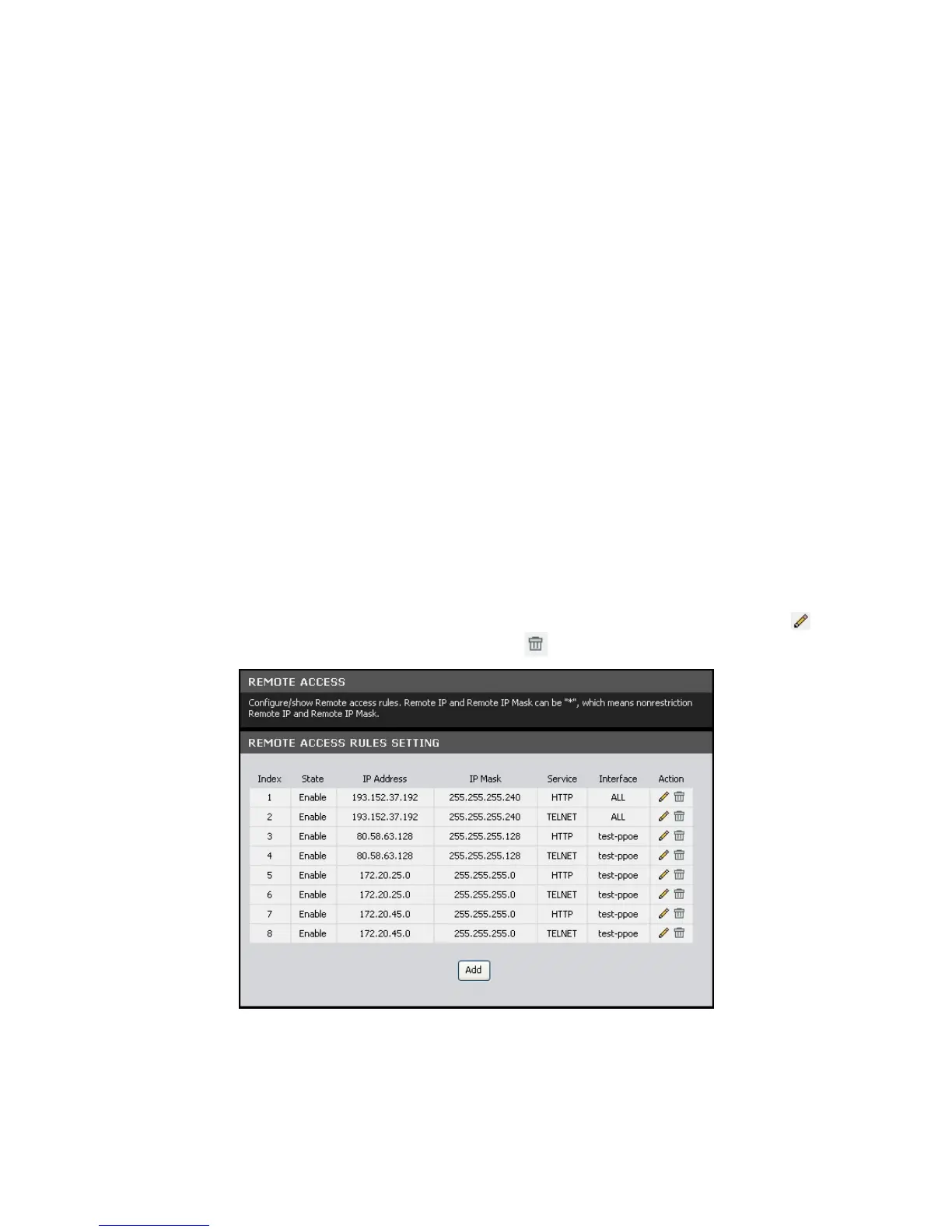
This page allows you to create and edit remote access rules. You can specify the IP
address or the subnet mask of devices that are allowed or denied to remotely
access your Modem Router and set the type of management service that they can
access.
To access the Remote Access page, click MAINTENANCE > Remote Accesss.
The table lists the remote access rules. To edit an entry, click the corresponding
icon. To delete an entry, click the corresponding icon.
To create remote access rules, click the Add button.



 To Next Page