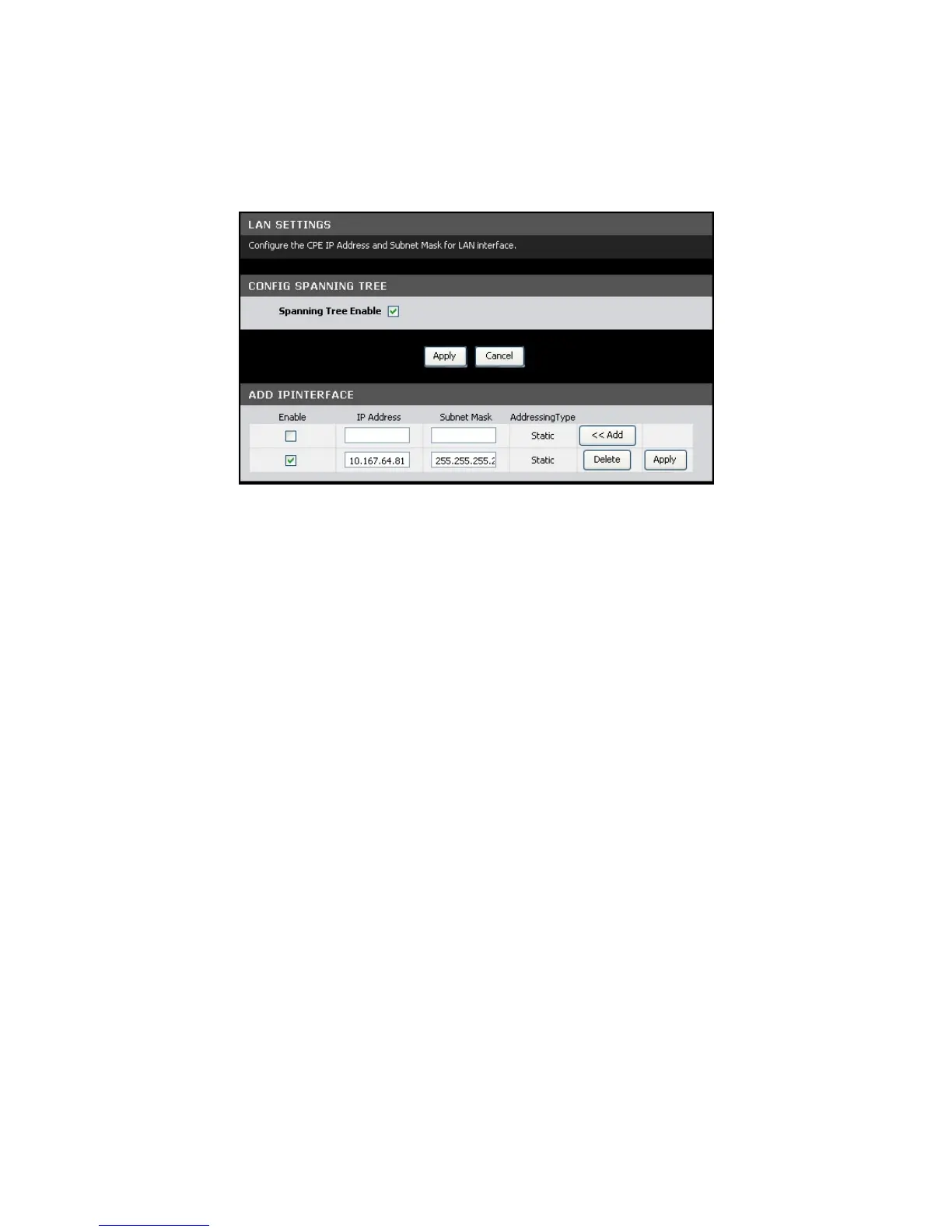
Advanced-LAN
This page allows you to add multiple LAN IP addresses.
To access the Advanced-LAN page, click Advanced > Advanced-LAN.
Config Spanning Tree
Spanning Tree Enable — Check this box to enable spanning tree.
Click the Apply button to save your changes or click the Cancel button to discard
your changes.
Add IP Interface
To add an IP interface, do the following:
22. On the first record on the table, enter the IP Address and Subnet Mask.
23. Check the Enable box to enable the IP interface.
24. Click the Add button. The new entry is listed on the bottom of the list.
To apply the IP interface, click the corresponding Apply button.
To delete the IP interface, click the corresponding Delete button.
ADSL Settings
This page allows you to select ADSL modulations, capabilities, and other options.
Consult your ISP to determine the appropriate settings.
To access the ADSL Settings page, click Advanced > ADSL Settings.



 To Next Page