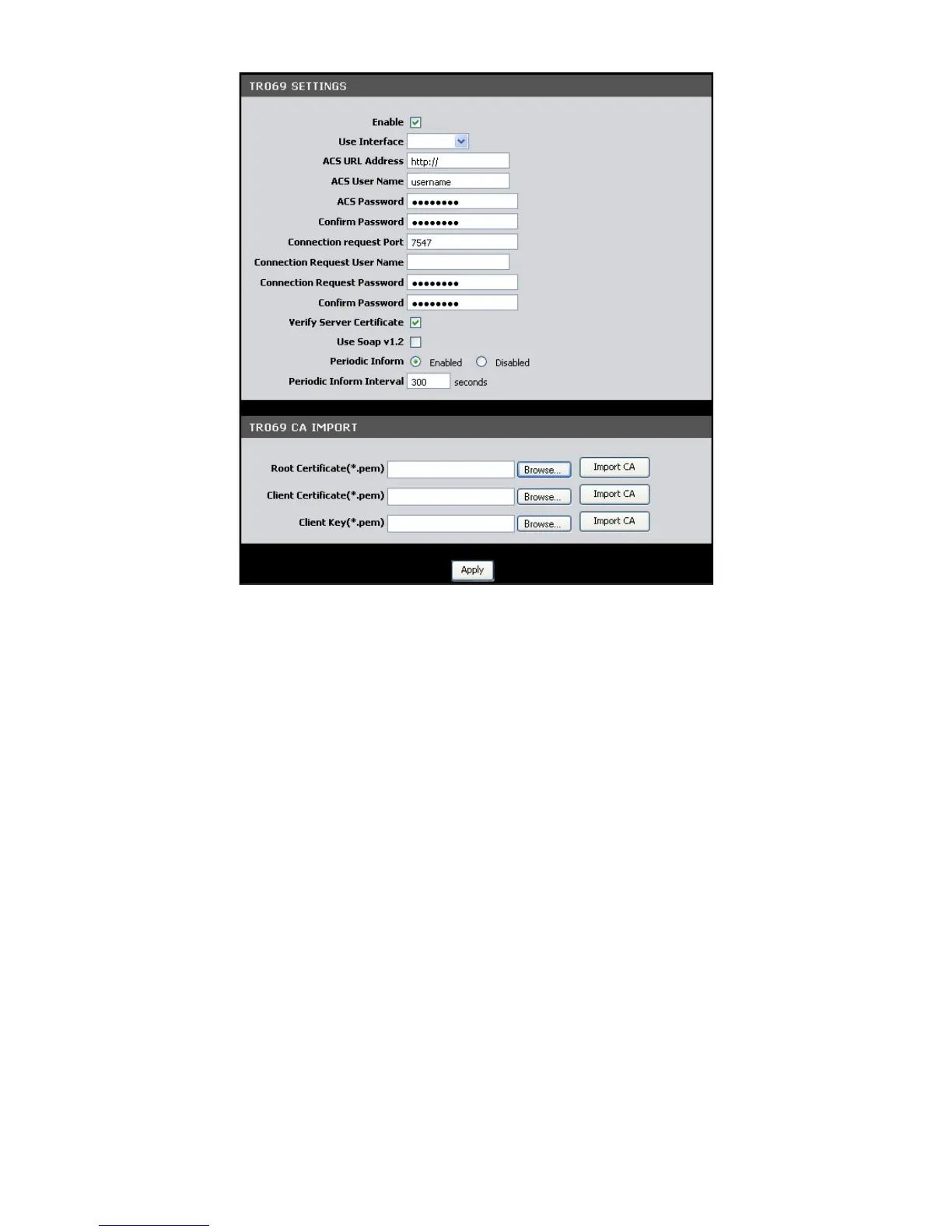
TR069 Settings
Enable — Check this box to enable TR069.
Use Interface — Select the interface to implement TR069.
ACS URL Address — Enter the URL of the Auto-Configuration Server (ACS)
ACS User Name — Enter the user name of your Modem Router when connecting to
the ACS.
ACS Password — Enter the password that your Modem Router should use when
connecting to the ACS. Re-enter the password on the Confirm Password field.
Connection Request Port —Enter the port that issues the request.
Connection Request User Name — Enter the connection request user name.
Connection Request Password — Enter the connection request password. Re-enter
the password on the Confirm Password field.
Verify Server Certificate — Check this box to verify server certificates.
Use Soap v1.2 — Check this box to enable the SOAP protocol.



 To Next Page