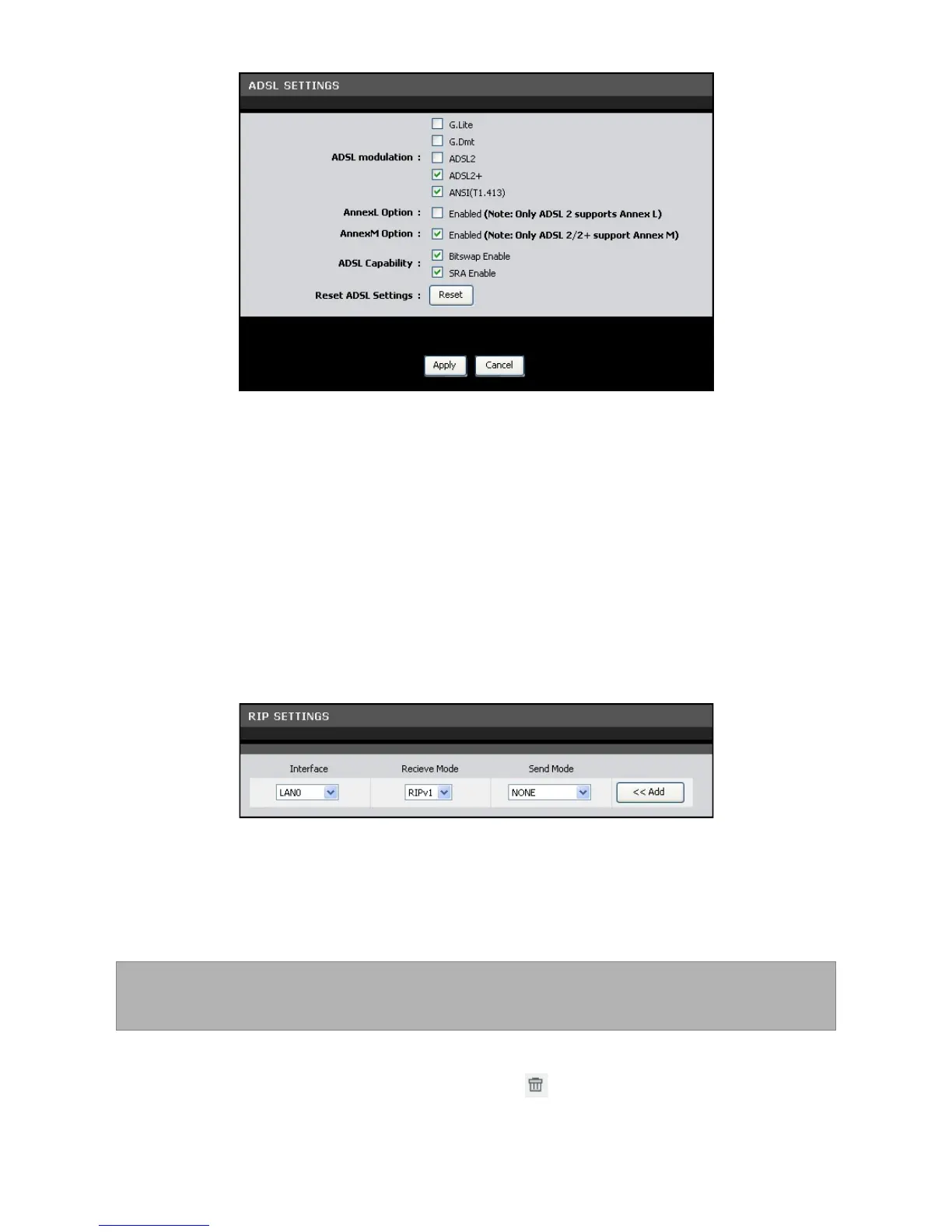
Check a corresponding box to select the option.
To reset the ADSL settings, click the Reset button.
Click the Apply button to save your changes or click the Cancel button to discard
your changes.
RIP Settings
A Routing Information Protocol (RIP) is an Internet protocol that is used to share
routing information table with other routing devices on the local and wide area
network.
To access the RIP Settings page, click Advanced > RIP Settings.
To add RIP settings, do the following:
25. Select the Interface.
26. On the Receive Mode and Send Mode drop-down lists, select the appropriate
versions.
NOTE: The selected versions should match the versions supported by the
other routers on your network.
27. Click the Add button.
To delete an RIP setting, click the corresponding button.



 To Next Page