60. Click the Apply button to save your changes or click the Cancel button to
discard your changes.
Time Schedule
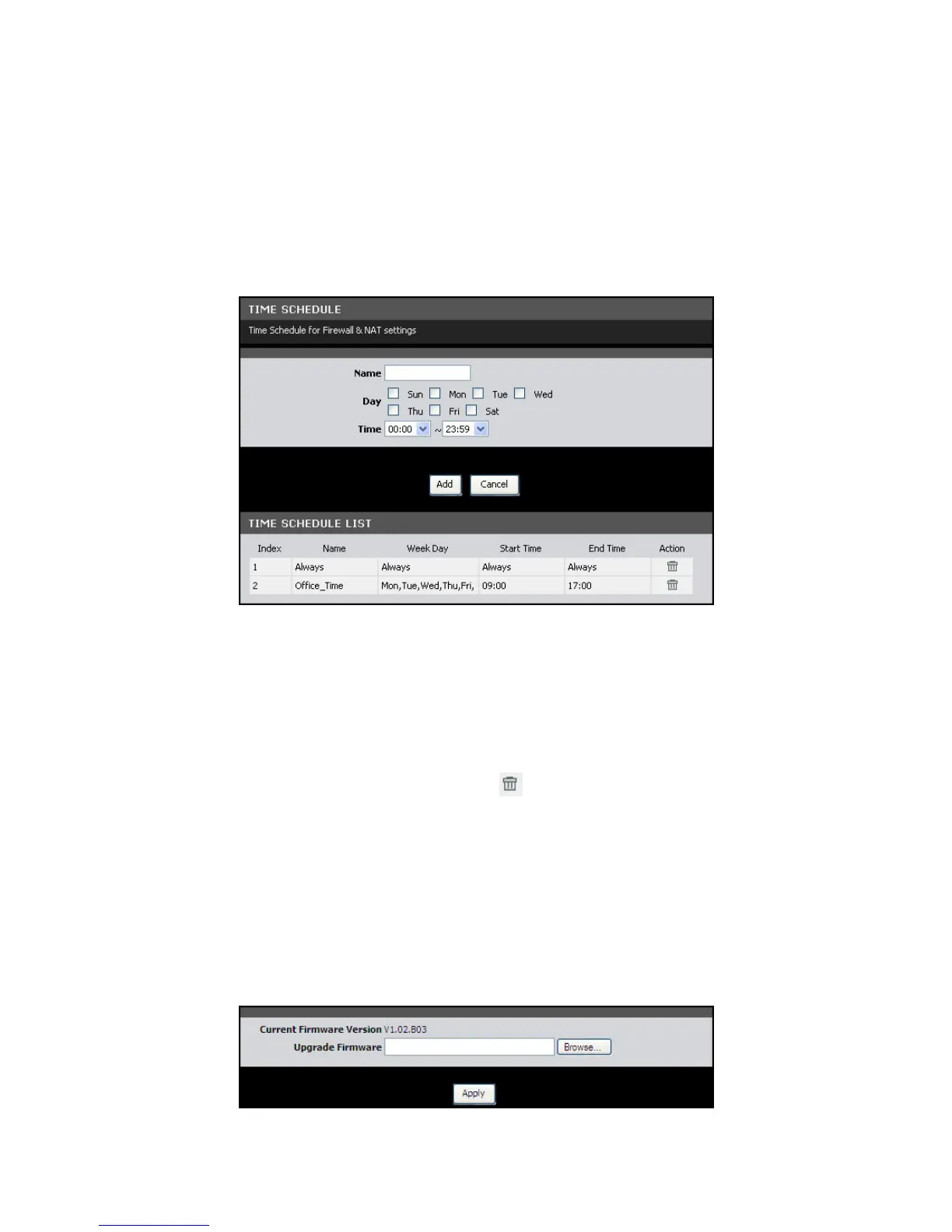
This page allows you create desired time schedule.
To access the Time Schedule page, click MAINTENANCE > Time Schedule.
To create a new schedule, do the following:
61. On the Name field, enter desired schedule name.
62. Check the days to implement the schedule and select the time period.
63. Click the Add button to save the schedule. The new entry is listed on the TIME
SCHEDULE LIST.
To delete a schedule, click the corresponding icon.
Firmware Upgrade
This page displays the current firmware version of your Modem Router and allows
you to install the upgrade.
To access the Firmware Upgrade page, click MAINTENANCE > Firmware Upgrade.



 To Next Page