TEW-823DRU
46
© Copyright 2014 TRENDnet. All Rights Reserved.
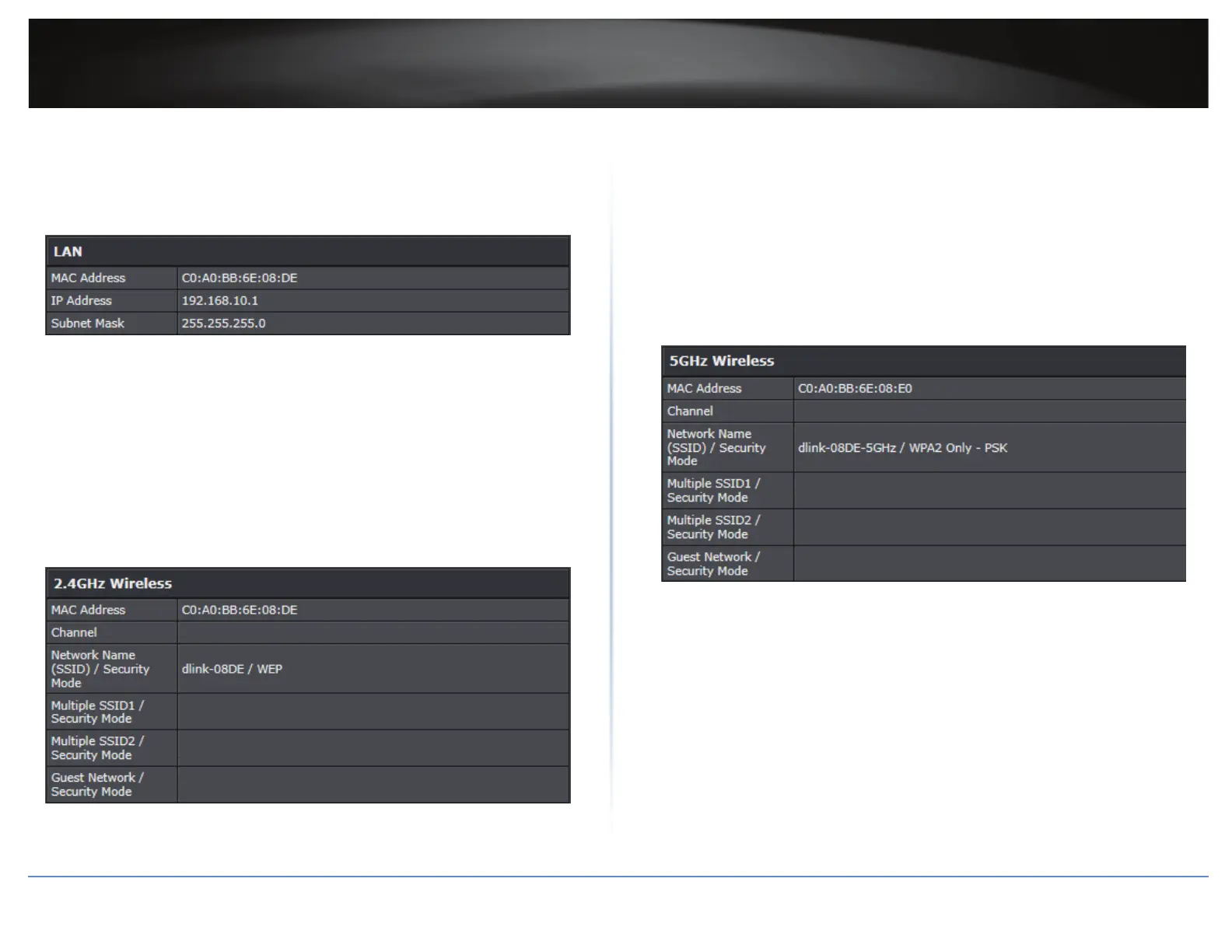
5 In LAN secon, view the following values:
MAC Address: Display the current MAC address of your router’s wireless or interface
conguraon.
IP Address: Display your router’s current IP address.
Subnet Mask: Display your router’s current subnet mask.
6 In 2.4HGz Wireless secon, view the following values:
MAC Address: Display the MAC address of your router’s 2.4GHz wireless LAN
interface conguraon.
Network Name (SSID) / Security Mode: The displays the current 2.4GHz primary
wireless network name and security mode assigned to your router.
Mulple SSID1 / Security Mode: Display the current 2.4GHz wireless network name
and security mode of mulple SSID1 assigned to your router.
Mulple SSID2 / Security Mode: Display the current 2.4GHz wireless network name
and security mode of mulple SSID2 assigned to your router.
Guest Network / Security Mode: Display the current 2.4GHz wireless network name
and security mode of the guest network assigned to your router.
7 In 5HGz Wireless secon, view the following values:
MAC Address: Display the MAC address of your router’s 5GHz wireless LAN interface
conguraon.
Network Name (SSID) / Security Mode: Display the current 5GHz primary wireless
network name and security mode assigned to your router.
Mulple SSID1 / Security Mode: Display the current 5GHz wireless network name
and security mode of mulple SSID1 assigned to your router.
Mulple SSID2 / Security Mode: Display the current 5GHz wireless network name
and security mode of mulple SSID2 assigned to your router.
Guest Network / Security Mode: Display the current 5GHz wireless network name
and security mode of the guest network assigned to your router.





 To Next Page