TEW-823DRU
5
© Copyright 2014 TRENDnet. All Rights Reserved.
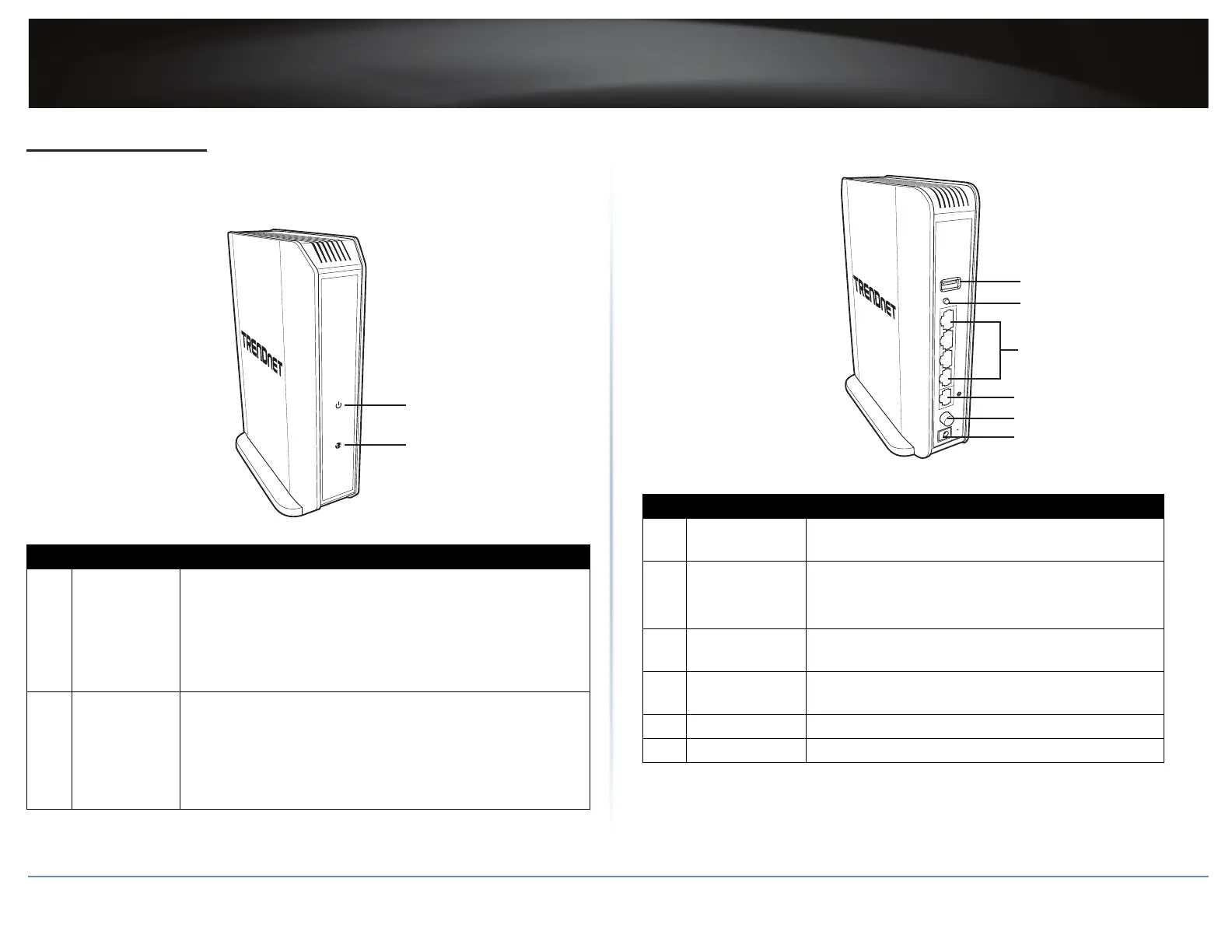
Hardware Overview
Front View
1
2
No.: Item Descripon
1 Power LED
Lights up when the router is powered on.
• Solid GREEN: Normal operaon.
• Blinking GREEN: WPS is acvated.
• O: No power.
ÍNote: The LED will stop blinking and remains solid GREEN
automacally aer the WPS process is completed.
2
Internet port
(Link/Acvity)
LED
Lights up to indicate Internet connecon status.
• Solid GREEN: Router is physically connected to the modem
network or Ethernet port with a network or Ethernet cable.
• Blinking GREEN: Data is transmied or received through
the Internet port of the router.
• O: No acve Internet connecon.
Rear View
POWER
4
3
2
1
USB
WPS
TEW-823DRU
12V
2A
1
2
3
4
5
6
No.: Item Descripon
1 USB 2.0 port
Connect USB storage devices to share over the
network via FTP or Windows® SMB/CIFS, Samba.
2
WPS (Wi-Fi
Protected Setup)
buon
Press to acvate WPS.
ÍNote: The Power LED will blink when WPS is
acvated.
3 LAN ports 1~4
Connect the Ethernet cables from the router LAN ports
to your wired network devices.
4 Internet port
Connect an Ethernet cable from the router Internet
port to your modem.
5 Power switch Push to switch the router on or o.
6 DC-in port Connect the supplied DC power input connector here.















 To Next Page