© Copyright 2020 TRENDnet. All Rights Reserved.
IPv6 Status
Advanced > Administrator > IPv6 Status
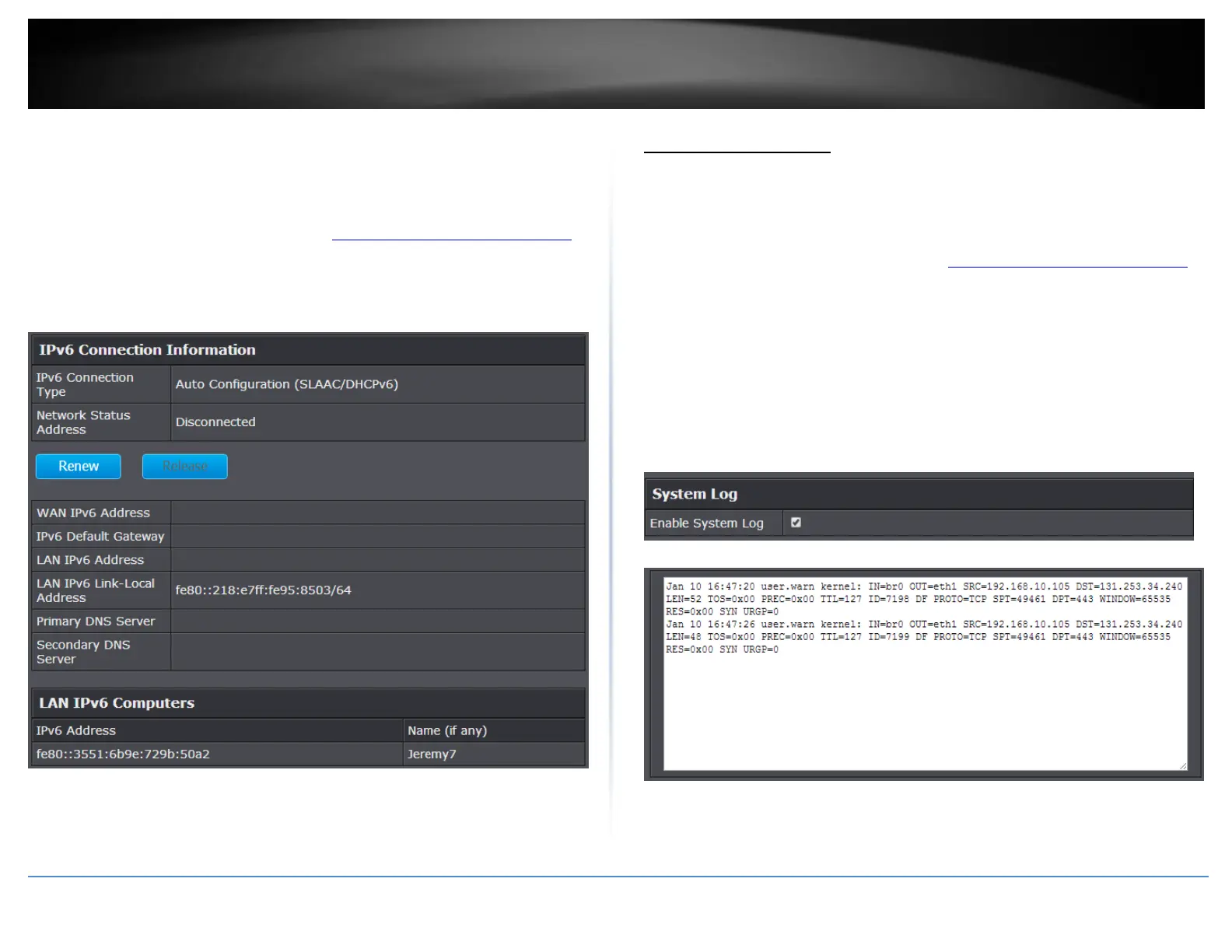
You can view the current IPv6 status on your router.
1. Log into your router management page (see “Access your router management page”
on page 10).
2. Click on Advanced and click on Administrator, then click on IPv6 Status
View your router log
Advanced > Administrator > System Log
Your router log can be used to obtain activity information on the functionality of your
router or for troubleshooting purposes.
1. Log into your router management page (see “Access your router management page”
on page 10).
2. Click on Advanced and click on Administrator, then click on System Log.
3. Check the Enable System Log option to enable logging. Then click Apply. The logging
will display in the log window.
Note: Clicking Refresh will refresh the page to ensure display of the most recent logging
information. Click Clear will clear and delete all of the current logging information.
Log Window















 To Next Page