© Copyright 2020 TRENDnet. All Rights Reserved.
Connect additional wired devices to your network
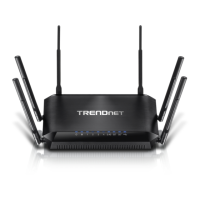
You can connect additional computers or other network enabled devices to your network by using Ethernet cables to connect them to one of the available LAN ports labeled 1,2,3 on
your router.
Note: If you encounter issues connecting to your network, there may be a problem with your computer or device network settings. Please ensure that your computer or device network
settings (also called TCP/IP settings) are configured to obtain IP address settings automatically (also called dynamic IP address or DHCP) and to Obtain DNS Server address settings
automatically.


 To Next Page
