18
3. Camera Settings
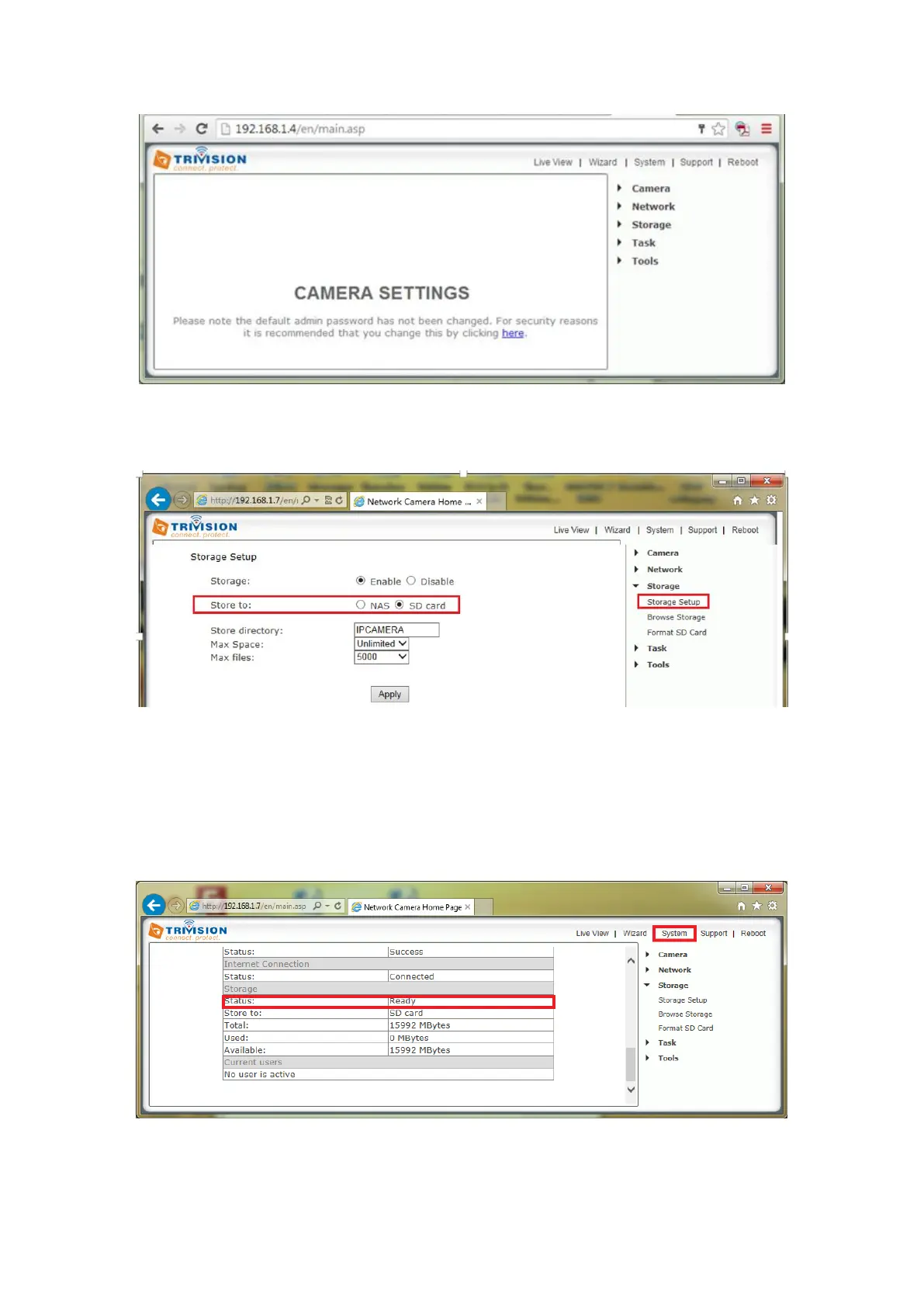
To setup, click on “Setting”, enter user name and password, you will go to this:
4. Storage Setup
Click “Storage” -- storage setup elect SD card apply to store your setting.
5. Format SD Card
Logon to the camera, Click Settings>Enable Storage on SD card>Format SD card. The SD card format can take a few
minutes depending on the size of the SD card. After the SD card is formatted, the Format SD card page will temporarily
display status as "Not Ready" even the format page display “format successfully”. Click “system” menu on the right top
of the setting page, the storage status will display the real status of the SD card after formatting
6. Task Management
Logon to the camera, under Settings>Task>Task Management
[Enable] Enable task you want.
[Schedule] Option to choose always (default) or set a particular schedule.



 To Next Page