56
7.7.3 Date & Time
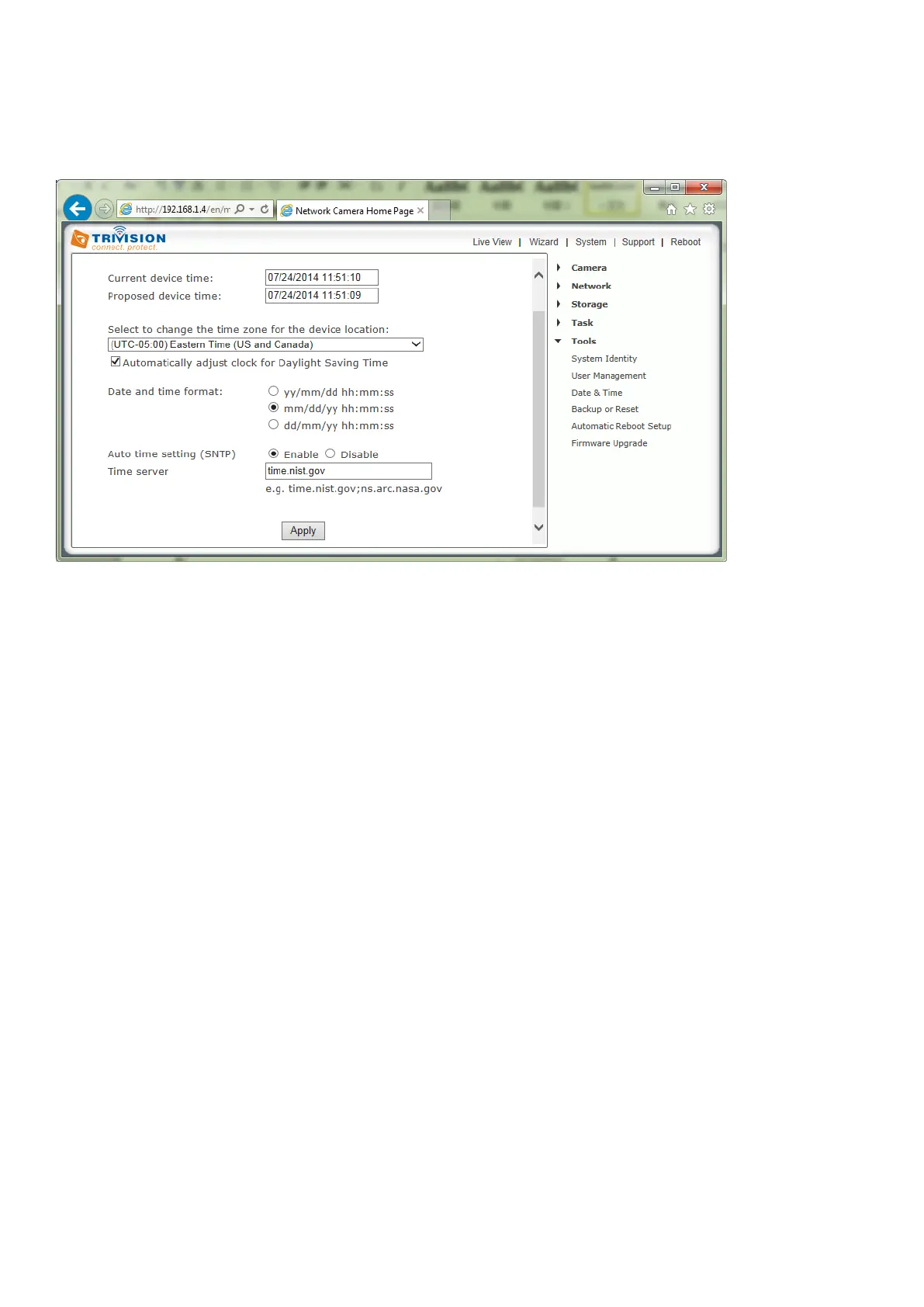
Allows you to set the date and time - used for the timestamp of any files created by the camera
[Current device time] Internal time of the camera.
[Proposed device time] PC system time. On clicking Apply the internal time of the camera will be changed
to this time.
[Select to change the time zone for the device location] Choose your time zone.
[Daylight saving time] tick the box to enable daylight saving time.
[Date and Time format] Select the format of the date and time.
[Auto time setting (SNTP)] Enable or disable the auto time setting to update to the server below.
[Time server] Type the SNTP server name. There are suggestions included.
Note:
1. If the SNTP server is not found the camera’s time will be synchronized with the PC time.
2. The camera keeps track of the time even when power is disconnected.
Click Apply to confirm your settings.



 To Next Page