20
5.0 Camera Live Program
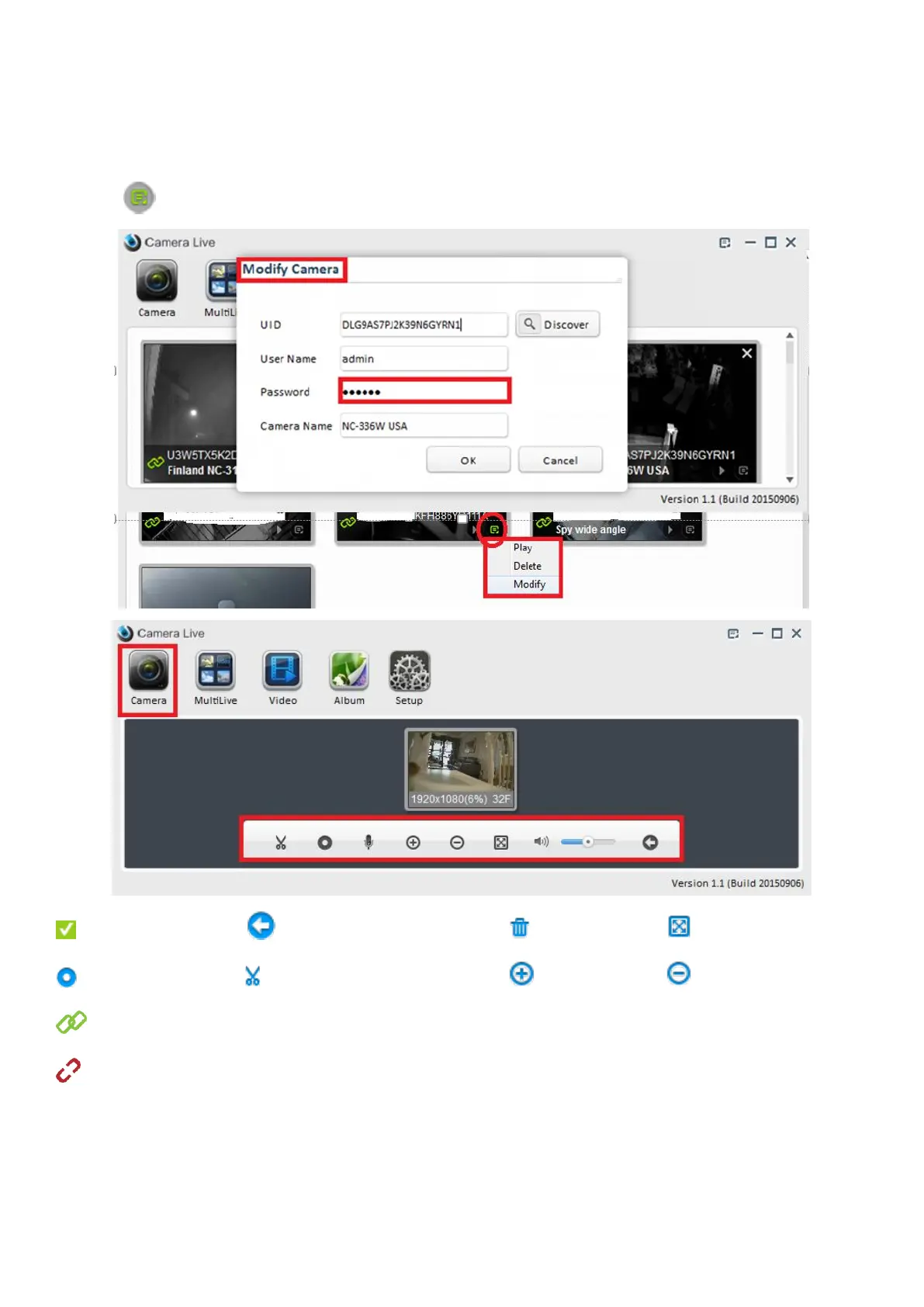
5.1 Play, Delete and Modify Camera
Click on icon to play/delete/modify camera.
Select camera Go back to camera list Delete item Full screen
Record video Take a snapshot Zoom out Zoom out
This icon indicates that the camera is online and a connection is established.
This icon indicates that the camera is disconnected.
If the chain icon stays red when attempting to connect, please check the UID (always in upper case) you typed.
Both the default user name and password is admin, all are lowercase letters.
Also check the camera’s hardware connections according to the Hardware Installation chapter. Check your
Internet connection.



 To Next Page