54
7.7 Tools Menu
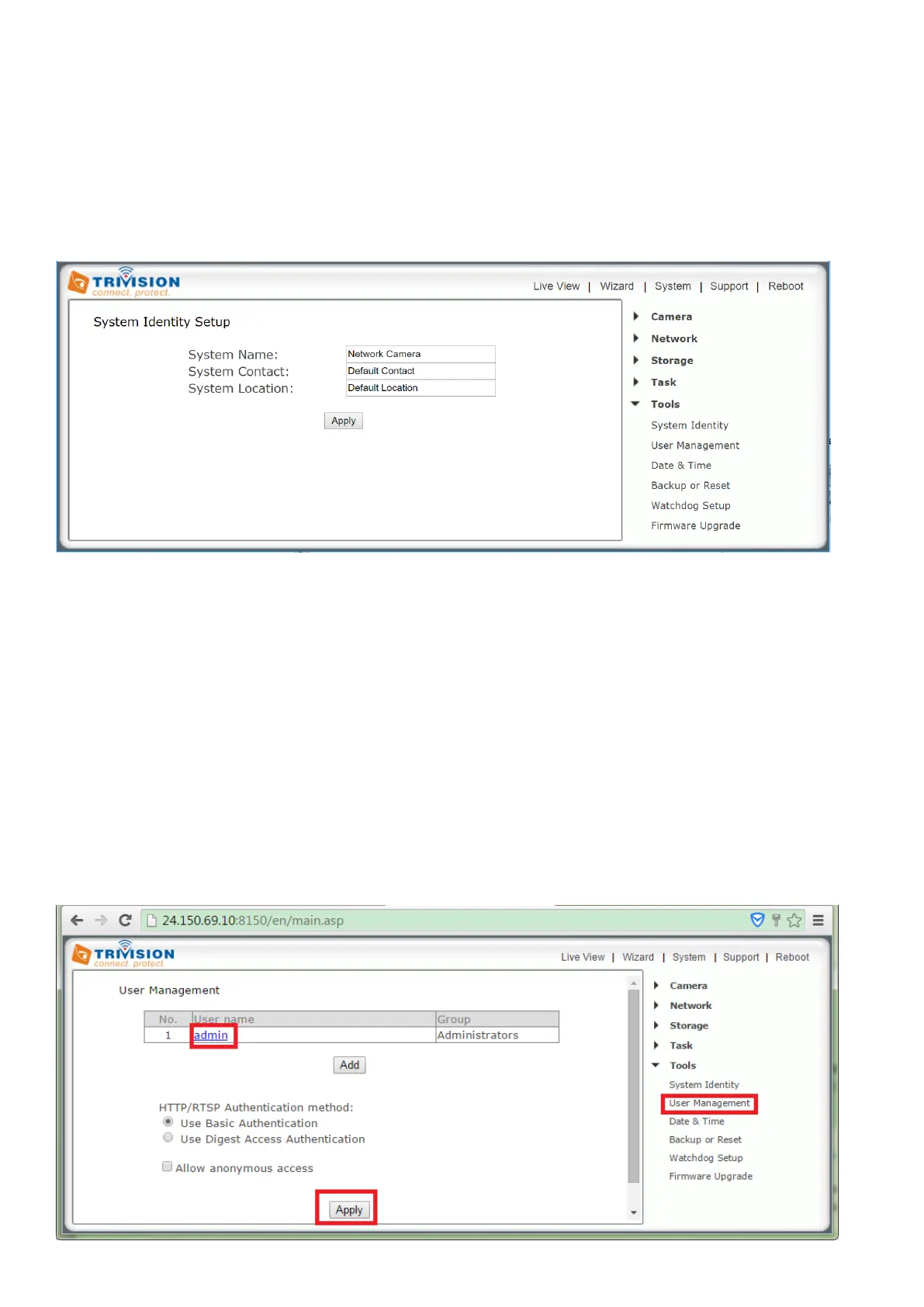
The Tools menu is located on the right of the Settings screen. When you click on the word “Tools”, a sub-
menu of setup options will be displayed.
7.7.1 System Identity
[System Name] Type a name to easily identify the camera.
[System Contact] Type the contact name of the administrator of the camera. This is useful in large
organizations.
[System Location] Type the location of the camera. This is useful when using a multi-camera viewer
program.
Tip: The information you fill in can be displayed on the camera. It can help to distinguish different cameras
on the network.
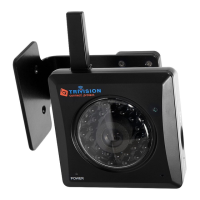
7.7.2 User Management
To change admin password: Click “user management”, Click on the admin (user name) then enter the new
password for that user twice and click Apply.


 To Next Page