44
7.6.4.1 Email Alarm Sending/Email Periodic Sending
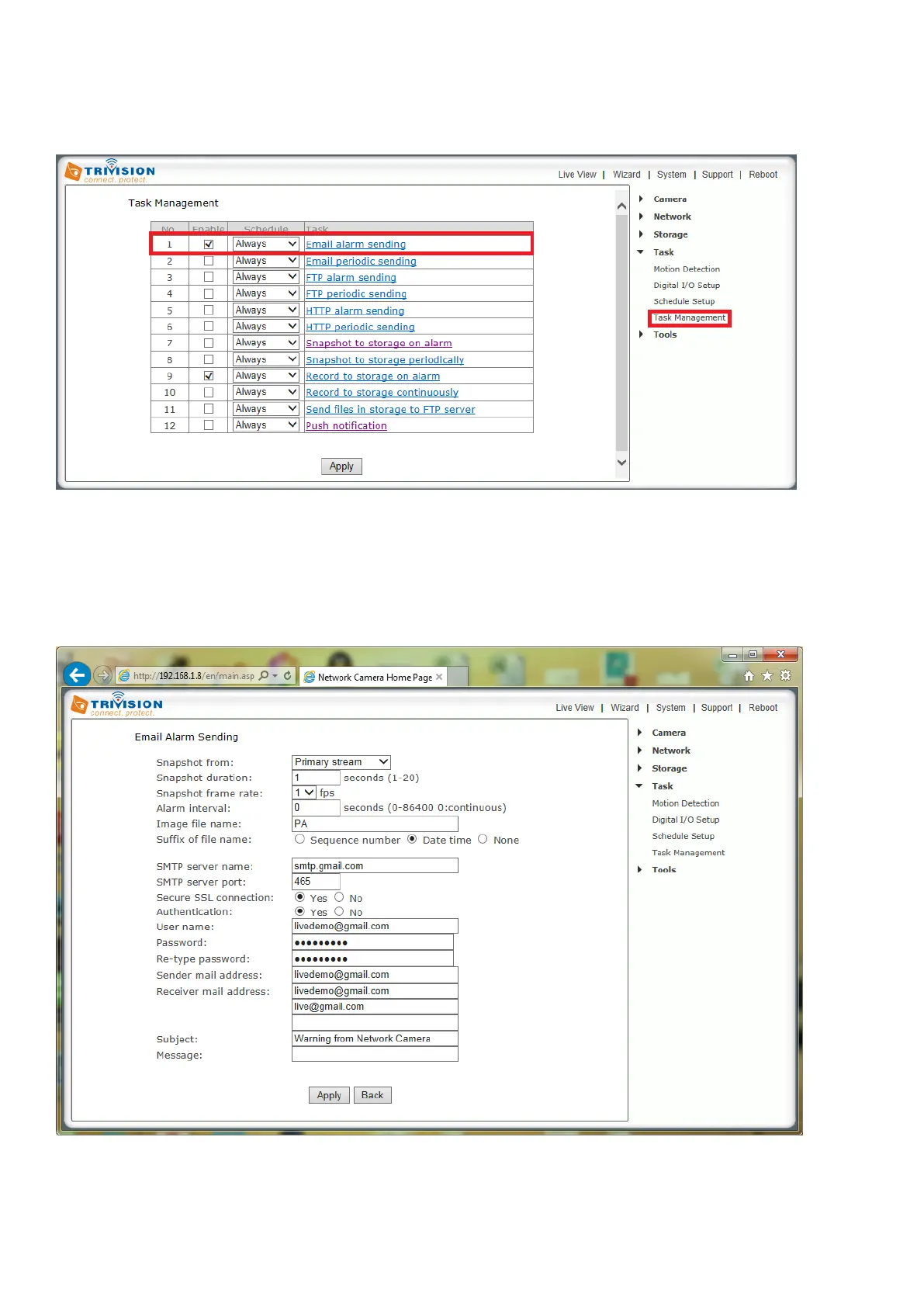
Following is an example of a proper configuration for using Gmail as the outbound server, which then can
send email to any receiving email address.
Logon to the camera, under Settings>Task>Task Management
[Enable] Enable task.
[Schedule] Option to choose always or set a particular schedule. Check Schedule setup to select the right
schedule ID for your task.
[Task] Task function. Click on the task to login the task setting screen below.
Click Apply to confirm your setting
Note: Gmail requires that you go to your account settings on Gmail.com and enable the POP feature
(Post Office Protocol). If your Gmail account does not have POP enabled, the camera will not be able to
send email.



 To Next Page