35
7.5 STORAGE
7.5.1 SD Card Storage Setup
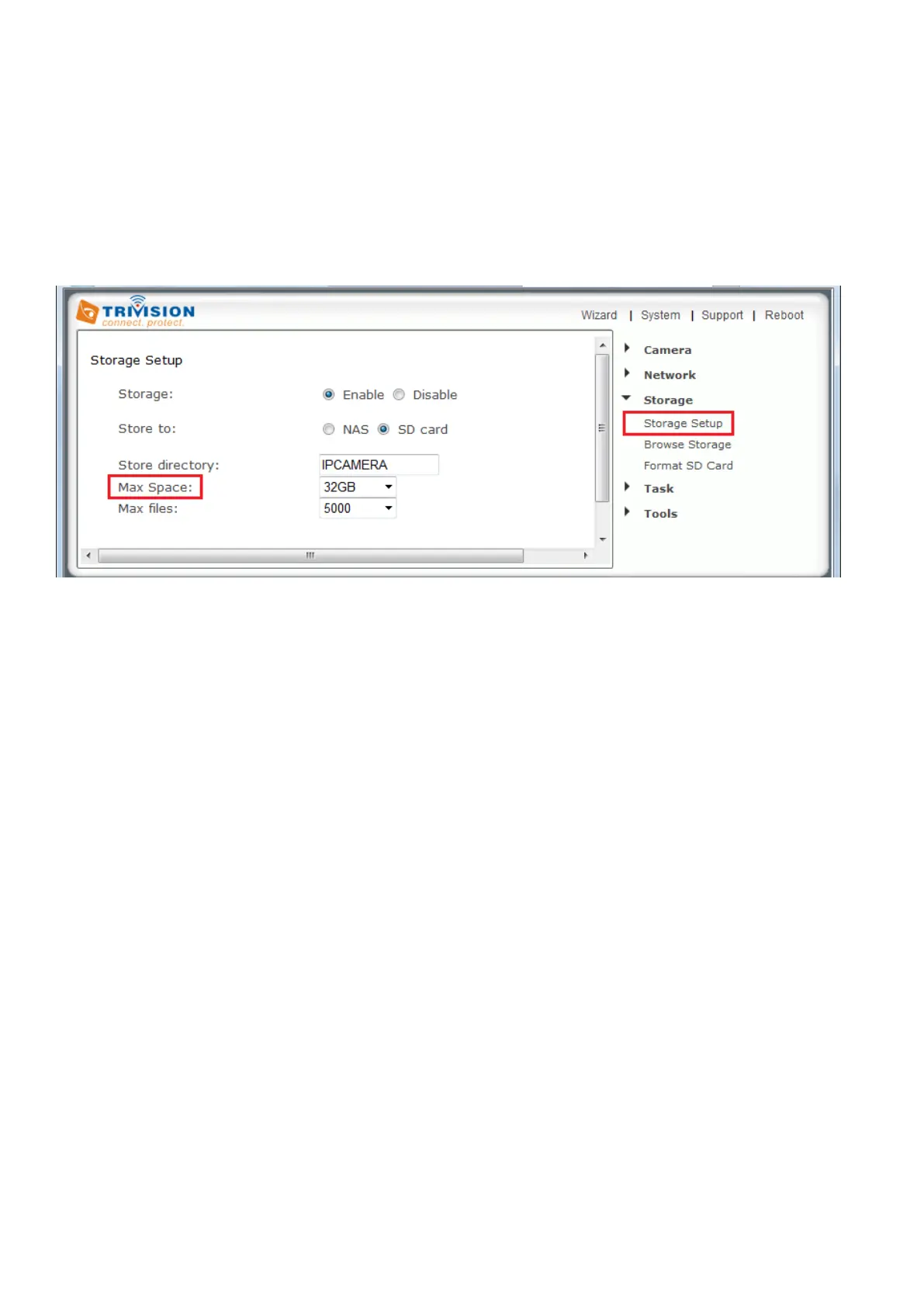
When the camera powers up with a Micro SD present in the slot, Enable “storage” and select store to
“SD card”, then select “format the Micro SD” option.
The Storage menu is located on the right of the Settings screen. When you click on the words “Storage”, a
sub-menu of options will be displayed
The camera can record video direct to virtually an NAS drive or to its internal Micro SD memory card.
You'd choose the camera's own recording or you'd choose NAS recording, but not both at the same time.
[Storage] Select Enable to enable storage option.
[Storage Select] Select whether you want to record on NAS or microSD card.
[Store directory] This is the folder that videos will be saved to.
[Max Space] Storage capacity the camera will use on the chosen storage.
[Max files] The maximum number of files for all the videos can be recorded before overwriting.
Click Apply to confirm your setting.



 To Next Page