59
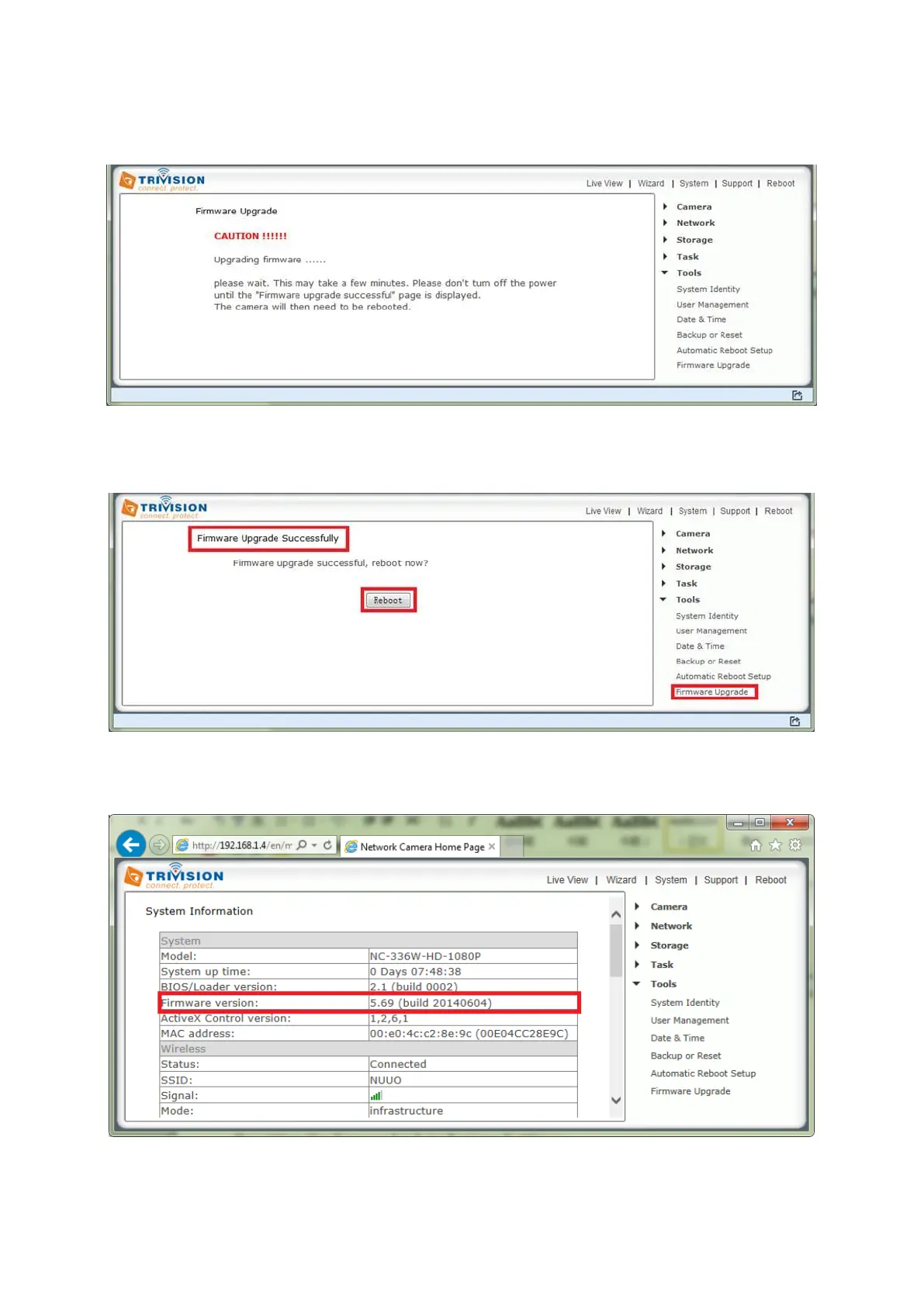
4. Wait till the warning message “Caution ! Upgrading Firmware!”. The firmware uploading to camera is
finished and firmware upgrading is in process. Don’t power off or reboot the camera till the message
“Firmware upgrade successfully, reboot now?”
5. Click “reboot” after “Firmware upgrade successfully, reboot now?” message displayed as below. The
camera reboot takes around 60 seconds.
6. Click “system” menu, which is on the top of the right corner, to check the firmware version as below.
Firmware version will be updated after firmware upgrade.



 To Next Page