Prerequisite:
1. Spittoon with absorption filter
2. Inserted inks
3. If using the TrojanMail table
a. Table position has been calibrated (chapter 3.10)
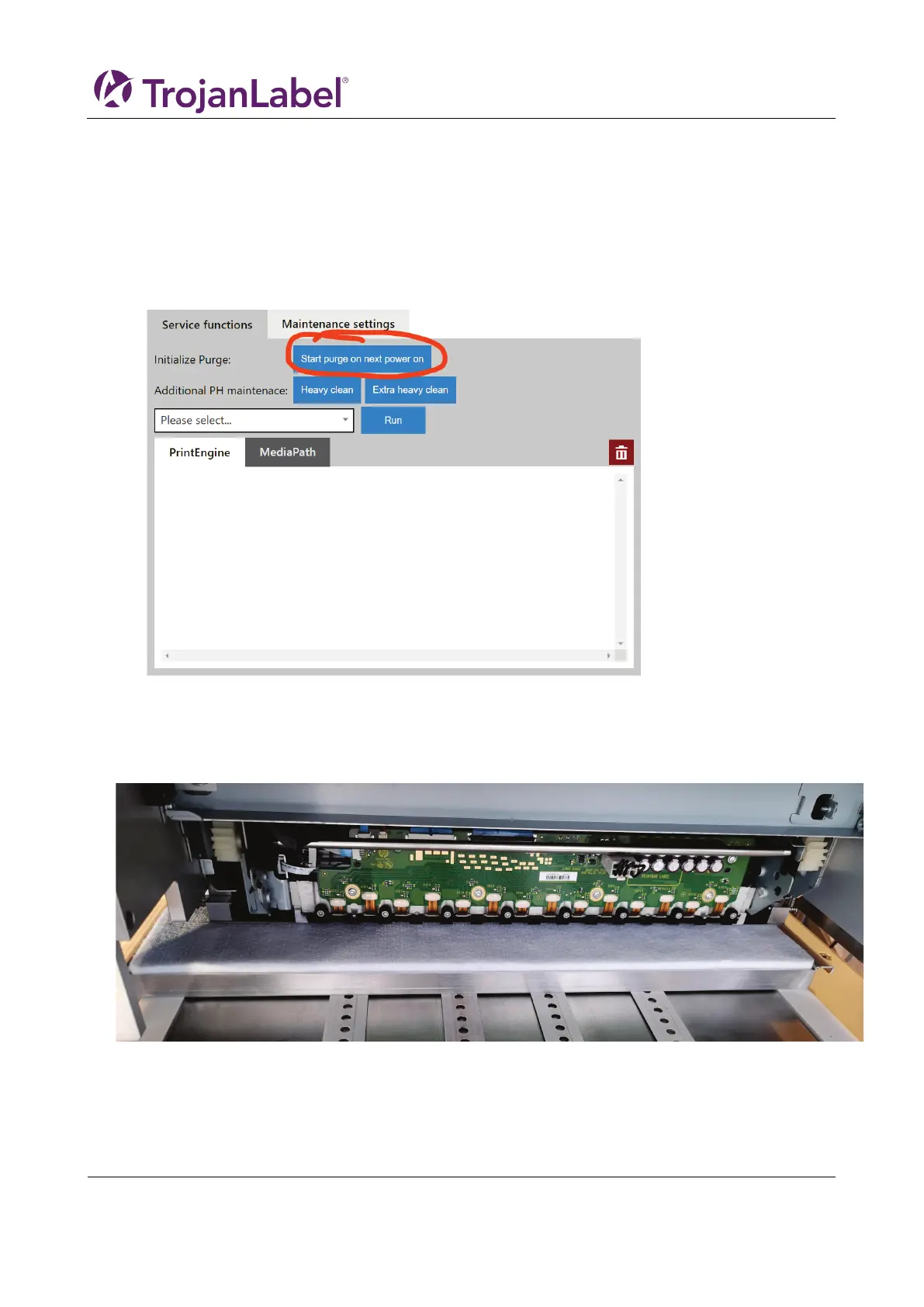
1. Open the service menu
2. Select “Start purge on next power on”
3. Confirm the process initiation:
Purge will deplete 300-350ml shipping fluid. It will require the spittoon placed under the print head.
After pressing OK, print unit will be moved to the purge height and purge will start on next power on.
The operation can not be undone once accepted.
4. Success
Purge process initialized successfully. Place spittoon under the print head, then power off the printer
unit by switching off the main PSU. Purge will automatically start on next power on.
a. If the unit failed to move to the print height, check if the height control has been initialized
in the handling menu



 To Next Page